Beverage partner? Enroll a new account here →

TV menu boards · QR menus · Print
Custom digital menu boards for your restaurant. Ready instantly.
With Just a Menu, snap a photo of your menu. Get digital menu boards, a QR menu, print menus and social posts. Change a price once. It’s right everywhere.
500+
restaurants, from pizzerias to stadiums
30 min
or less to install
1 photo
of your menu is all it takes. Let’s chat →
✓
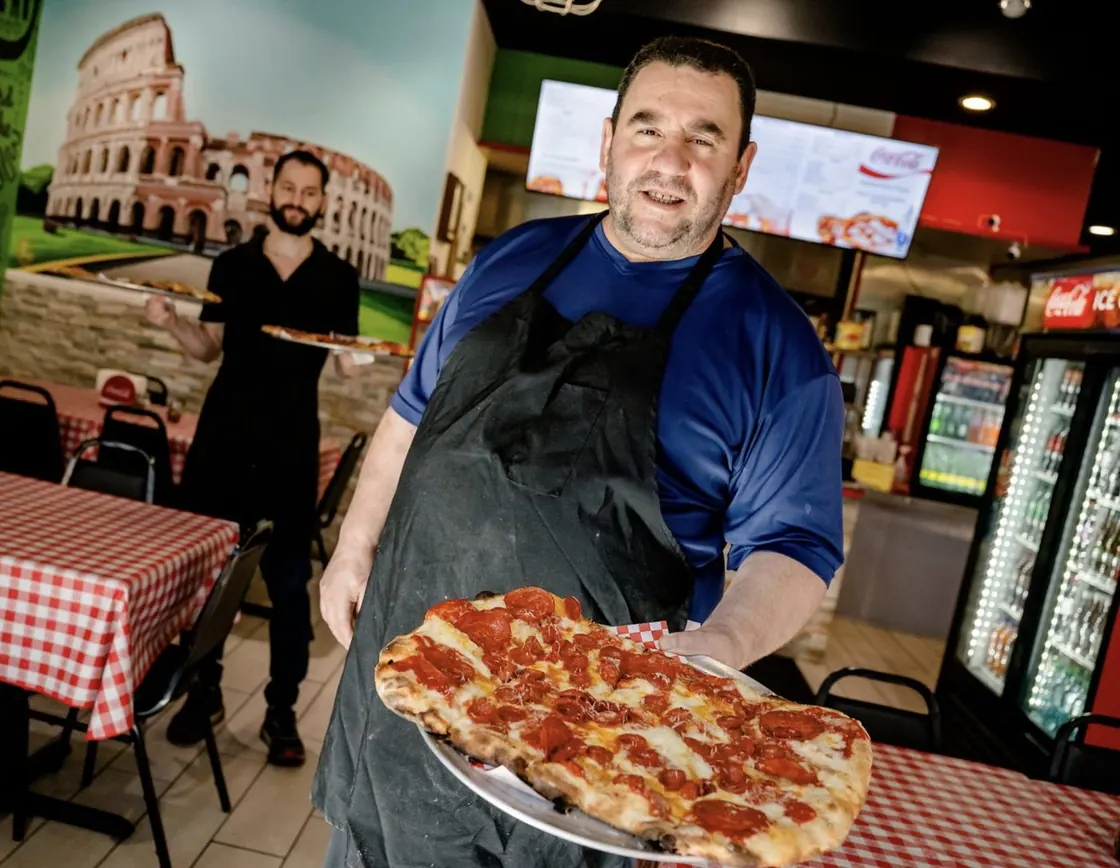
Tony, owner of Pizza Di Roma

Sample
1Your menu
→
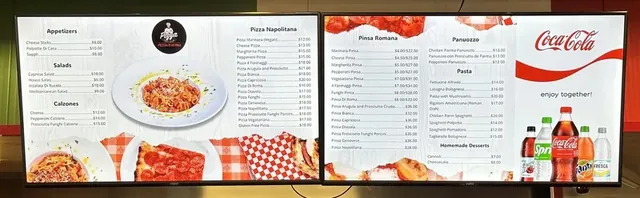
2Your new menu boards
Real install · Pizza Di Roma, Austin TX
Powering menus at premier locations









Why Just a Menu
Custom boards. No design work.
Once you’re set up, it all starts with what you add: a photo of your menu, your logo, and a photo of your space if you like.
What is Just a Menu?
Just a Menu makes custom digital menu boards for restaurants, plus a QR menu, print menus and a website menu, all from one menu. Snap a photo of the menu you have, and your boards are made for you. Change a price once, from your phone or your POS, and it’s right everywhere.
01
Ready instantly
Your items, prices and sizes, read from a photo of your menu.
02
Custom to your restaurant
Your logo, colors and style, made to match a photo of your space.
03
Pixel perfect, not AI art
Real designs with crisp, correct text and prices, not AI-generated images: no garbled letters, no melted fonts.
04
Prices update themselves
Change a price or 86 an item in Square, Toast, Oracle or Clover, and your boards follow on their own. Or change it from your phone and it’s live instantly. No redesign, no re-uploading.
How it works
From your menu to your wall.
Snap it. We build it. Plug it in. Ready to go. Editable if you want, never required. See every step →
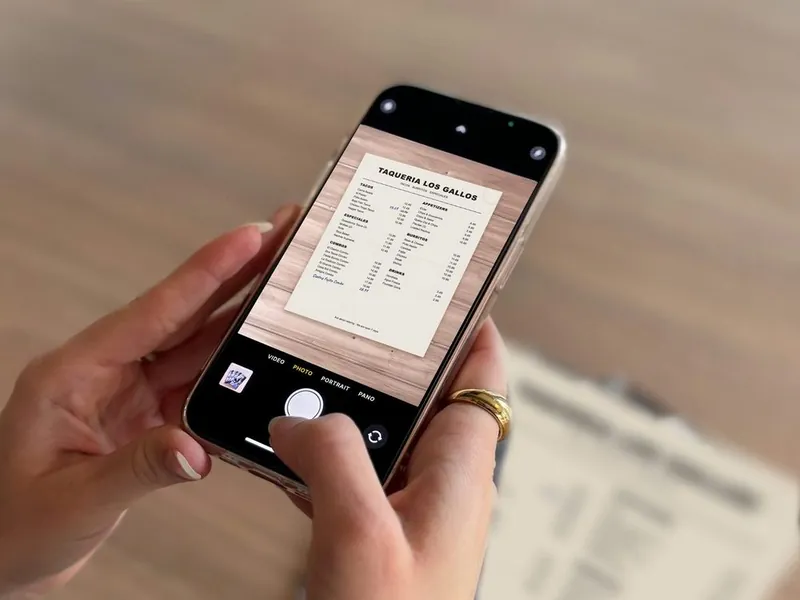
Our demo menu
1
Snap your menu
Take a photo of your menu, or upload a PDF. We read the items, prices and sizes. You check them and accept.
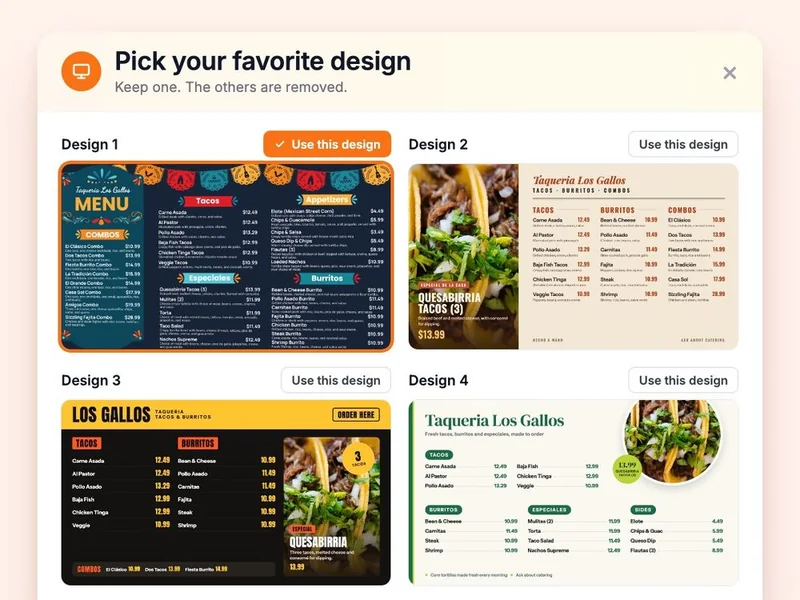
Our demo menu
2
We instantly create your custom boards
Your menu, logo and colors on boards for one TV or a whole wall. Add a photo of your restaurant and we match its look. We’ll even make up to four versions, so you can choose the one that feels most like you.
3
Plug in and go
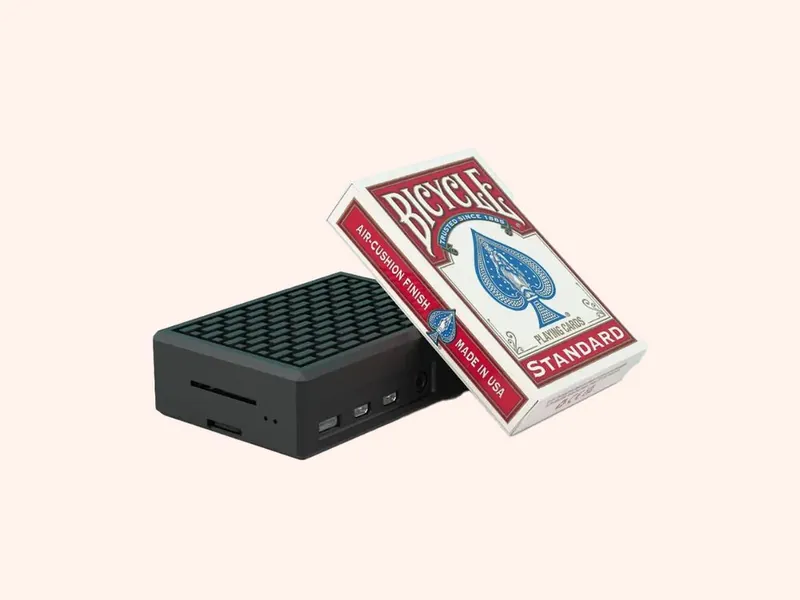
A JAM Player plugs into any TV with HDMI. Your menu goes up on the wall, and your QR menu is ready too. Tweak anything anytime, or don’t. It’s ready as is.
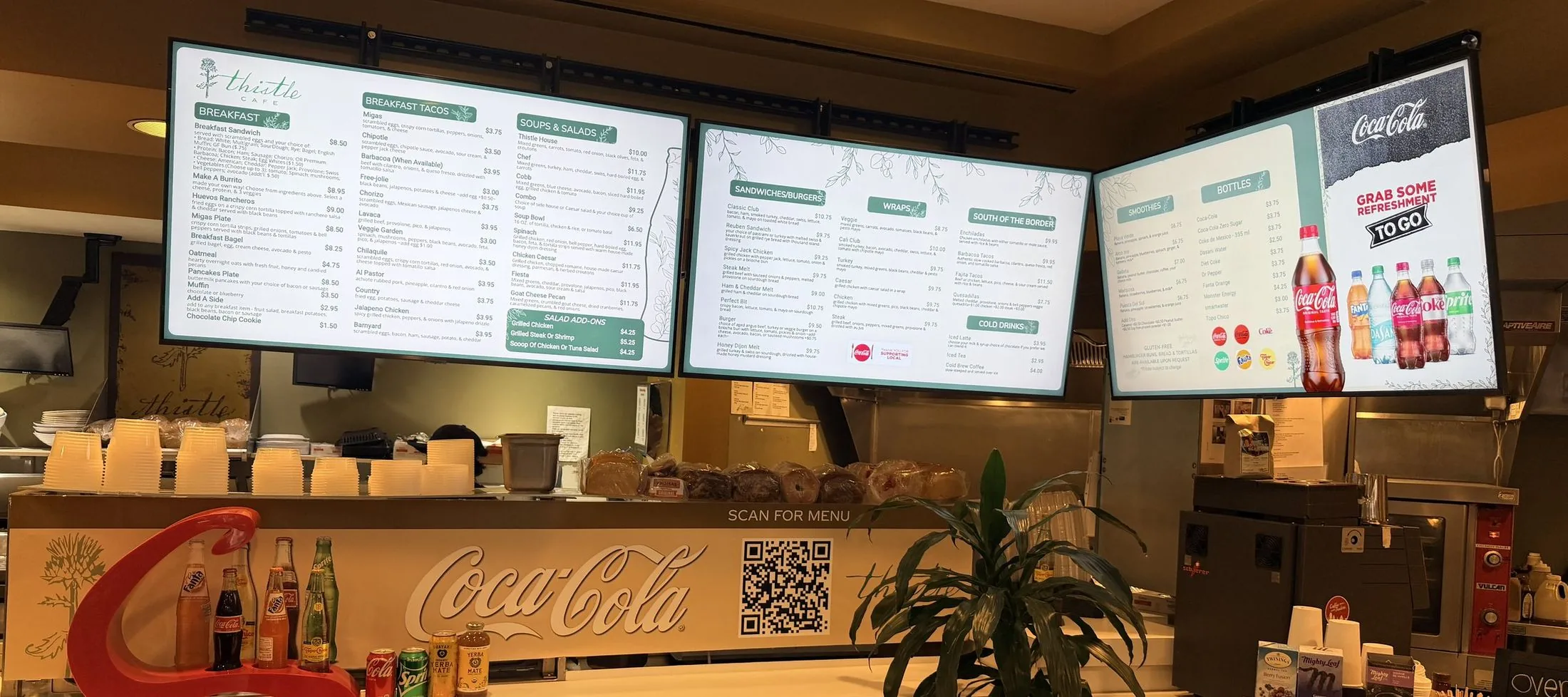
Three TV menu boards
The QR menu, on the counter
Real install: Thistle Cafe · Austin, TX
Plug it in. Your menu is on the wall.
The same menu runs your TVs, your QR menu and your print-ready PDFs. Change it once and they all update.
What you need
Any TV with HDMI
Use the TVs you already have.
Per TV
A JAM Player
About the size of a pack of playing cards. It tucks behind the TV.
To run it
Your phone
Change prices, specials and sold-out items from anywhere.
Install
Under 30 minutes
Plug in each player and link it to your account.
From taped-on prices to this.
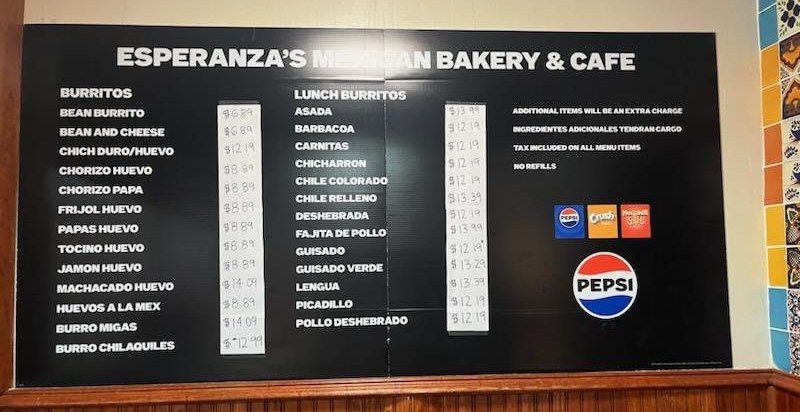
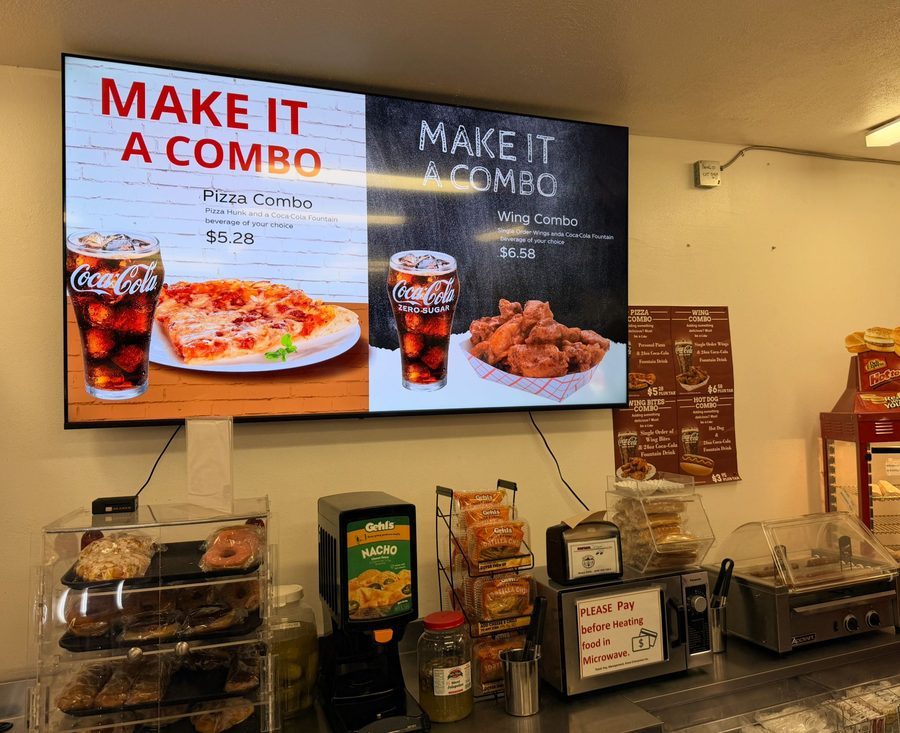
Before and after Just a Menu, at a Mexican bakery, a convenience store, a casino and a cinema. How a menu photo becomes a board →

After
Before
Esperanza’s Mexican Bakery & Cafe · Dallas, TX
A printed board with price stickers taped over it. Now: two menu boards that change from a phone.
After
Before
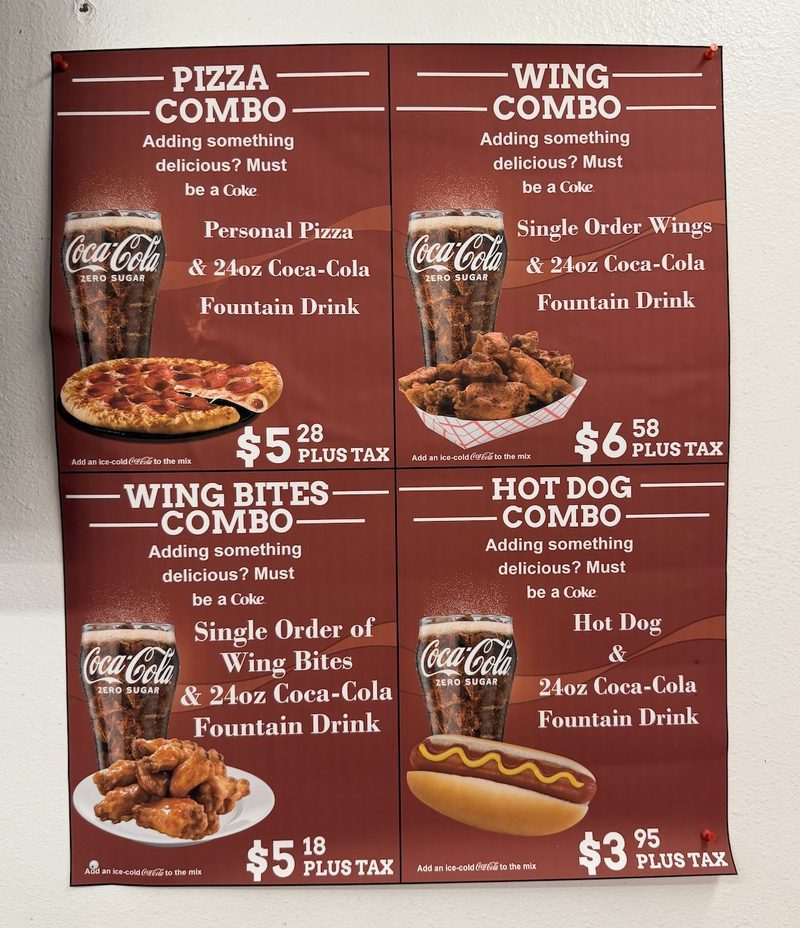
Convenience store
A taped-up combo sheet became combo slides on a TV.

After
Before
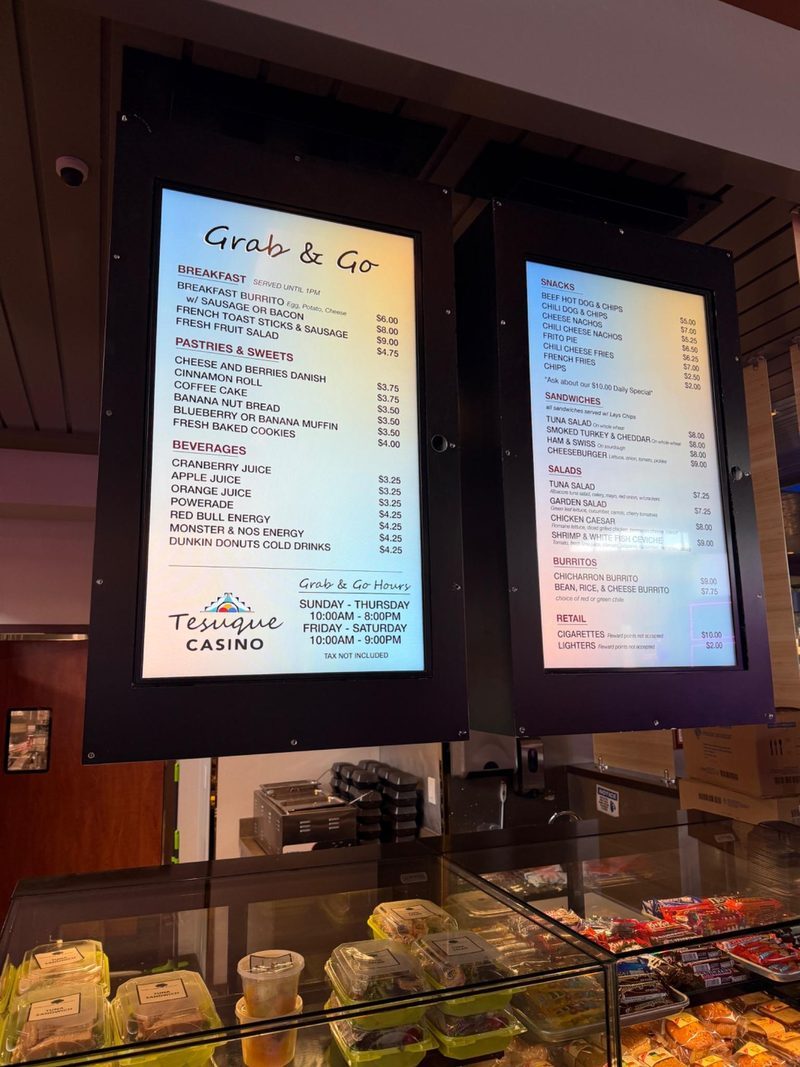
Casino grab & go
Backlit printed menus became bright digital boards.
After
Before
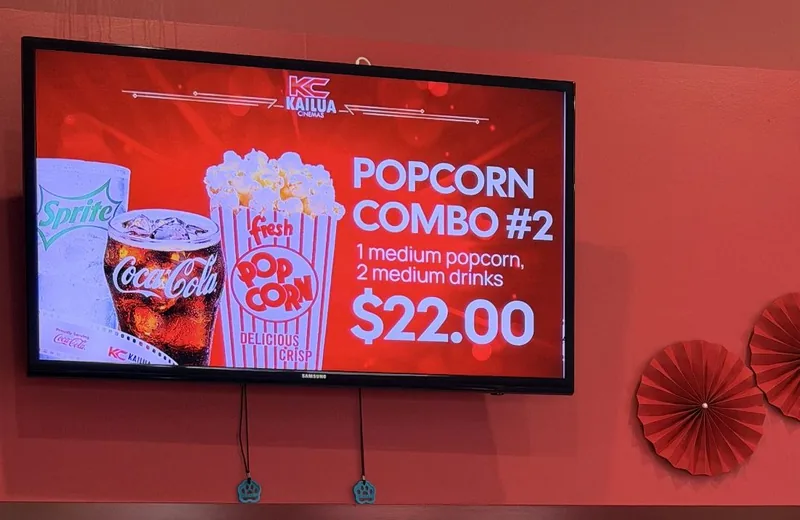
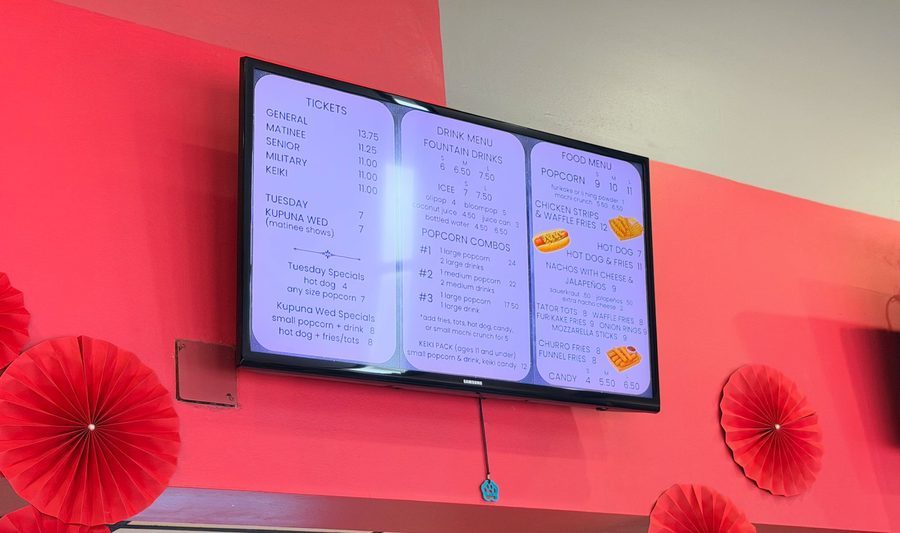
Cinema concessions
Text-only menus became full-screen combo slides.
What you get
One menu. Every TV, phone and printed menu.
Change a price once and it’s right on your menu boards, your QR menu and your print-ready PDFs.
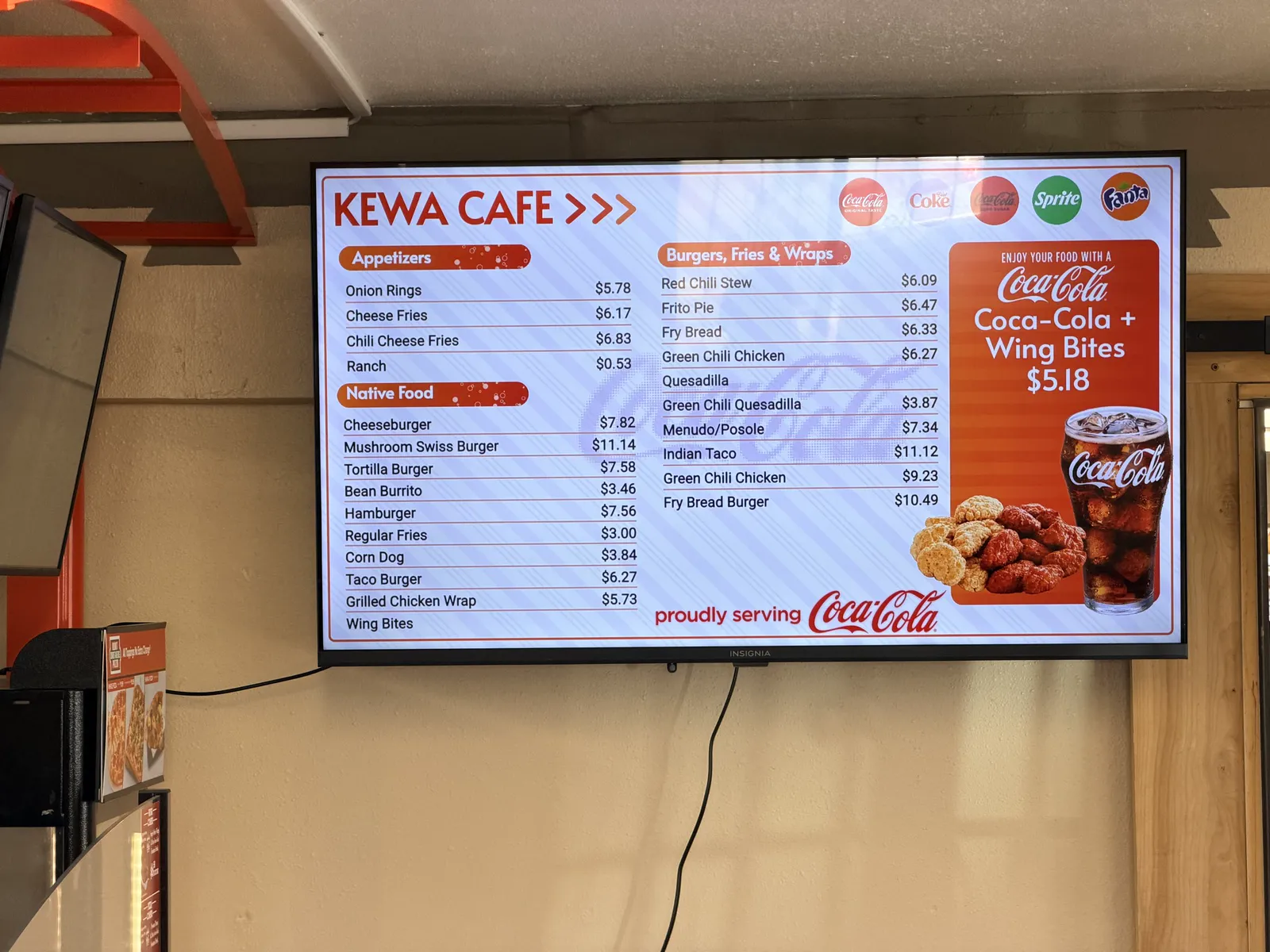
Kewa Cafe · New Mexico
TV menu boards
Menu boards that look like a chain made them.
One TV or a whole wall, in landscape or portrait. Your items, prices, food photos and logo, finished for you.
- Any TV with HDMI
- Breakfast, lunch and happy hour on a schedule
- Mark sold out from your phone
“The digital menu boards make it so much easier for customers to see all our options. It’s been a great addition to the restaurant.”
Owner, Tacos & Burritos Metro Basilica 2, Phoenix, AZ
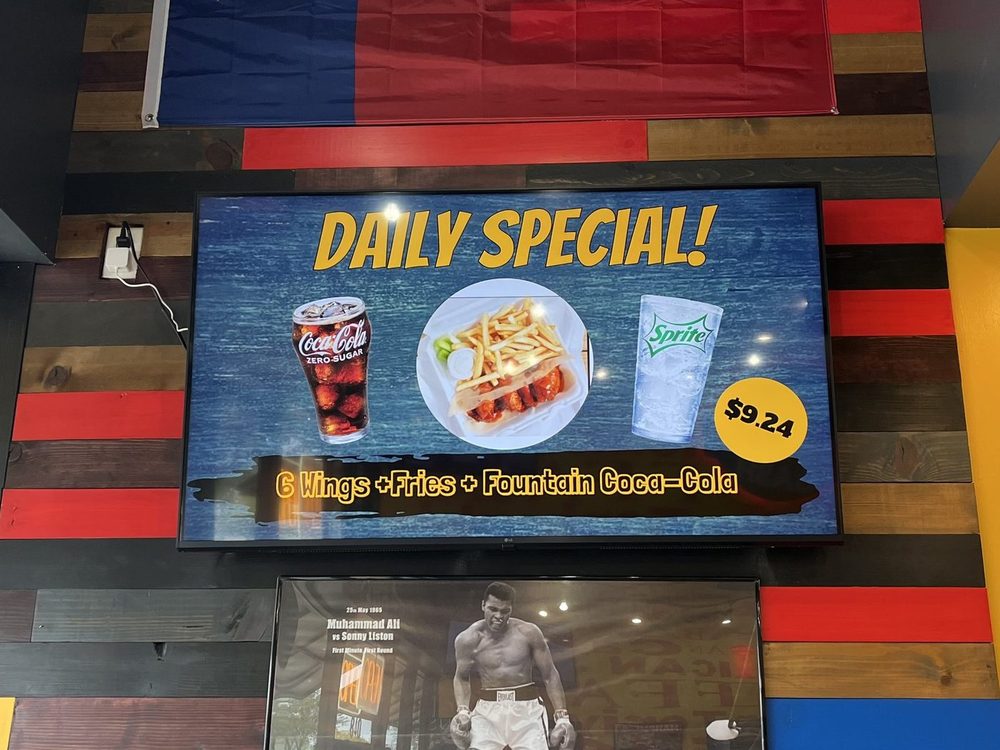
Wing Dash’s daily special · Dallas, TX
Specials & combos
Pick a dish. Get a finished special.
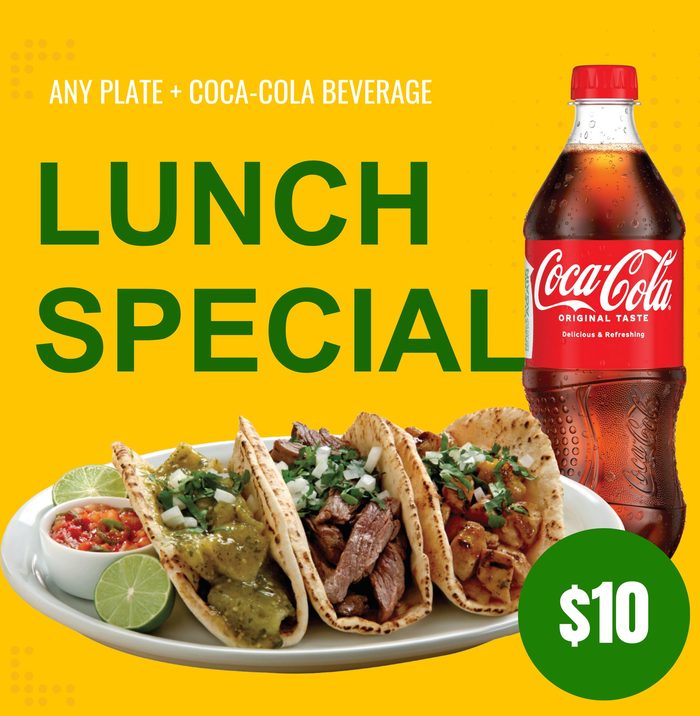
Scene Magic makes slides like this one. Pick a dish, a combo or a promo, then a look like Rustic, Diner or Game Day, or one that matches your dining room.
- Show off one dish
- Food + drink combos
- Happy hour & events
- Only on the days you choose
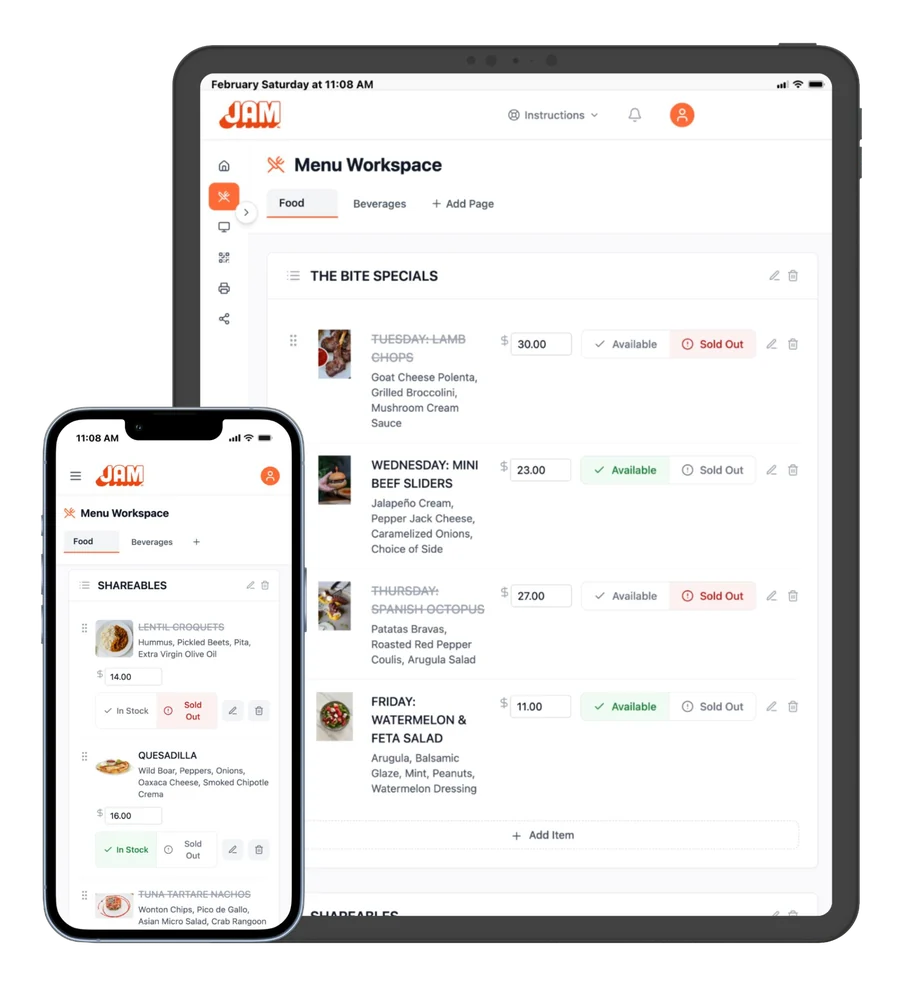
Menu Workspace
Change a price once. It’s right everywhere.
Change a price from your phone and it’s live instantly, or mark something sold out. On Square, Toast, Oracle or Clover? Change it in your POS, and your boards follow on their own. No redesign, no re-uploading.
See how updates and POS sync work →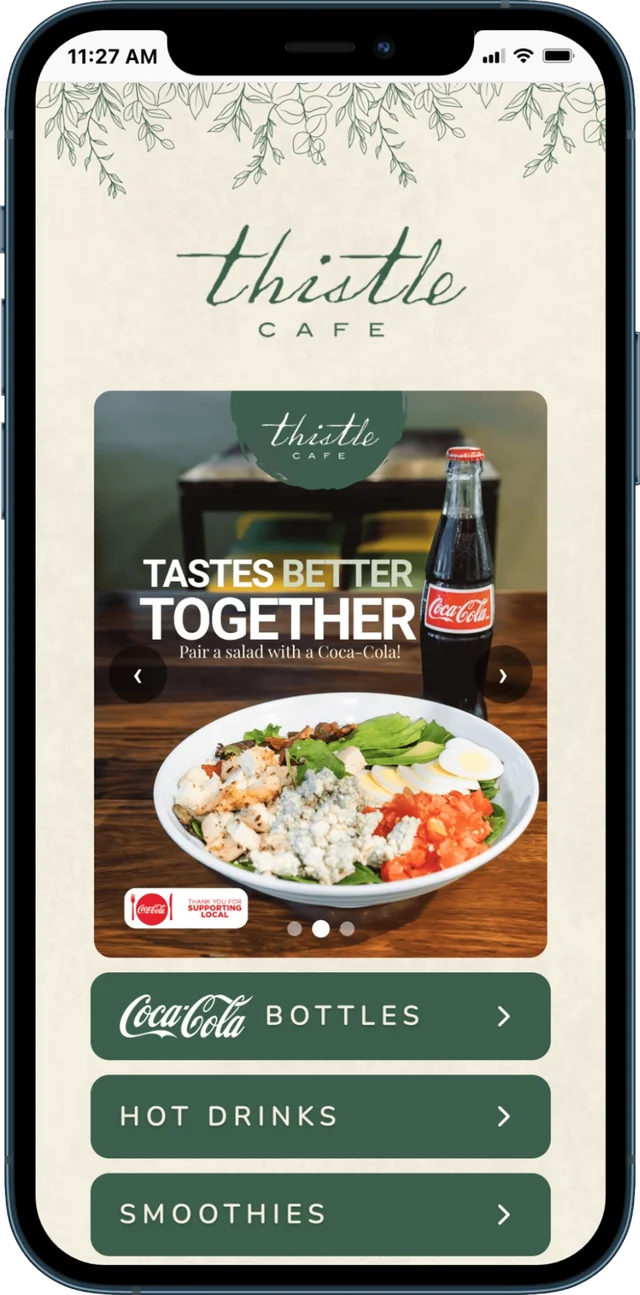
QR menu · From the owner
“I see customers come down the steps and scan the QR code... so they know what they want before they even get to the counter”
Owner, Thistle Cafe · Austin, TX
Your QR code never changes, so you print it once. Guests pick their language, allergy info is a tap away, and sold-out items show as sold out.
See QR menus →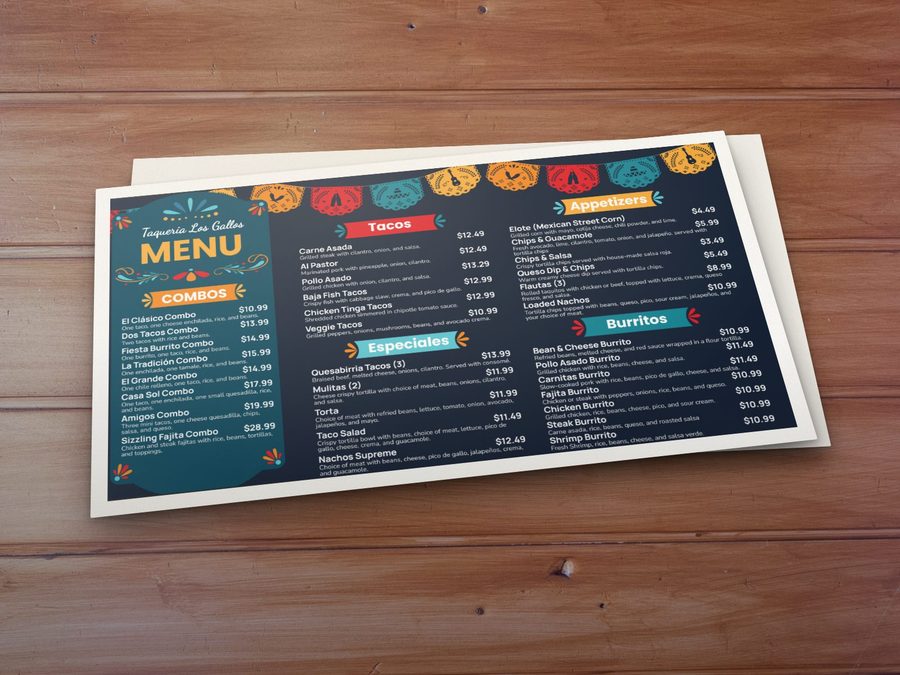
Print & social
Print menus and social posts, from the same menu.
Download a print-ready PDF in the size you need, plus graphics for your socials.
See print menus →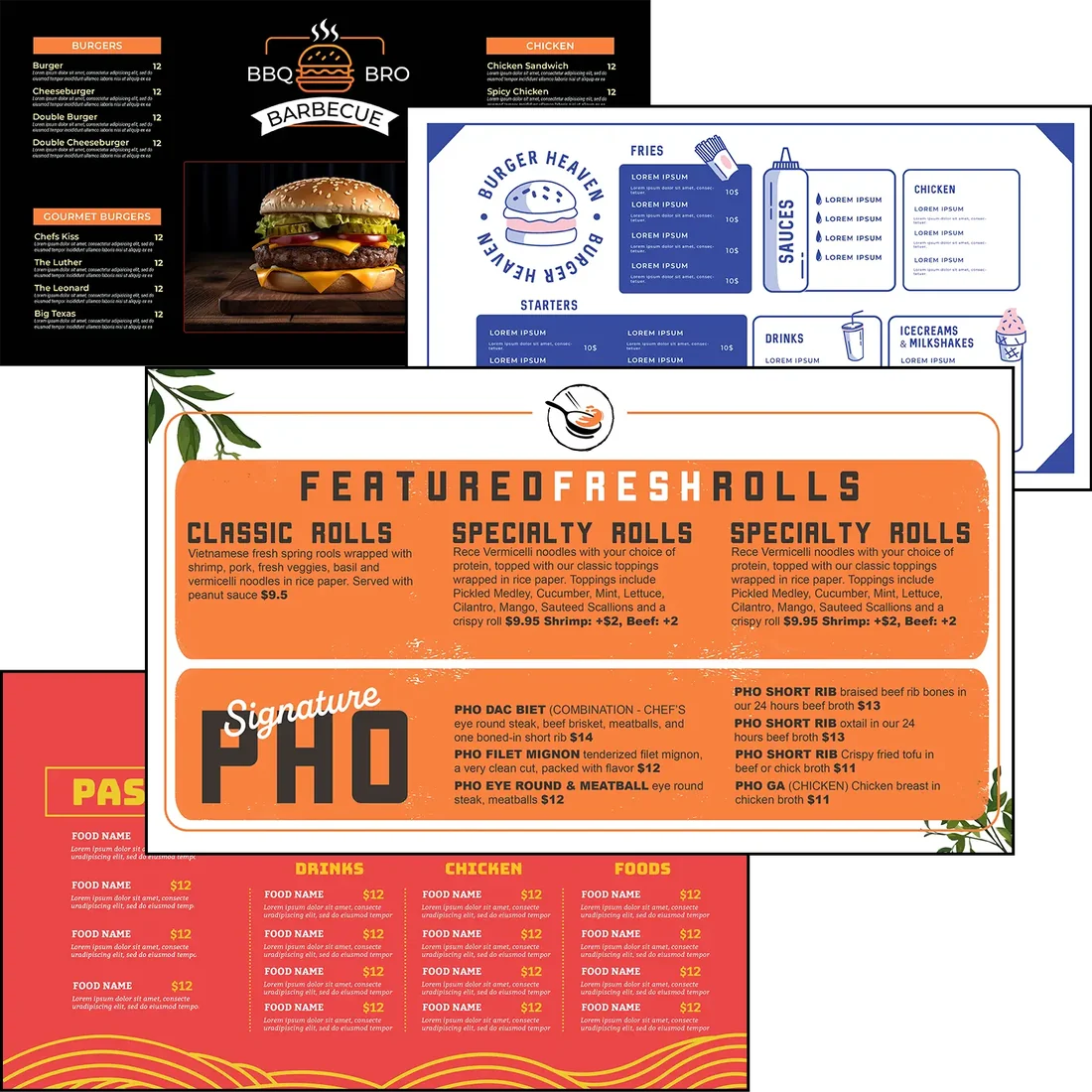
JAM Canvas
Fine-tune it, or design your own, in JAM Canvas.
Every design we deliver is 100% editable. No baked-in text: every item, price and word on your screens is real text. Change fonts, colors and photos, or add a background video.
See the designs and JAM Canvas →Real restaurants
On the wall in real restaurants.
Every photo here is a Just a Menu install. Pizzerias, taquerias, wing shops, cafés and campuses.
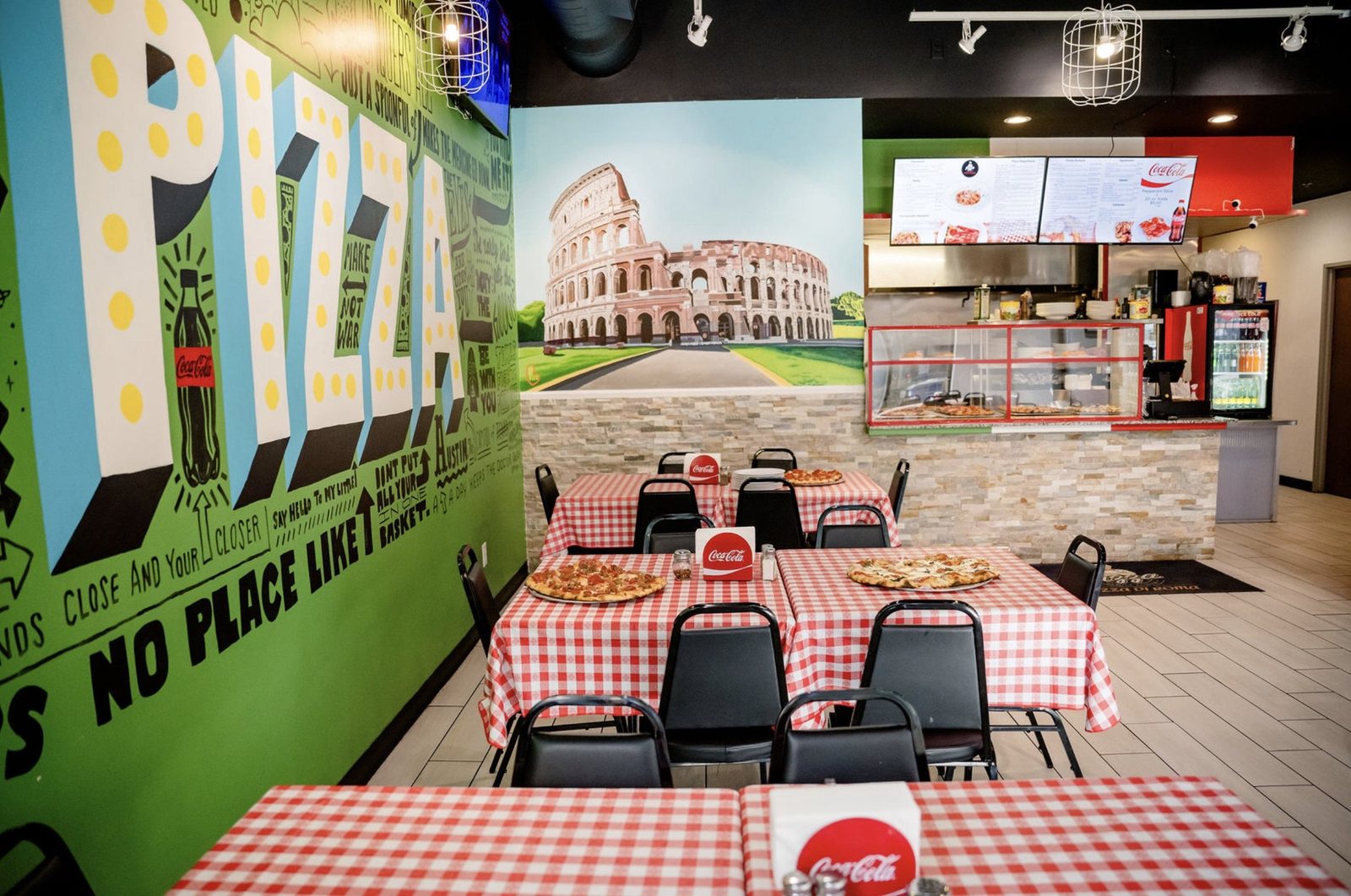
Pizza Di Roma
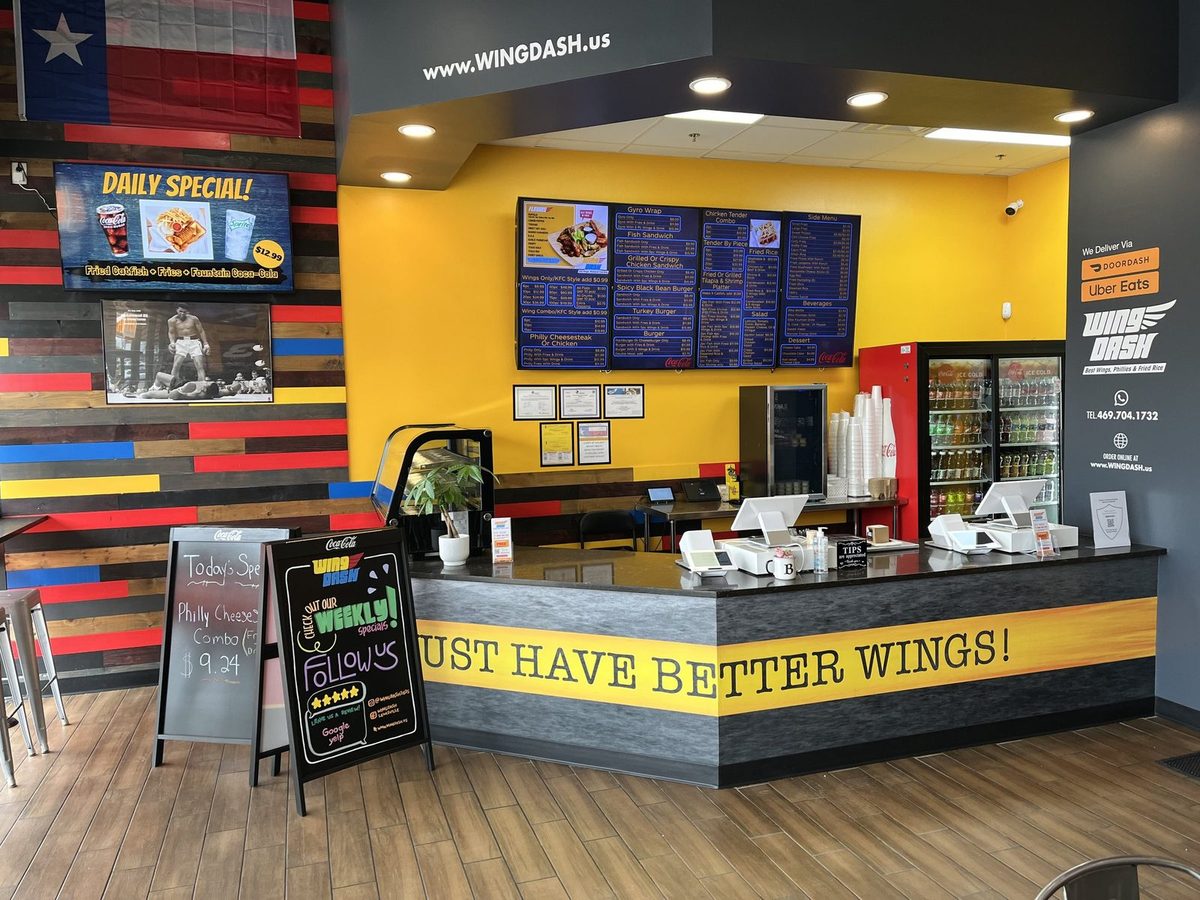
Wing Dash

Big Tony’s West Philly Steaks
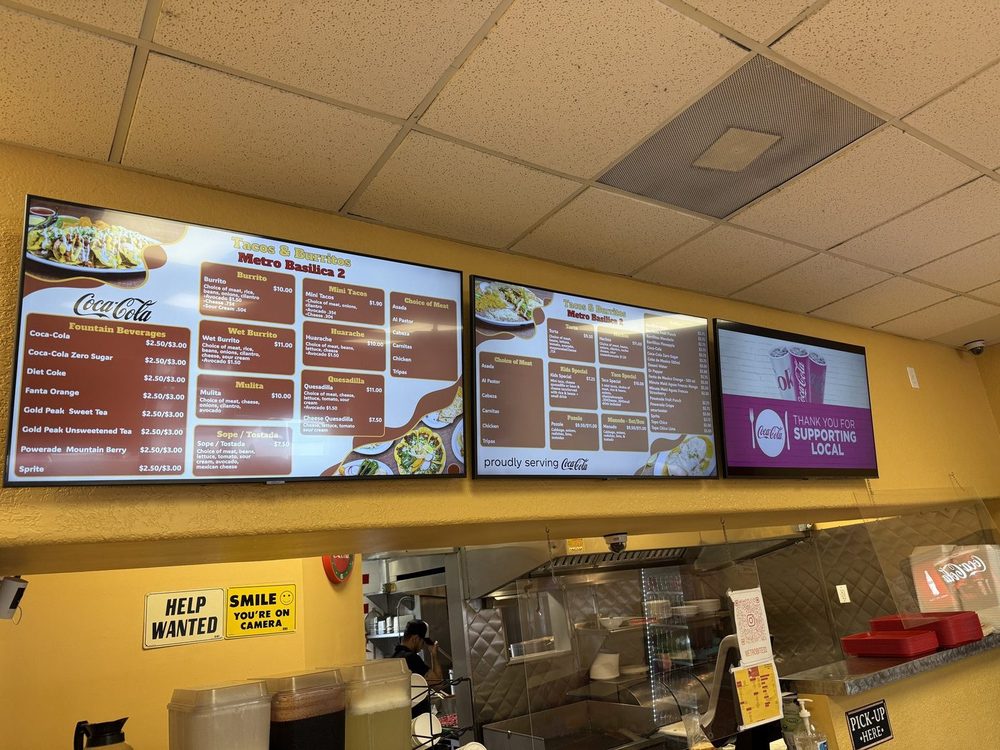
Tacos & Burritos Metro
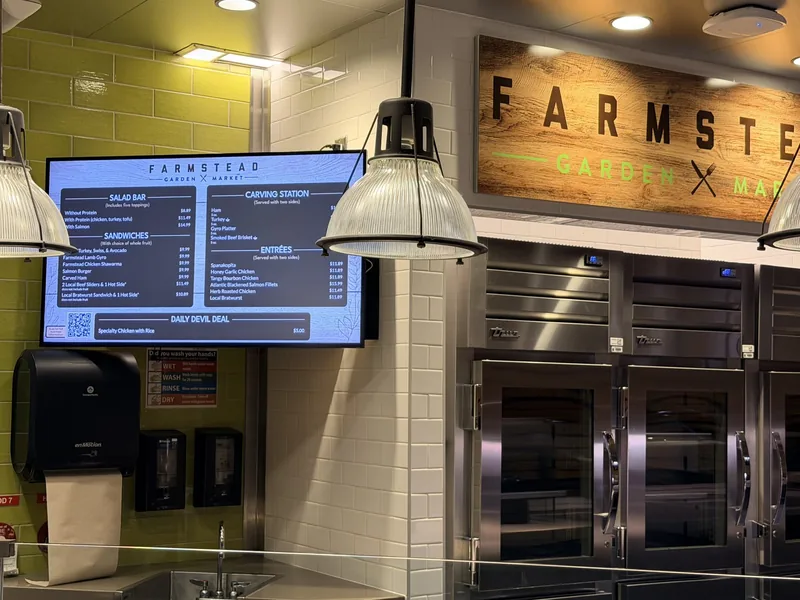
Duke University dining
Your restaurant, next.
Let’s chat about your menu boards. A real person gets back to you within one business day.
Get started →
Built for
Pizzerias
Taquerias
Cafés & bakeries
Wing & burger shops
Bars
Campuses & venues →Multiple locations →Multi-location
One restaurant or hundreds. You’re in full control.
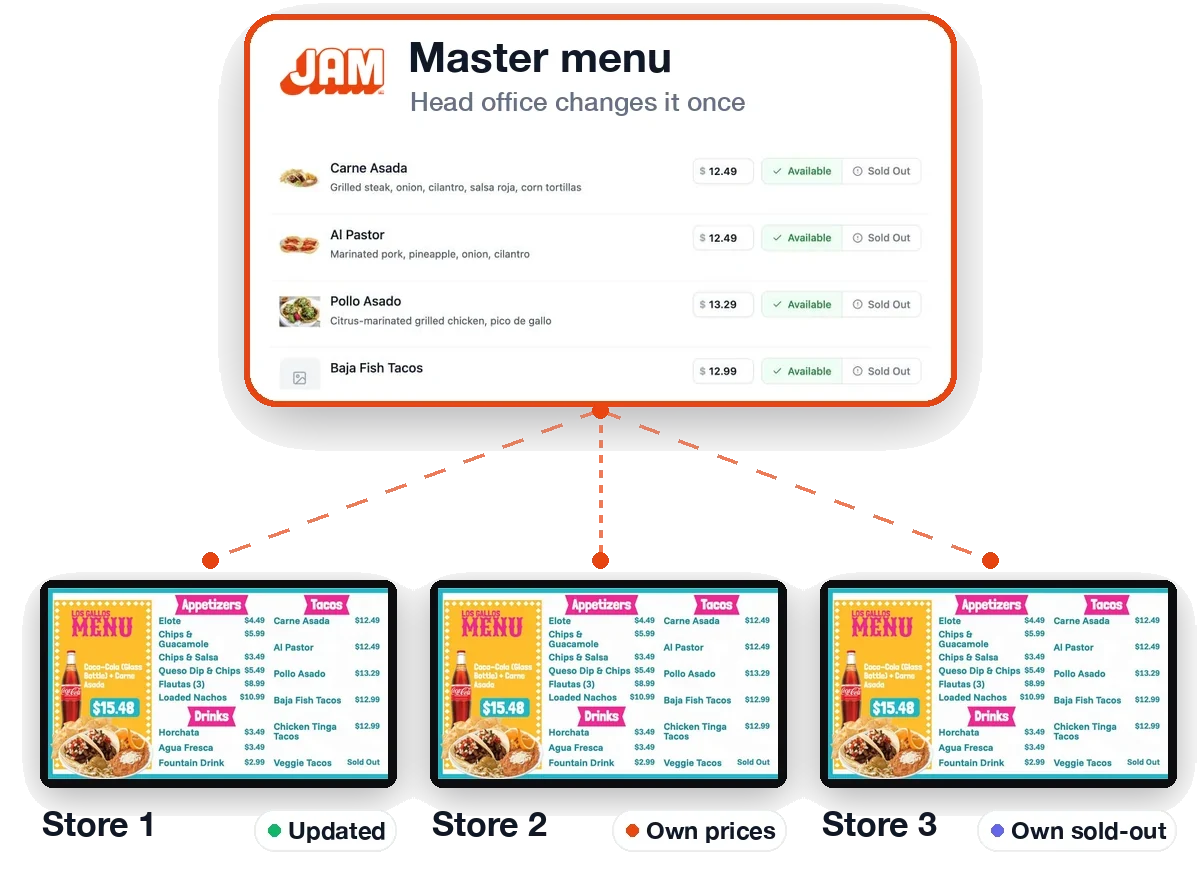
Run one menu everywhere, or let every location make it its own. You decide what’s shared, what’s local and who can change what.
The same menu everywhere, or your pick
Run an identical menu at every location, or let each location choose which items appear on its menu. Change the master menu once and every location that uses that item follows.
Local prices and sold-outs
Set prices and sold-outs for one location, or for a group of locations like a region or a market. Each location’s boards, QR menu and print files show its own.
Each location on its own POS
Connect every location to its own POS, even a different POS company from one location to the next. Square, Toast, Clover and Oracle all sync.
Franchise specials, within your guardrails
Local operators pick their specials from a list you approve, or design their own within the brand rules you set. Your brand stays consistent while each location runs its own day.
Easy to set up
Add your locations, group them and share access in a few clicks. Owners, managers and franchisees each see just what they need.
Every location from one sign-in · Sync alerts and change history · A schedule for each location
For Coca-Cola bottlers
100% turnkey digital menus. Design, displays, installation. Done.
Zero rep involvement. Your rep enrolls an account in about a minute, and we call the owner, design every menu, ship TVs or JAM Players and handle installation. Your drinks sit on every board, your brand stays locked and new packaging reaches every board without a store visit.
Funded by you, for the accounts you choose
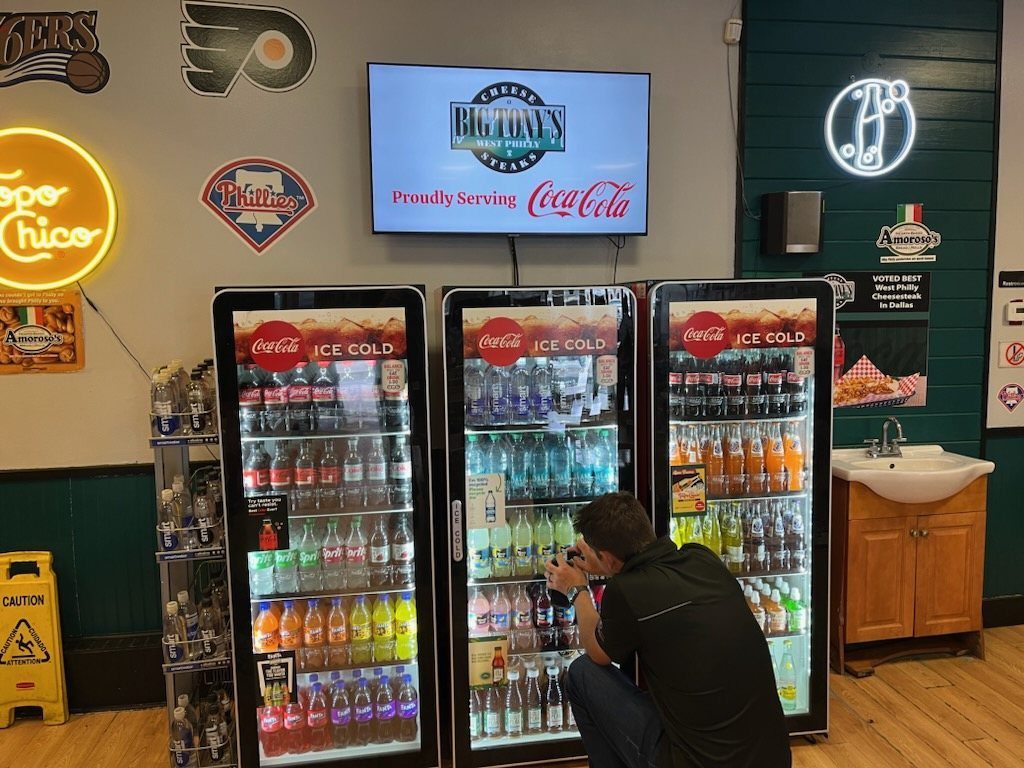
“We put the JAM screen right above our Coca-Cola coolers. It draws customers’ eyes to the drinks and really helps move product. People see the branding and the cold drinks right there together.”
Owner, Big Tony’s West Philly Steaks · Dallas, TX
The restaurant wins
- ✓A finished menu on every TV, plus a QR menu and print menus.
- ✓Their menu, their call. They change prices and sold-out items from a phone, without calling anyone.
- ✓A full drinks section with official photos, without typing a single drink.
“It is easy for customers to see it, easy for us to use it.... Coke is one of the best partners I have”
Tony, owner, Pizza Di Roma · Austin, TX
Your business wins
- ✓Your drinks on the board, right where guests decide what to order.
- ✓Brand Sync. Replace a product image once, and every menu board in your accounts that shows it updates.
- ✓Designer Lock. Logos and product images stay exactly where your designers put them.
- ✓Menu Pulse. Your promotions in the screen rotation of the accounts you choose.
“JAM gives us one of the biggest competitive advantages out there.”
Margaret Reyes, Coca-Cola
2 → 4
Competitor coolers to Coke coolers
A 20-year competitor account, flipped after one install. Esperanza’s Mexican Bakery & Cafe, Dallas, TX
“JAM is like a restaurant remodel in a box.”
Jason Dowd, SDM, DFW Region
Learn
Easy to use. A full guide if you want it.
Your boards come ready to go, and everyday changes take a click. Like step by step? Our training guide covers everything, with a picture for every step.
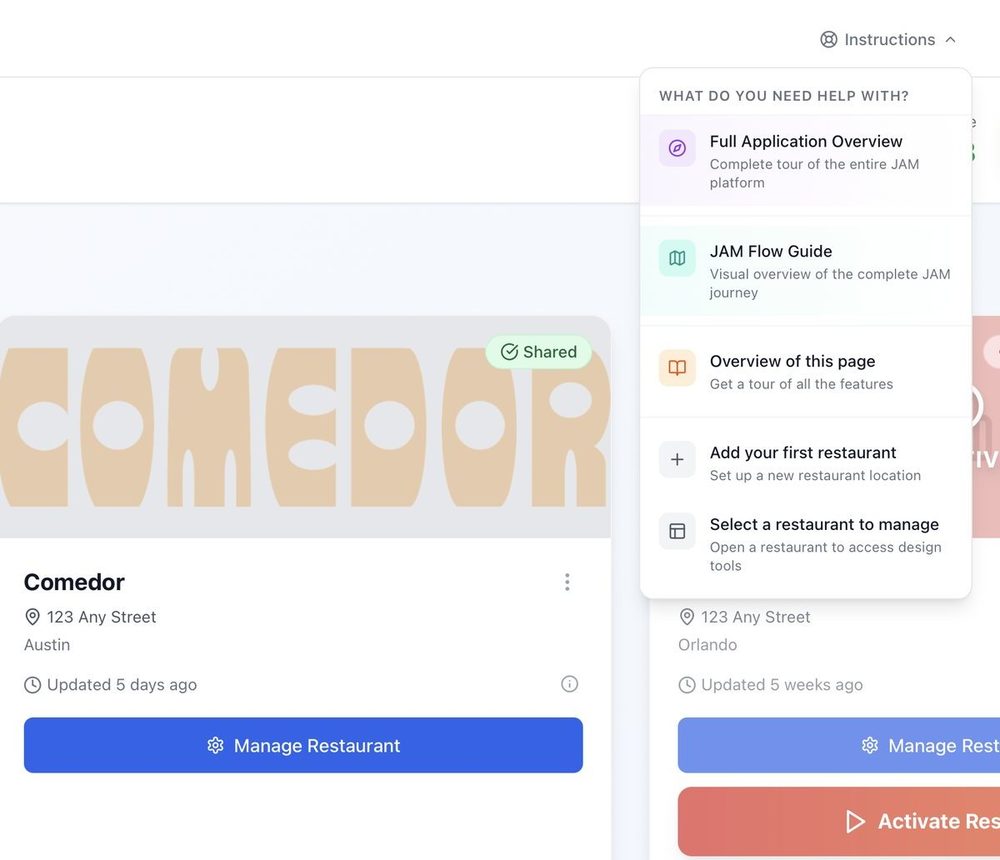
Help on every page.
Stuck? Click Instructions at the top of any page in the app and pick a tutorial. It walks you through that page step by step.
Good questions.
Still have one? Call (202) 886-2442 or email sales@justamenu.com.
What does it cost?
It depends on where you get your Coca-Cola. Participating Coca-Cola bottlers offer special pricing: they pay part or all of it for the accounts they choose, and can change that. Ask us or your Coca-Cola rep, and we’ll tell you your price before anything is installed. Everyone else: contact us for pricing.
Do I have to serve Coca-Cola?
No. Any restaurant can use Just a Menu. Talk to us for pricing.
Do I need a designer?
No. We make custom boards from your menu, and they’re ready to go as is. If you ever want to change something, JAM Canvas lets you change anything.
What if you read a price wrong?
You check the imported menu and accept it before anything goes live. Fix any item in Menu Workspace, any time.
Does it work with my POS?
Square, Toast, Oracle and Clover all sync on their own: change a price or 86 an item in your POS, and your boards follow. On another POS? We’ll integrate it by request, at no charge.
Can guests read the menu in Spanish?
Yes. Turn on a language and your QR menu is translated for you. Guests pick their language on their phone.
Let’s chat about your menu boards.
Once you’re set up, snap a photo of your menu and your custom boards for your TVs are ready instantly. Tell us a little about your restaurant to get started.
Talk to a real person. We reply within one business day.
Want something to share with your team? Download the sell sheet (PDF)
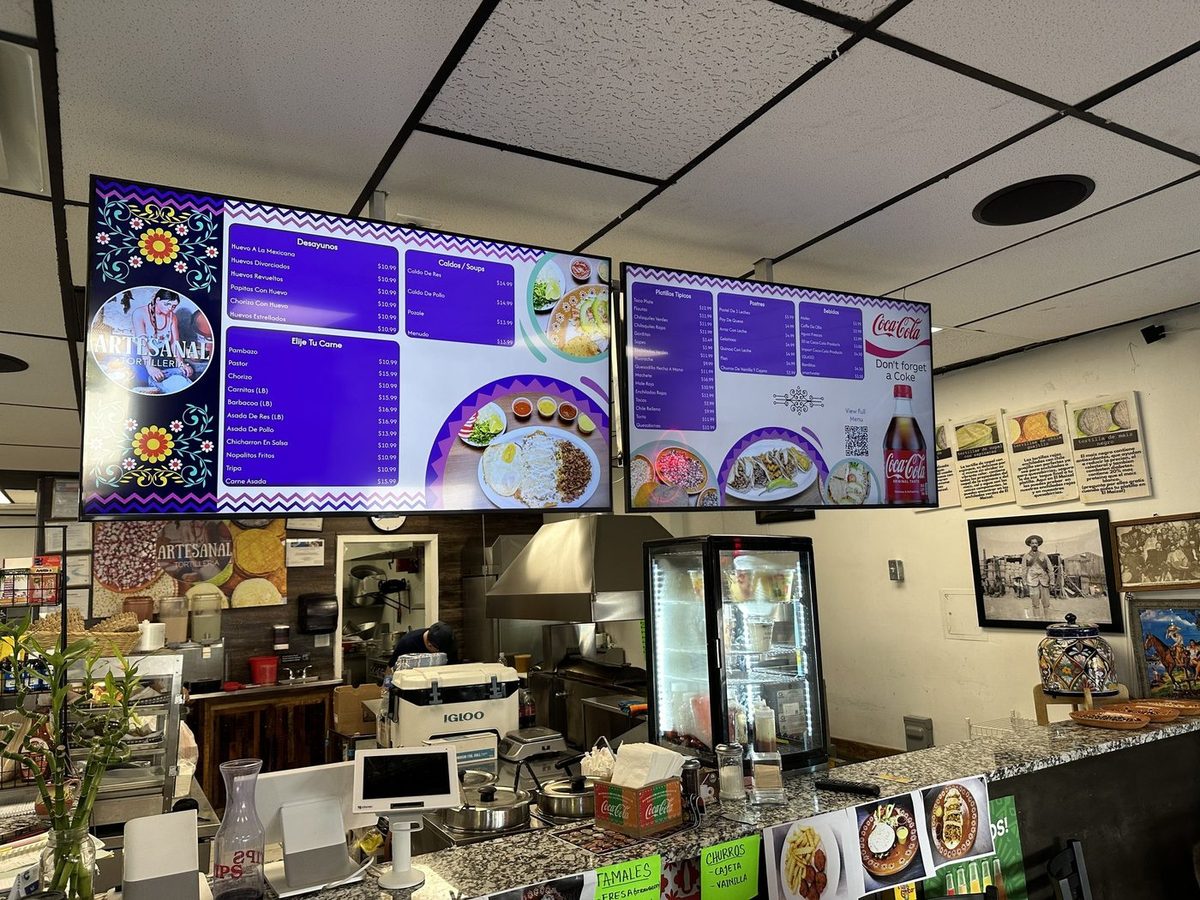
Artesanal Tortilleria · San Antonio, TX