Have a Coca-Cola rep? Some participating bottlers cover the full cost. Ask about special pricing →

How it works
Snap a photo.
Your menus are ready.
Take a photo of your menu. Add one of your dining room if you like. Your menu boards, QR menu and print menus are created automatically, in your restaurant’s look. Want to fine-tune something? Open JAM Canvas. Otherwise, it’s ready to go.
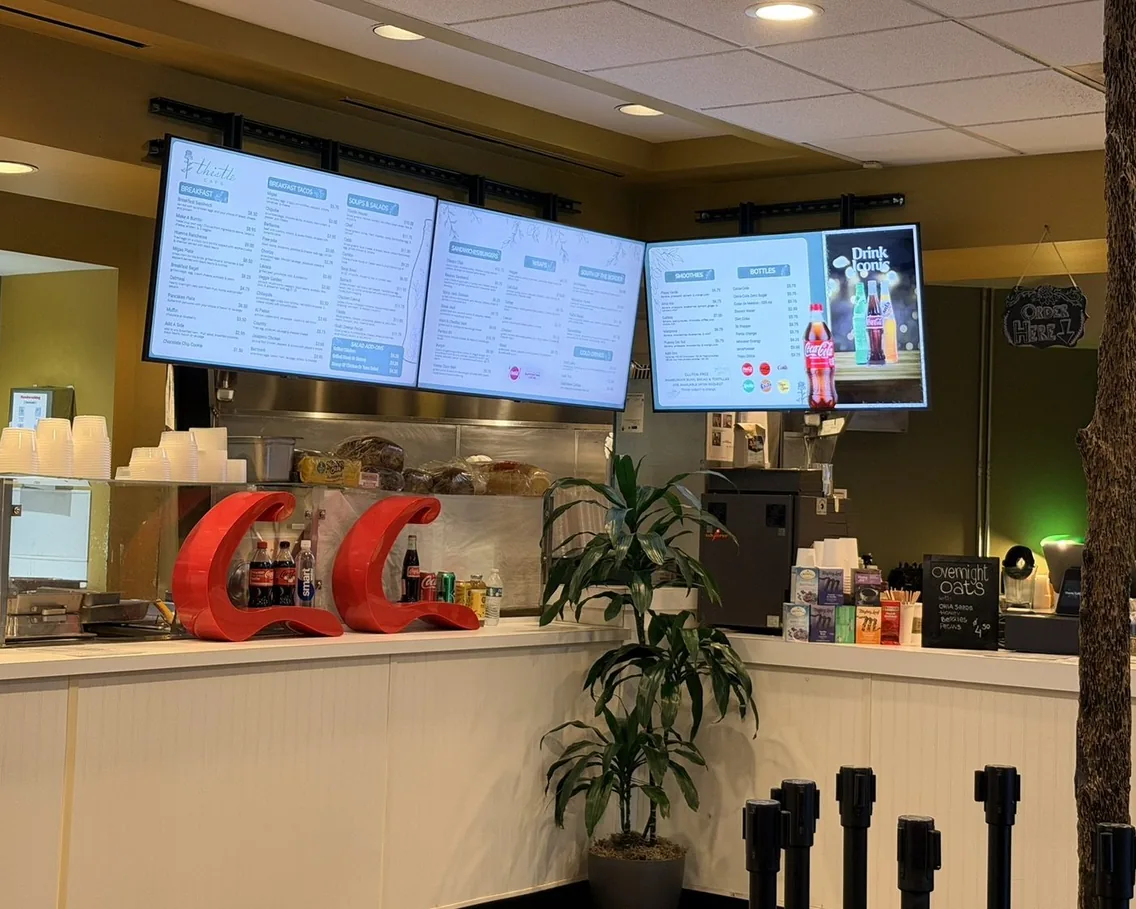
Thistle Cafe · Austin, TX
Step by step
One photo in. Every menu out.
No design work. No typing. No waiting on anyone.
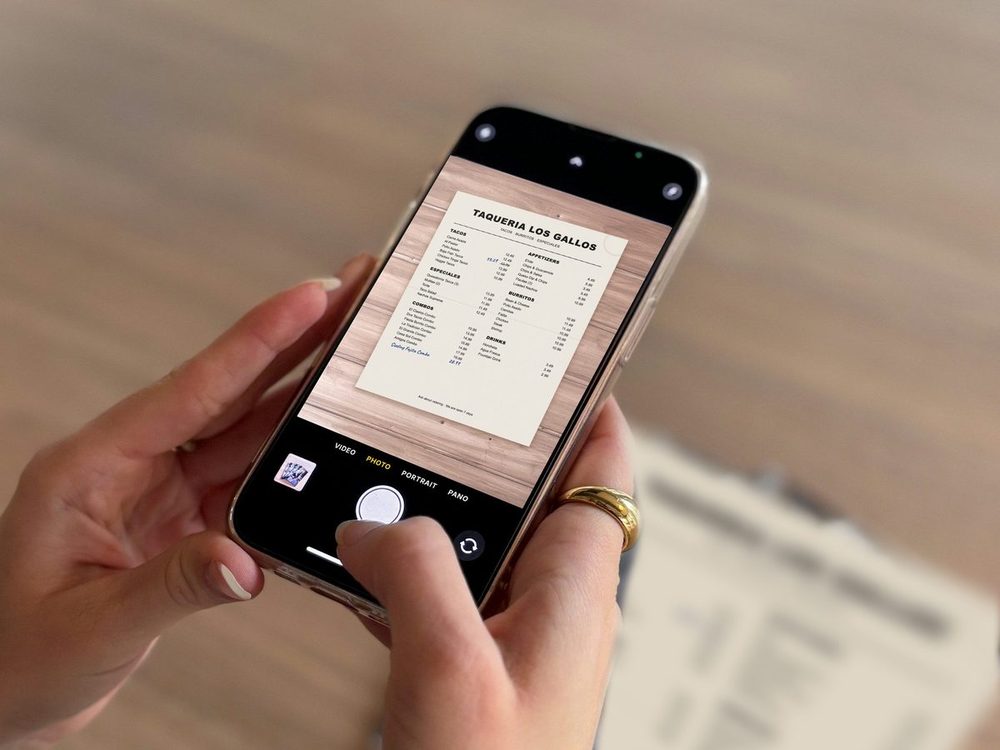
Our demo menu
1
Snap your menu.
Take a photo of the menu you already have, or upload a PDF. Your categories, items, prices and sizes come through in your menu’s order. No typing.
- ✓Phone photos work, iPhone photos included
- ✓Sizes like Small / Large and 6 pc / 12 pc come through
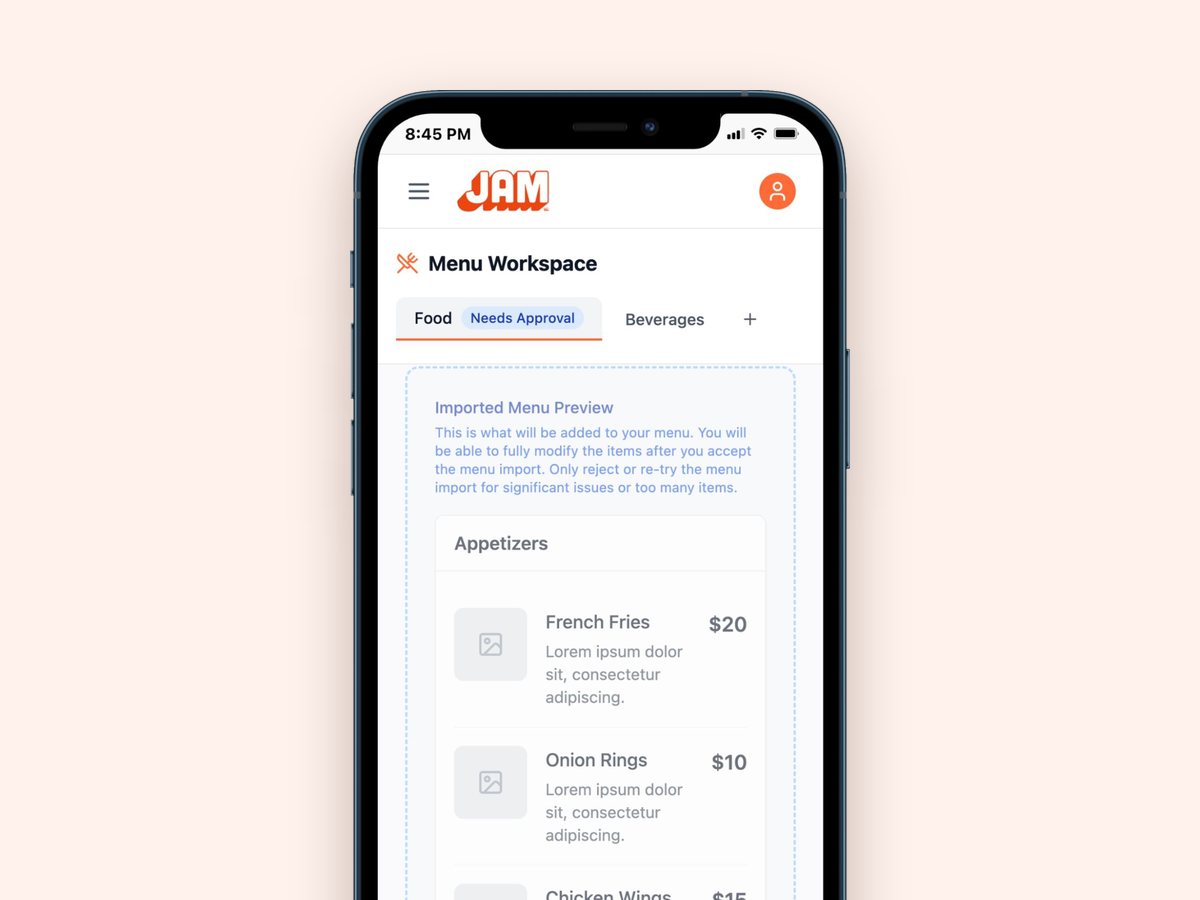
Real screen · sample menu
2
Check it in seconds.
Your menu shows up for a quick look before anything goes live. Prices right? You’re done. Nothing changes until you say so.
- ✓Blurry photo? Just snap it again
- ✓Fix anything later, any time
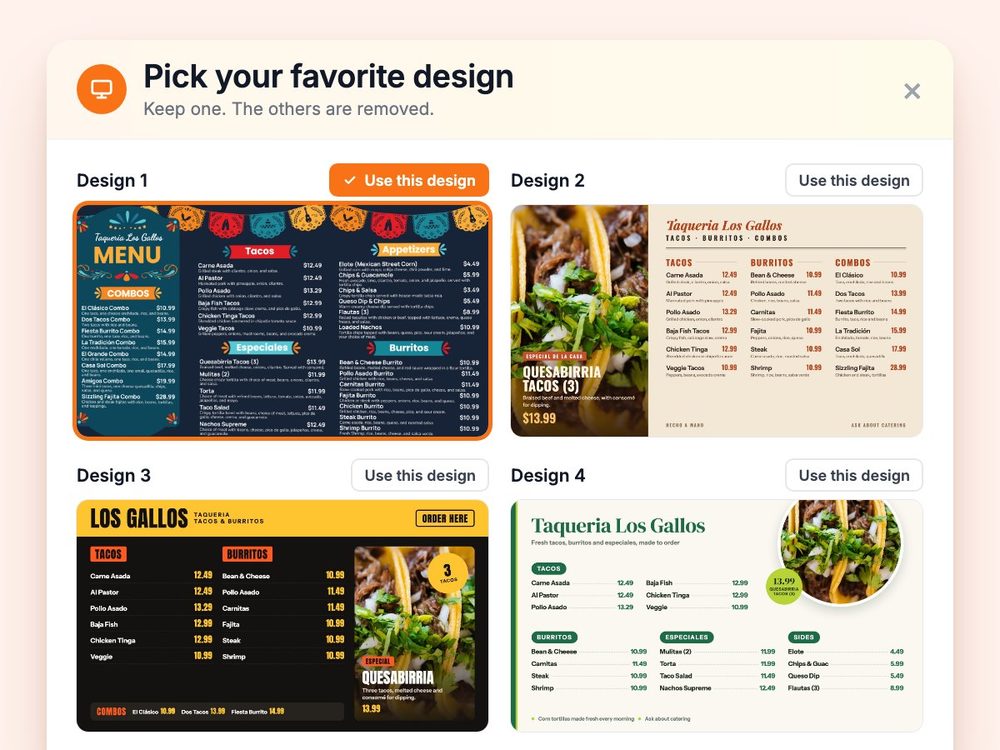
Our demo menu
3
Your menus are ready. Instantly.
Add a photo of your dining room if you like, and your boards match its look. Your menu, logo and colors are already in them. Pixel perfect, not AI art. You even get up to four versions to choose from.
- ✓One TV or a whole wall, landscape or portrait
- ✓Want a fresh look? Get a new set any time

Artesanal Tortilleria · San Antonio, TX
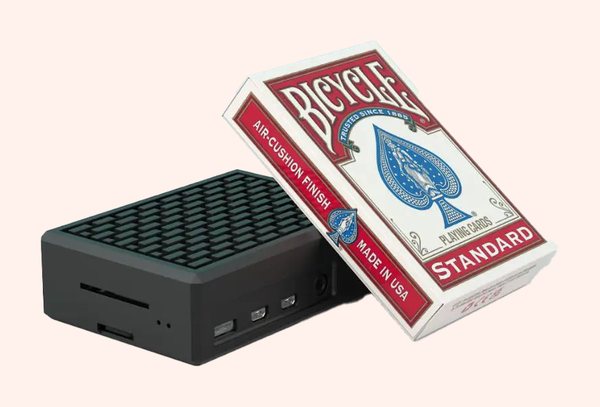
The JAM Player, next to a deck of cards
4
Plug in and go.
Plug a JAM Player into any TV and connect it from your phone. Your menu is on the wall.
- ✓One JAM Player per TV. It tucks behind the screen
- ✓Installs in under 30 minutes
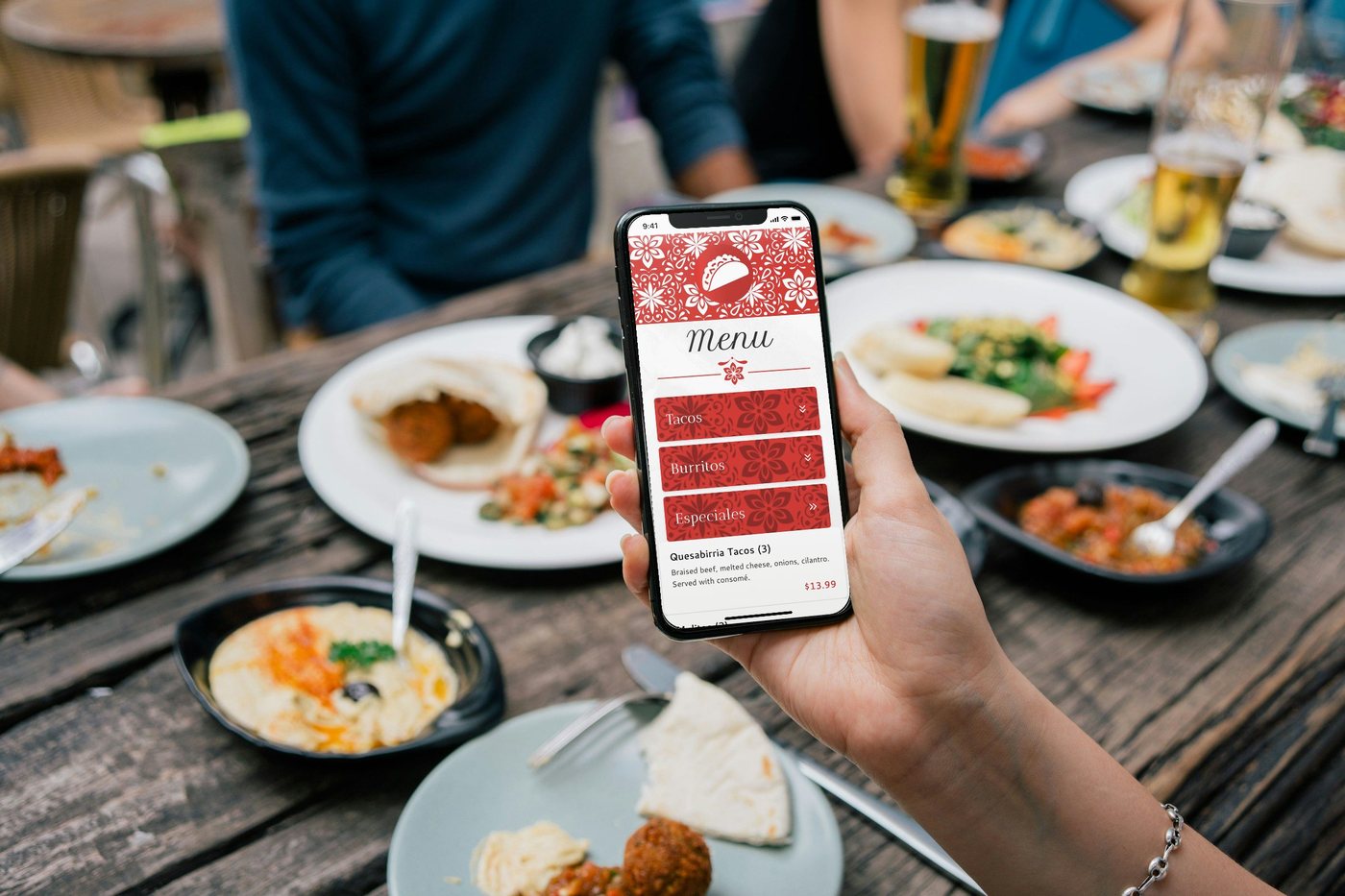
Our demo menu
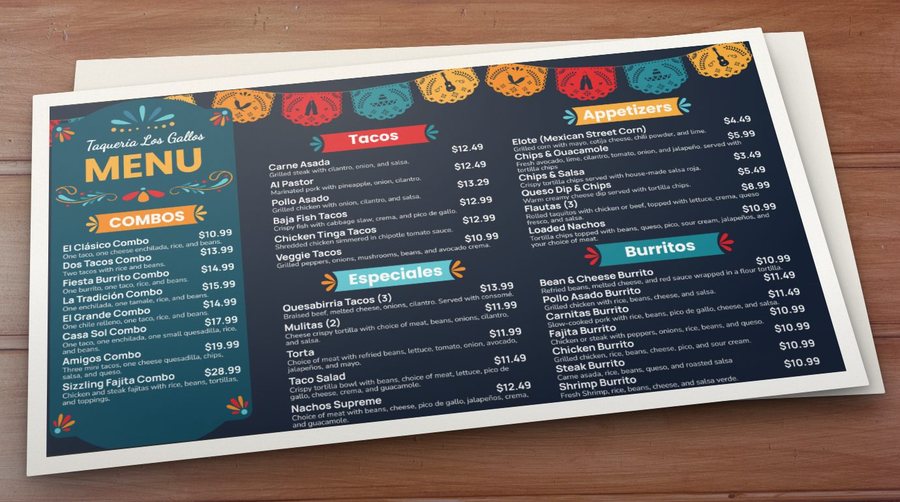
The same menu, print-ready
5
Your QR menu and print menus, too.
They come from the same menu, so everything matches. Your QR code never changes, so you print it once. Need paper menus? They’re print-ready.
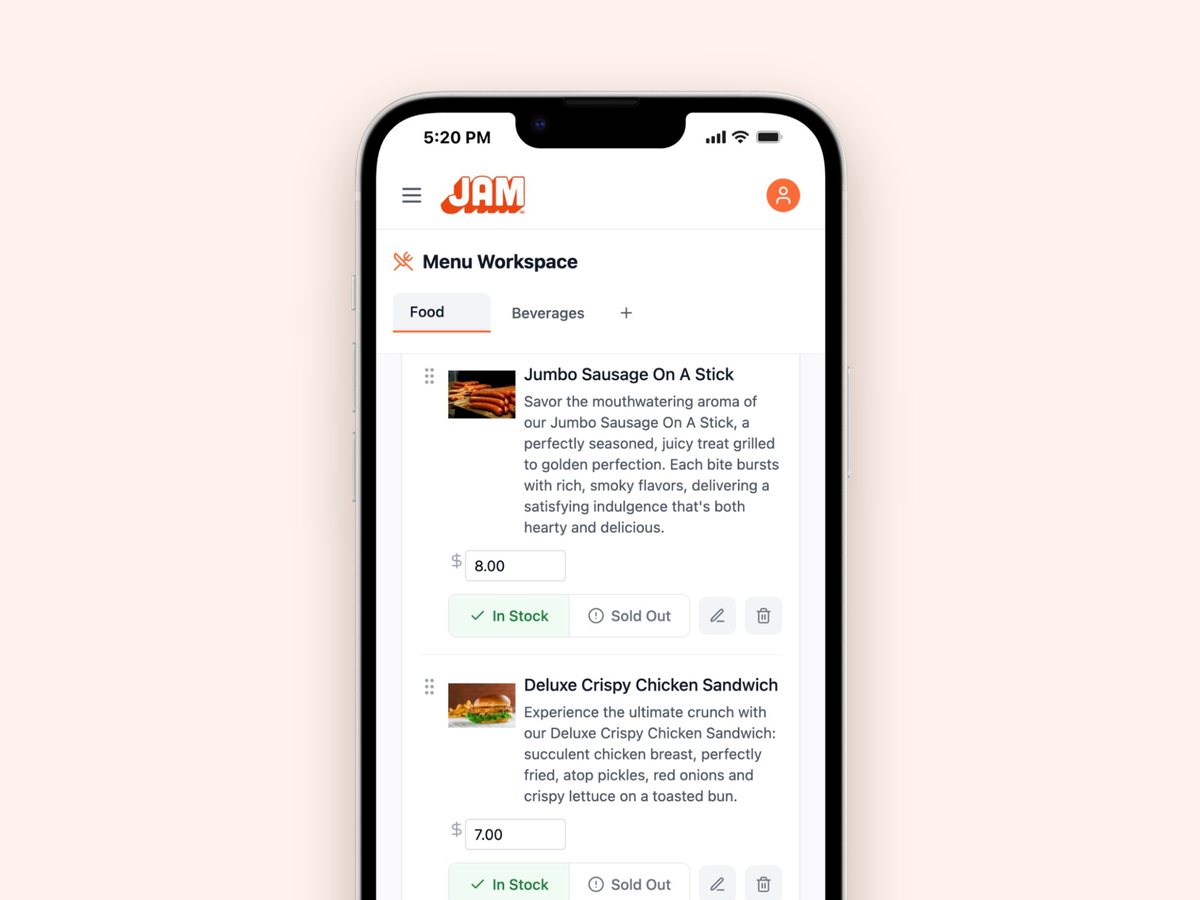
Real screen · sample menu
6
Change it once. It’s right everywhere.
Change a price, add an item or mark something sold out, from your phone, tablet or computer. Your TVs and QR menu update instantly, and your next print is already up to date. On Square, Toast, Oracle or Clover? Your items and prices stay in sync on their own.
- ✓Specials and combos in a few taps
- ✓Breakfast, lunch and happy hour on a schedule
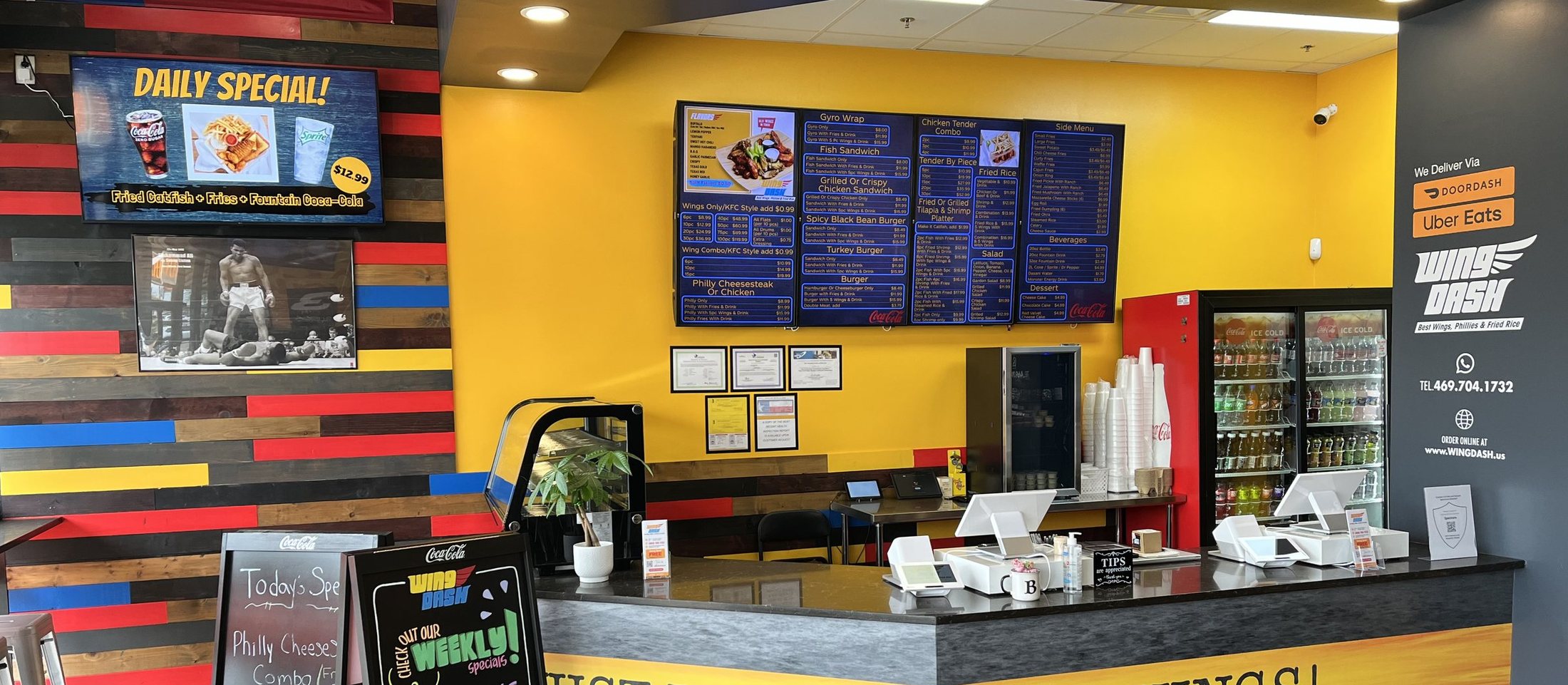
Four menu boards, one menu
The daily special, on its own screen
Real install: Wing Dash · Dallas, TX
Then it runs itself.
Boards on the wall, specials on their own screen, and one menu behind all of it.
What you need
Any TV with HDMI
Use the TVs you already have.
Per TV
A JAM Player
About the size of a pack of playing cards. It tucks behind the TV.
To run it
Any device
Phone, tablet or computer. Change prices, specials and sold-out items from anywhere.
Install
Under 30 minutes
Plug in each player and link it to your account.
Always in sync
One menu. Everywhere it shows up.
Your TV menu boards, QR menu and print menus all come from the same menu. Change a price once and it’s right everywhere.
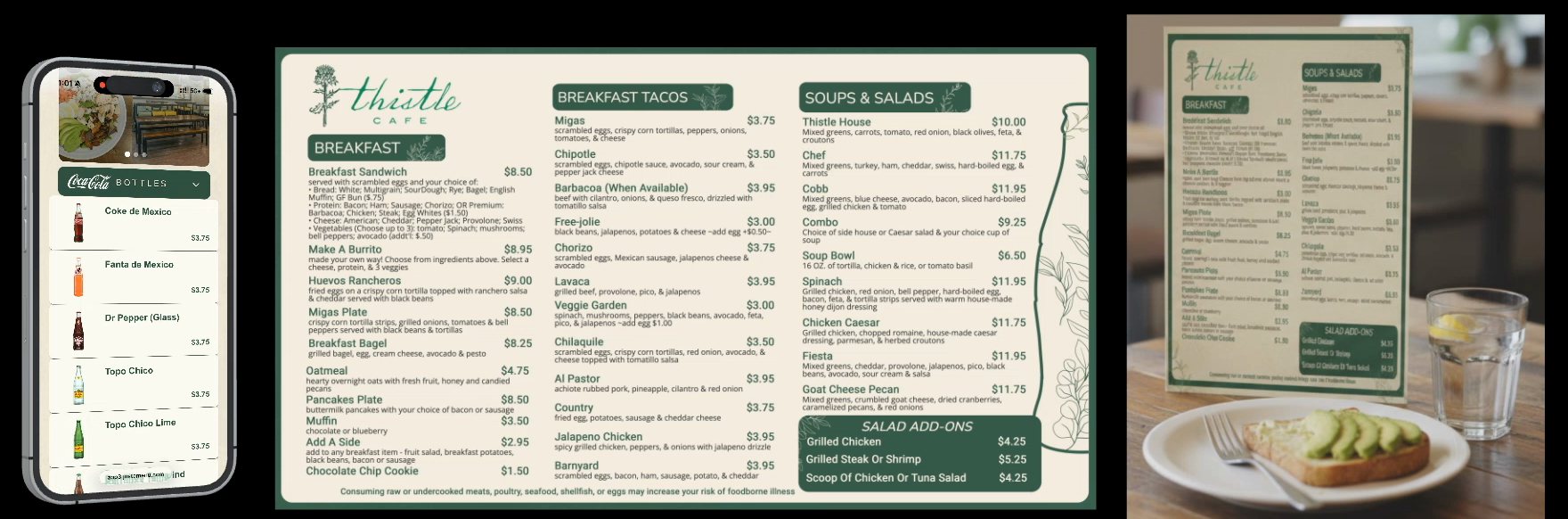
Thistle Cafe’s real menu · Austin, TX
1QR menu
2TV menu boards
3Print menus
Change it once
- ✓Prices, items and sold-out, from any device
- ✓Your TVs and QR menu update instantly
- ✓Your next print is already up to date
Your POS, in sync
- ✓Square, Toast, Oracle and Clover
- ✓Items, prices and sold-out sync on their own
- ✓Any other POS? Change it from your phone
Your beverage partner, too
- ✓A full drinks section with official photos, without typing a single drink
- ✓New packaging updates every board that shows it
- ✓Their promotions can join your screen rotation
Getting set up
Do it yourself, or have it done for you.
Either way, it starts the same: tell us a little about your restaurant and we’ll chat.
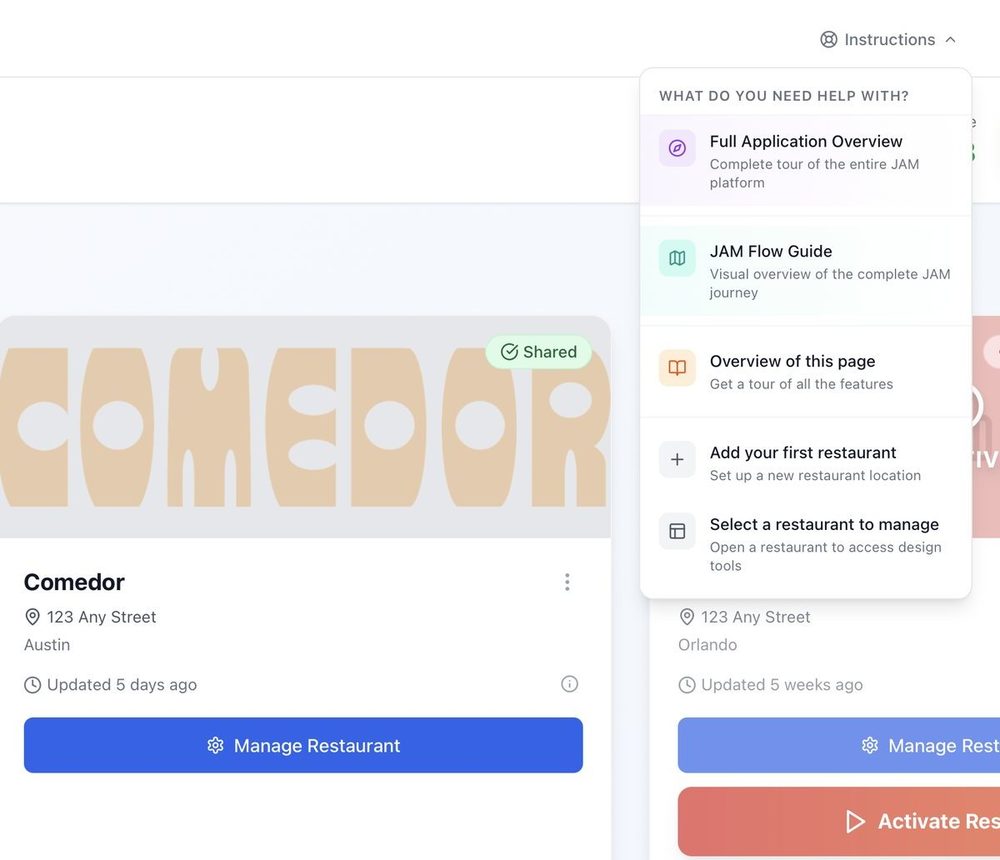
On your own
Set it up from your phone or computer.
- 1Tell us about your restaurant. We send your invite.
- 2Snap your menu. Your menus are ready. Plug in the player.
- 3Need a hand? Help is built into every page.
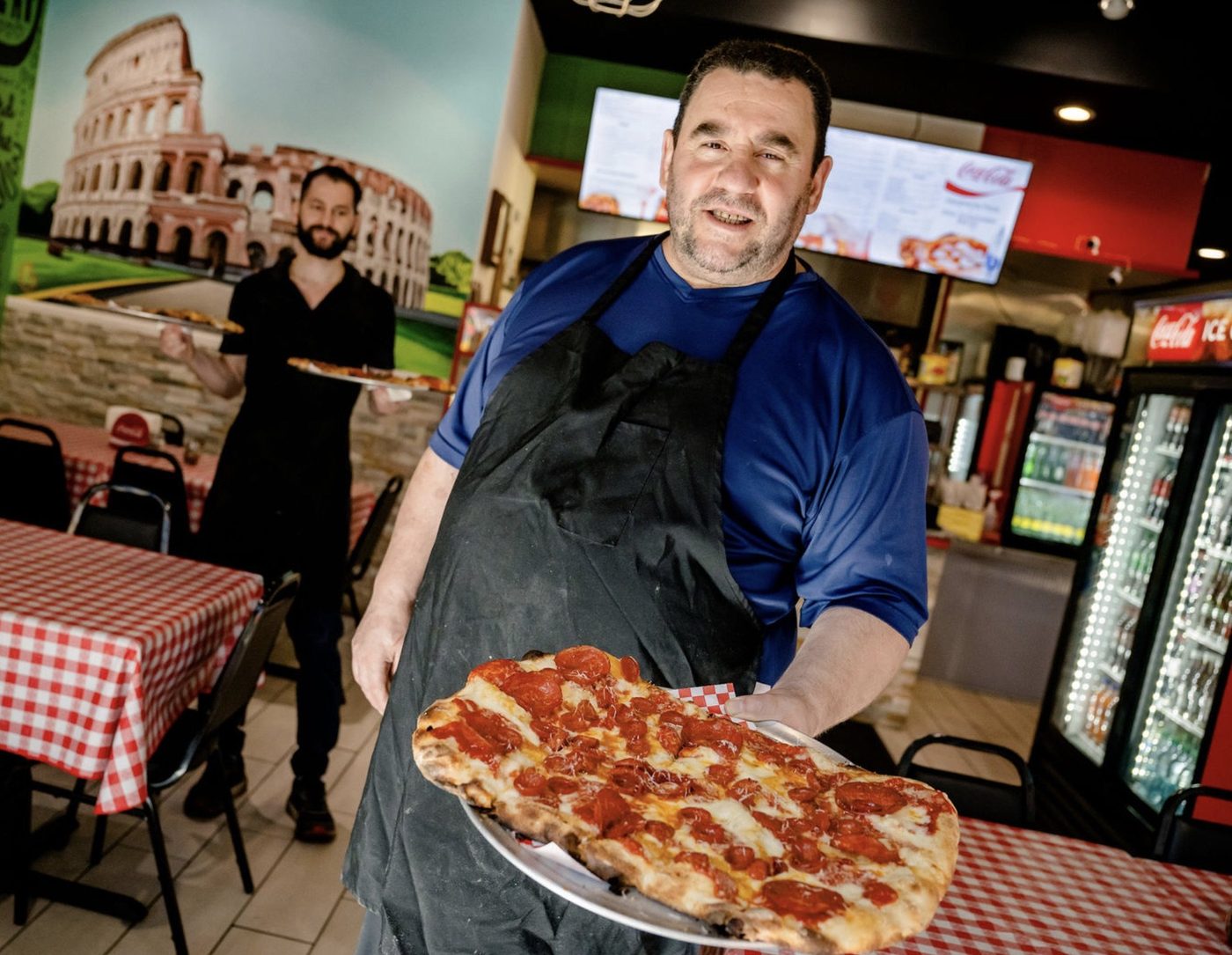
Tony · Pizza Di Roma, Austin, TX
Have a Coca-Cola rep?
Your Coca-Cola rep can set it up for you.
- ✓Your rep snaps your menu and sets up your boards.
- ✓They set up your TVs in the restaurant.
- ✓You scan a QR code and it’s yours. Your rep can still help later.
Special pricing through participating bottlers
“It is easy for customers to see it, easy for us to use it.... Coke is one of the best partners I have”
Tony, owner, Pizza Di Roma · Austin, TX
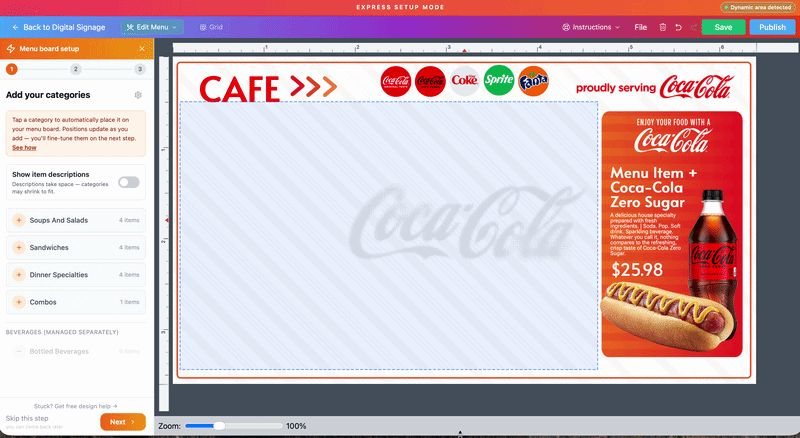
Real screen: Express setup
Want to change something?
Fine-tune it in JAM Canvas. Or don’t.
Every design is 100% editable, with no baked-in text. Change text, fonts, colors and photos, or start from a blank screen. Your prices stay connected either way.
- ✓Quick layouts with Express
- ✓Auto-balance evens out the sizes
- ✓Remove a photo’s background in one tap
Setup questions.
Want to see it first? Call (202) 886-2442 or email sales@justamenu.com. Prefer to read? Step-by-step guides →
How long does setup take?
Your menus are ready right away. Installing takes under 30 minutes: plug in each player and connect it.
What if a price comes through wrong?
You see your menu before anything goes live. Fix any item, any time, from any device.
Do I have to add a photo of my dining room?
No. It helps your boards match your room, but you get custom boards without it.
Can I use the TVs I already have?
Yes. Any TV with an HDMI port works, hung wide or tall. Each TV gets its own JAM Player.
What does it cost?
It depends on where you get your Coca-Cola. Participating Coca-Cola bottlers offer special pricing: they pay part or all of it for the accounts they choose, and can change that. Ask us or your Coca-Cola rep, and we’ll tell you your price before anything is installed. Everyone else: contact us for pricing.
Can I change my design later?
Any time. Fine-tune it in JAM Canvas, or get a fresh set of designs in a few clicks.
Let’s chat about your menu boards.
Once you’re set up, snap a photo of your menu and every menu is ready instantly. Tell us a little about your restaurant to get started.
Talk to a real person. We reply within one business day.
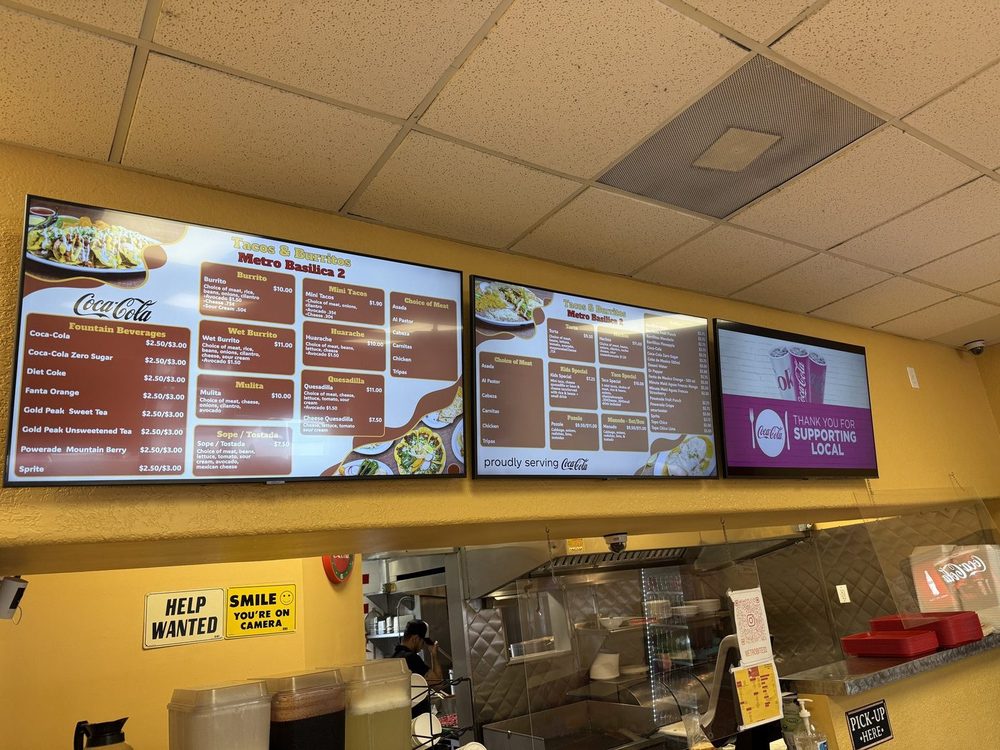
Tacos & Burritos Metro Basilica 2 · Phoenix, AZ