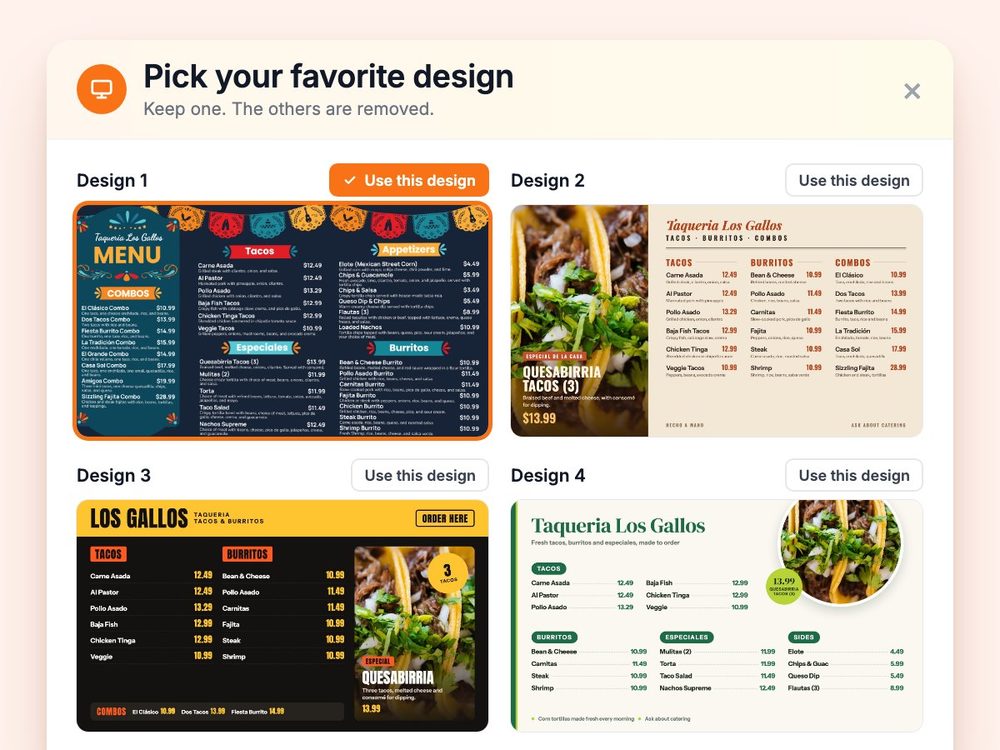
Have a Coca-Cola rep? Some participating bottlers cover the full cost. Ask about special pricing →

Home/Menu board size guide

Free size guide

What size should your menu board be?

Measure how far back your guests stand when they read the menu. Most counters are 6 to 10 feet away, which means a 50–55″ TV for each screen and capital letters at least 1 inch tall. The chart and tables below cover every distance, and the printable PDF helps you test your own wall.

1 chart · 2 tables · a letter-height test sheet · Last updated September 24, 2026

50–55″

TV size for most counters

For each screen, when guests read from 6 to 10 feet away.

1 inch

Of letter height per 10 feet

Capital letters, for the smallest text on the board.

20–30

Items on one wide screen

Roughly. Fewer with photos. More items? Add a screen.

Chart

TV size by viewing distance

Stand where your guests read the menu, usually the back of the line, and find your distance. That row gives you the TV size and the smallest text to use.

How far guests stand

TV size, each screen

Smallest capital letters

Under 6 feet

Coffee bar, food truck window

32–43″

½ inch tall

About 35–50 px on screen

6 to 10 feet

Most quick-service counters

Most counters

50–55″

1 inch tall

About 55–60 px on screen

10 to 15 feet

A line that starts at the door

55–65″

1½ inches tall

About 70–85 px on screen

15 feet or more

Big venues, concession stands

65″+ or a row

2 inches tall

About 80–95 px on screen

Bars are drawn to scale: each one is as wide as the largest TV in its range, next to a 75-inch TV. Pixel sizes are font sizes in a 1920×1080 design, for the TVs in that row (the table below has every size).

Several screens beat one giant screen. A row of two or three TVs lets you split food, drinks and specials and keeps the text big. Just a Menu builds designs for one TV or a whole wall.

Text size

How big the text needs to be

Text size matters more than TV size. A common signage rule of thumb is about 1 inch of capital-letter height for every 10 feet between the guest and the screen. Use it for the smallest text on the board: item names and prices. Titles can go bigger.

Aa

5 feet

½ inch capitals

Aa

10 feet

1 inch capitals

Aa

15 feet

1½ inch capitals

Aa

20 feet

2 inch capitals

The same rule in pixels, for your TV

Designing the board yourself? Menu boards are designed at 1920×1080 pixels for each screen. On a bigger TV each pixel is bigger, so the same text can use fewer pixels. That’s why a 55″ screen fits more menu than a 43″ one at the same distance.

The TV sizes the chart suggests for that distance

16:9 TV

5 feet

10 feet

15 feet

20 feet

32″ TV

28 × 16 in screen

50 px

capitals 34 px

95 px

capitals 69 px

145 px

capitals 103 px

190 px

capitals 138 px

43″ TV

37 × 21 in screen

35 px

capitals 26 px

70 px

capitals 51 px

105 px

capitals 77 px

140 px

capitals 102 px

50″ TV

44 × 25 in screen

30 px

capitals 22 px

60 px

capitals 44 px

90 px

capitals 66 px

120 px

capitals 88 px

55″ TV

48 × 27 in screen

30 px

capitals 20 px

55 px

capitals 40 px

85 px

capitals 60 px

110 px

capitals 80 px

65″ TV

57 × 32 in screen

25 px

capitals 17 px

45 px

capitals 34 px

70 px

capitals 51 px

95 px

capitals 68 px

75″ TV

65 × 37 in screen

20 px

capitals 15 px

40 px

capitals 29 px

60 px

capitals 44 px

80 px

capitals 59 px

32″ TV

28 × 16 in screen

5 ft

50 px

capitals 34 px

10 ft

95 px

capitals 69 px

15 ft

145 px

capitals 103 px

20 ft

190 px

capitals 138 px

43″ TV

37 × 21 in screen

5 ft

35 px

capitals 26 px

10 ft

70 px

capitals 51 px

15 ft

105 px

capitals 77 px

20 ft

140 px

capitals 102 px

50″ TV

44 × 25 in screen

5 ft

30 px

capitals 22 px

10 ft

60 px

capitals 44 px

15 ft

90 px

capitals 66 px

20 ft

120 px

capitals 88 px

55″ TV

48 × 27 in screen

5 ft

30 px

capitals 20 px

10 ft

55 px

capitals 40 px

15 ft

85 px

capitals 60 px

20 ft

110 px

capitals 80 px

65″ TV

57 × 32 in screen

5 ft

25 px

capitals 17 px

10 ft

45 px

capitals 34 px

15 ft

70 px

capitals 51 px

20 ft

95 px

capitals 68 px

75″ TV

65 × 37 in screen

5 ft

20 px

capitals 15 px

10 ft

40 px

capitals 29 px

15 ft

60 px

capitals 44 px

20 ft

80 px

capitals 59 px

Font size for the smallest text, rounded to 5 px, with the capital-letter height under it. How it’s worked out: a 16:9 TV’s screen is its diagonal × 0.49 tall; 1,080 pixels fill that height; capital letters should be 1 inch per 10 feet; and in a typical sans-serif font, capitals are about 0.72 of the font size. Condensed or decorative fonts differ, so check the capital-letter height first.

Where the numbers come from

The TV sizes and the 1-inch-per-10-feet rule are the same ones in our TV guide. They’re common signage rules of thumb, not law, and every room is different: light, glare and how high the TV hangs all change what reads well.

A floor, not a target

For comparison, the ADA standard for permanent signs asks for taller letters at a distance, and taller still on a high sign (more than 70 inches off the floor, as most menu boards are) than on a low one (40 to 70 inches). It isn’t written for menu boards, but it’s a good reason to treat the 1-inch rule as the smallest you go, and to make prices and specials bigger when they fit.

Distance

This guide

ADA: low sign / high sign

10 feet

1 in

1⅛ in / 2 in

15 feet

1½ in

1¾ in / 2 in

20 feet

2 in

2⅜ in / 2⅝ in

Measure your wall

Check your space in 3 steps.

Five minutes with a tape measure and the printable test sheet tells you more than any chart.
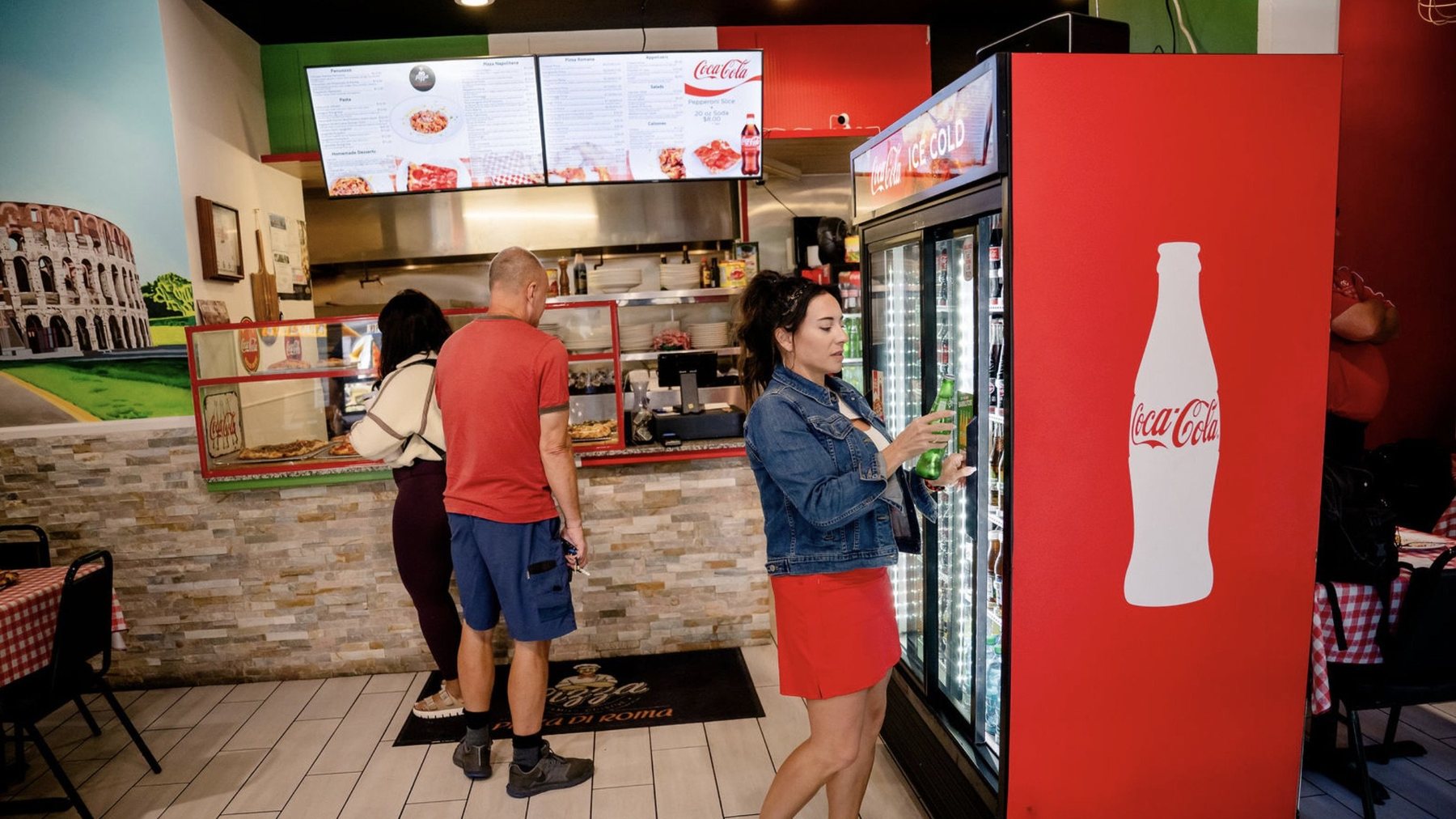
Guests ordering under the menu boards at Pizza Di Roma in Austin

Pizza Di Roma · Austin, TX

1

Stand where they read

Go to the back of your usual line, not the register. Guests decide what to order while they wait, so that’s where the menu has to work.

Drawing of a guest looking at a menu board on the wall, with the distance between them marked on the floor

Illustration

2

Measure to the wall

Use a tape measure, or count your steps (about 2½ feet each). That number is your viewing distance. Find it in the chart.
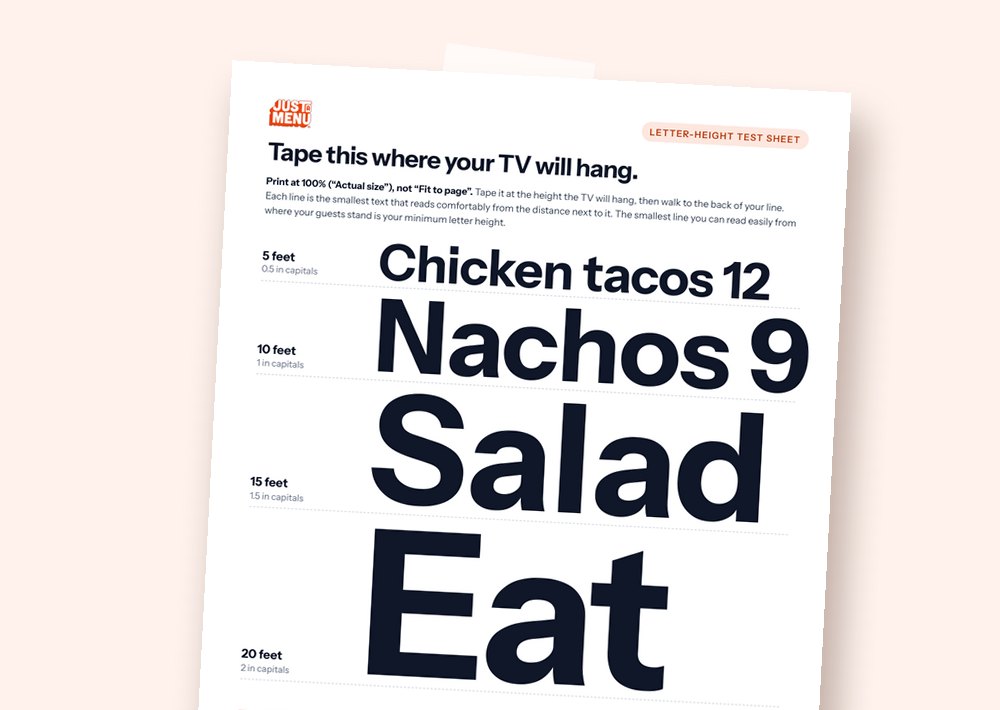
The printable letter-height test sheet, with lines of text from half an inch to two inches tall

Sample

3

Tape up the test sheet

Print page 2 of the PDF at 100% and tape it where the TV will hang. Step back. The smallest line you can read easily is your minimum letter size.
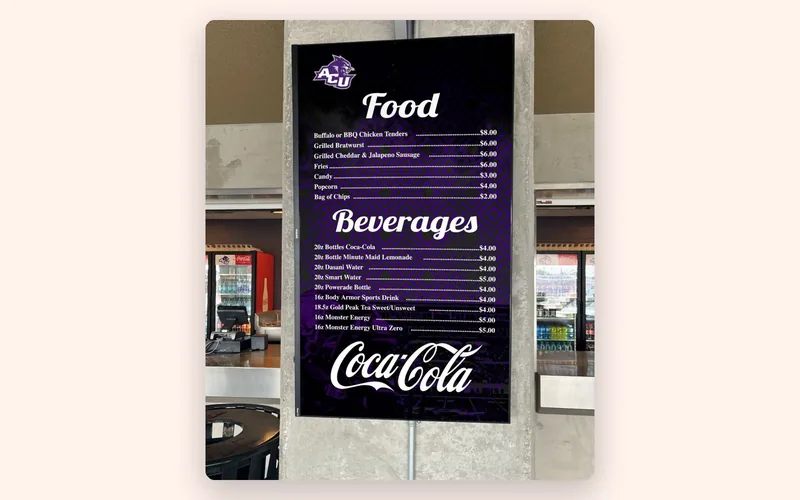
A tall portrait menu board listing Food and Beverages at a university food venue

Real install: Abilene Christian University · Abilene, TX

Wide or tall

One TV or a row, wide or tall

Match the screen to the wall, then check the text size again for your distance.

  • ✓Wide (landscape) suits most counters and rows of screens.
  • ✓Tall (portrait) suits narrow walls, pillars and single-category boards like drinks. Check the TV’s manual allows it first.
  • ✓A long menu? Add a screen or split it by time of day, instead of shrinking the text.
Which TV should I buy? →

Or let the design do the math

Snap your menu. Just a Menu sizes it for your screens.

With Just a Menu, snap a photo of your menu and pick how many TVs you have. Custom boards are built instantly for any number of screens, wide or tall. Just a Menu keeps menu text at a size people can read and tells you when something doesn’t fit, instead of shrinking it.

Running in 500+ restaurants.

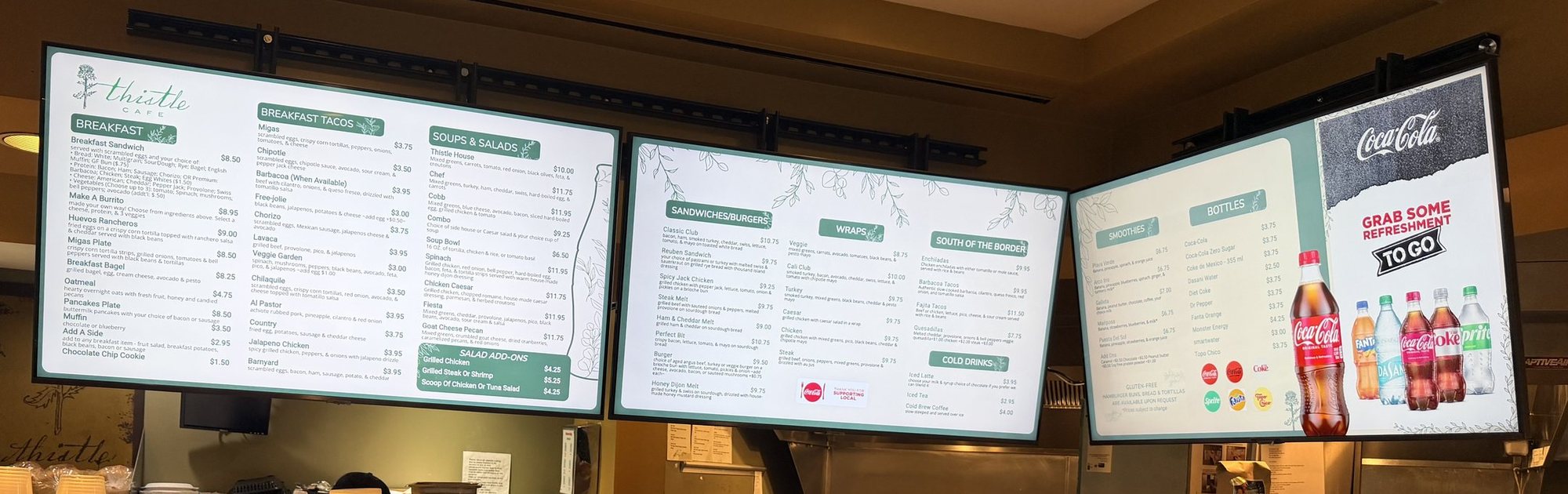
A row of three menu boards over the counter at Thistle Cafe in Austin: breakfast, sandwiches and drinks

Real install: Thistle Cafe · Austin, TX
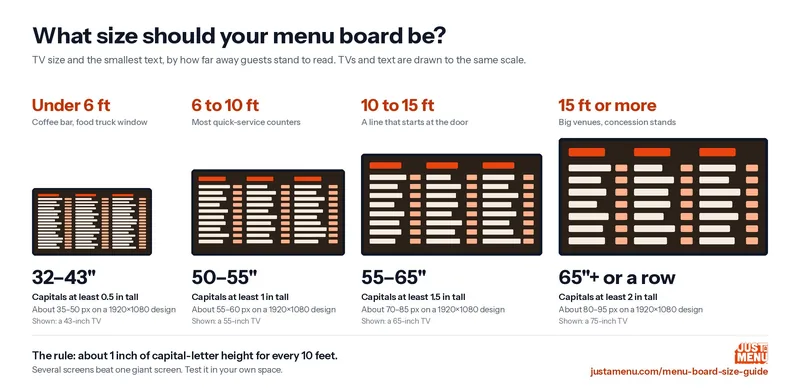
Size chart: four TVs to scale, 32 to 43 inches under 6 feet up to 65 inches at 15 feet, with minimum letter heights

Free to share

Take the chart with you

Print the two-page guide for your team, or share the chart with whoever is hanging your TVs. The PDF has the chart, the pixel table and the letter-height test sheet.

Using the chart on your site? Please link to justamenu.com/menu-board-size-guide

Size questions.

Planning a wall? Call (202) 886-2442 or email sales@justamenu.com.

What size TV do I need for a menu board?

Go by distance. Most counters, where guests read from 6 to 10 feet: 50–55″ for each screen. Under 6 feet: 32–43″. 10 to 15 feet: 55–65″. Farther than that: 65″ or larger, or a row of screens.

How big should the text be?

About 1 inch of capital-letter height for every 10 feet. On a 55″ TV at 10 feet, that’s a font size of about 55–60 pixels in a 1920×1080 design.

How many items fit on one screen?

Roughly 20 to 30 on a landscape screen, fewer with photos. For a longer menu, use a second screen or split it by time of day.

Is one big TV better than two smaller ones?

Usually not. A row of two or three lets you split food, drinks and specials and keep the text big.

Does 4K make small text readable?

Not from across the room. Designs are made at 1920×1080 for each screen and look sharp on both 1080p and 4K TVs. At a distance, letter size is what matters.

What about printed menu boards?

The same distance rule works for print. For printed menus and posters, see Print menus.
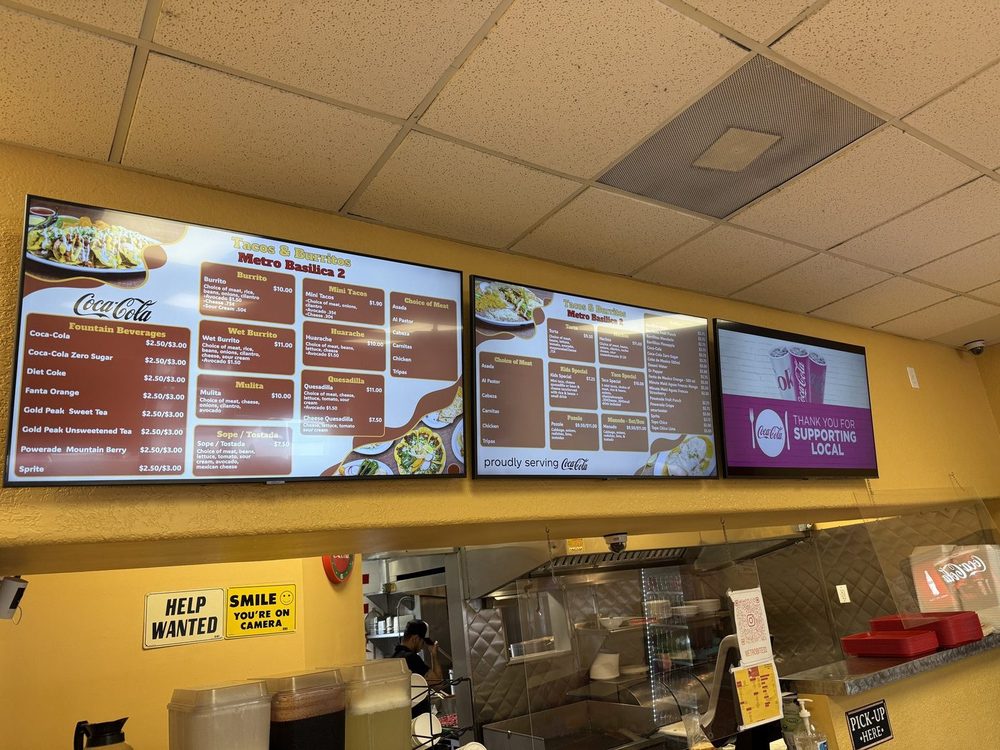
Got the distance? Let’s talk about the menu.

Once you’re set up, a photo of your menu becomes custom menu boards sized for your screens, ready as is.

Talk to a real person. We reply within one business day.
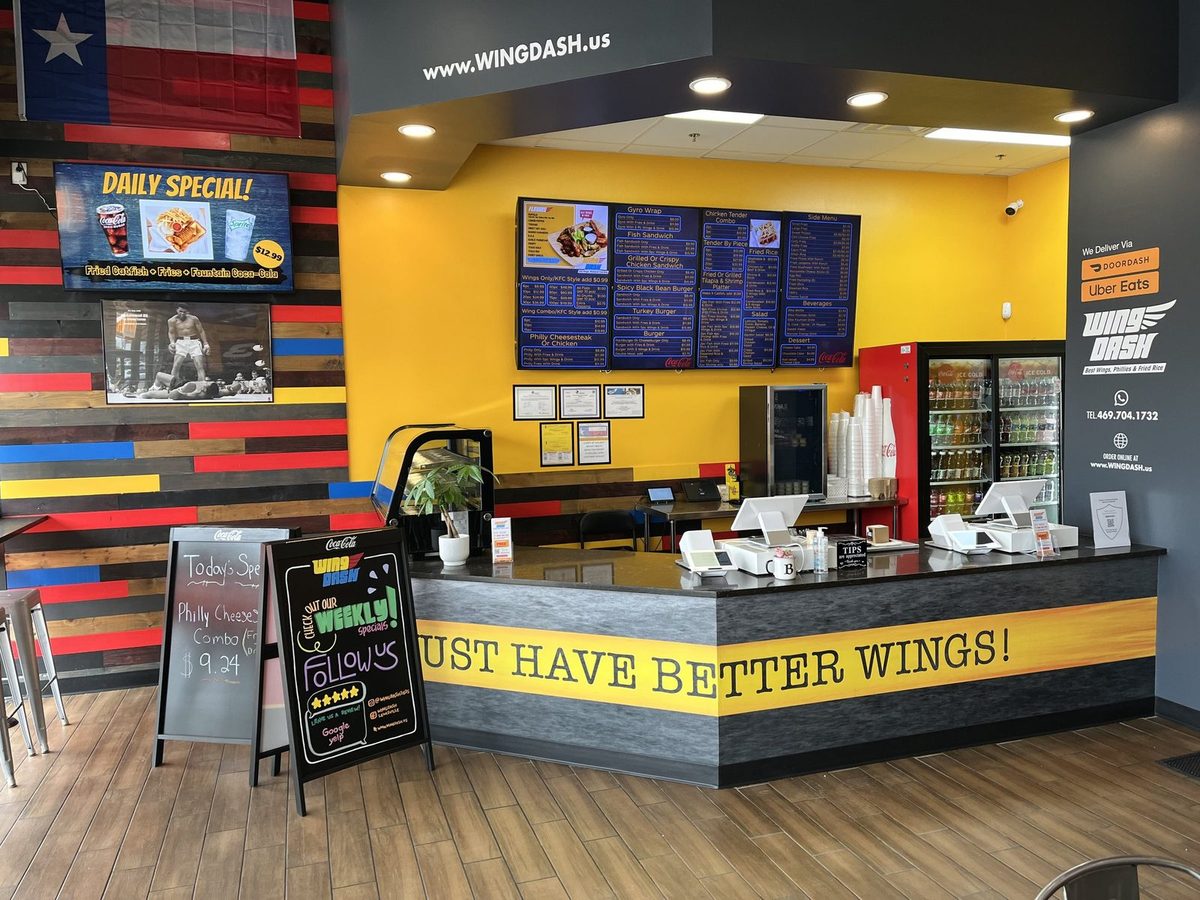
The Wing Dash counter in Dallas with four menu boards on a yellow wall and a Daily Special screen

Wing Dash · Dallas, TX

Get started