Have a Coca-Cola rep? Some participating bottlers cover the full cost. Ask about special pricing →

Menu board tips
Choose the right TV for your menu board
For most restaurants, a regular 1080p or 4K TV with a spare HDMI port works well, as long as it’s bright enough for your room, big enough for how far away guests stand, and hung where they look while they decide. With Just a Menu, one small JAM Player plugs into each TV.
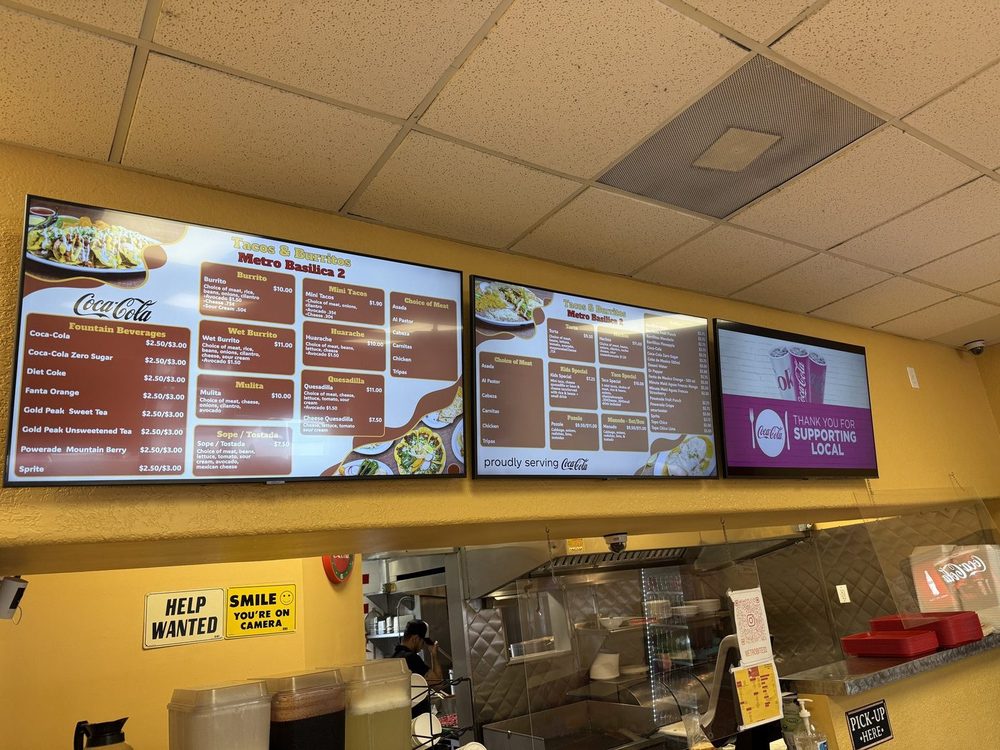
Real install: Tacos & Burritos Metro · Phoenix, AZ
Three regular-size TVs in a row keep a long menu big enough to read.
The short list
Regular TV?
Yes, indoors and away from direct sun. Check the warranty covers business use.
1080p or 4K?
Either. Designs are made at 1920×1080 per screen, and look sharp on both.
What size?
Go by how far away guests read it. Most counters: 50″ to 55″ per screen.
How bright?
A typical TV is fine indoors. Near a window, look for a high-brightness display.
Portrait?
Works well for narrow walls. Check the TV’s manual allows it first.
What else?
A spare HDMI port, power behind the TV, Wi-Fi at the TV and one JAM Player per TV.
Regular TV or commercial display?
A regular TV is a fine start for most indoor counters. Choose a commercial display when the screen faces sunlight, runs from open to close every day, or hangs in portrait.
Good start
Regular TV
Price
Lower
Brightness
Typically 250 to 500 nits
Built to run
A few hours a day, at home
Portrait
Often not supported
Warranty in a business
Often limited. Read it.
Built for all day
Commercial display
Price
Higher, often much higher
Brightness
Typically 500 to 700 nits; 2,500+ for windows
Built to run
Open to close, every day
Portrait
Usually supported
Warranty in a business
Commercial warranty
Our advice: starting with one or two screens indoors? A good regular TV is a sensible start, and you can upgrade later without changing anything in Just a Menu.
What size do I need?
Pick the size by how far away guests stand when they read the menu.
Under 6 feet · coffee bar, food truck window
32–43″
6 to 10 feet · most quick-service counters
50–55″
10 to 15 feet · a line that starts at the door
55–65″
15 feet or more · big venues, concession stands
65″+ or a row
Several screens beat one giant screen. A row of two or three TVs lets you split food, drinks and specials and keeps the text big. Just a Menu builds designs for one TV or a whole wall.
Text size matters more than TV size. A common signage rule is about 1 inch of letter height for every 10 feet of distance. Just a Menu keeps menu text at a size people can read and tells you when something doesn’t fit, instead of shrinking it. How to design a board people can read
1080p or 4K?
Either works. Menu board designs in Just a Menu are made at 1920×1080 per screen (1080×1920 in portrait), and a 4K TV shows them crisply. There’s no need to pay extra for 8K, HDR or high refresh rates: those matter for movies and games, not menus.
Buying several TVs for one wall? Buy the same model so colors, brightness and the frames around the screens match.
How bright does it need to be?
Brightness is the spec most restaurants underestimate. A screen that looks great at night can wash out at noon, so check your spot at the brightest time of day.
- ✓Indoors, no direct sun (most counters): a typical TV is fine. Turn off eco or auto-brightness modes that dim the menu.
- ✓Near a window or skylight: look for a brighter screen, around 700 nits or more, with an anti-glare finish.
- ✓Facing out a window, or a drive-thru: you need a high-brightness commercial display. A regular TV won’t be readable in daylight.
- ✓Watch for reflections. A glossy screen opposite a glass door mirrors the street. Tilt it down slightly, or pick an anti-glare panel.
Landscape or portrait?
Landscape (wide) suits most counters and rows of screens. Portrait (tall) suits narrow walls, pillars, entrances and single-category boards like drinks or specials. Just a Menu designs come in both: you choose when you build your designs, and again when you set up each JAM Player.
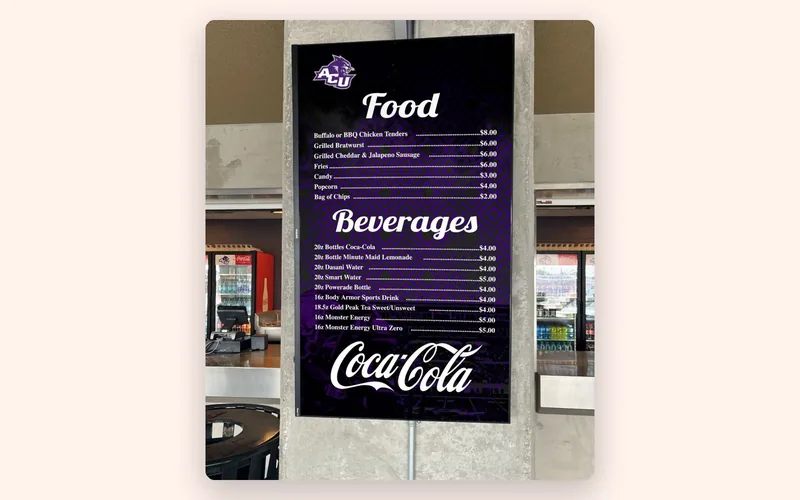
Real install: Abilene Christian University · Abilene, TX
A portrait board on a narrow wall. Before you hang a TV on its side, check the manual allows it.
Mounting checklist
Put the menu where eyes already go: above or beside the point of order, readable from the back of the line.
- ✓Height: the bottom edge at or above head height when guests queue, tilted down slightly if it’s high.
- ✓Sightline: visible from the back of the line, not blocked by the espresso machine or the register.
- ✓Power: an outlet behind the TV. The TV and the JAM Player each need power, so a short surge-protected strip helps.
- ✓HDMI: a spare HDMI port you can reach once it’s mounted. Note which input number it is.
- ✓Wi-Fi: a good signal where the TV hangs. Test with your phone, standing right there.
- ✓Air: don’t box the TV in, especially near kitchens and fryers.
- ✓Mount: a wall mount rated for the TV’s weight, fixed into studs or solid wall. For a row, one that lets you line up the edges.
- ✓Settings: turn off sleep timers, auto power-off and eco dimming.
How the TV connects to Just a Menu
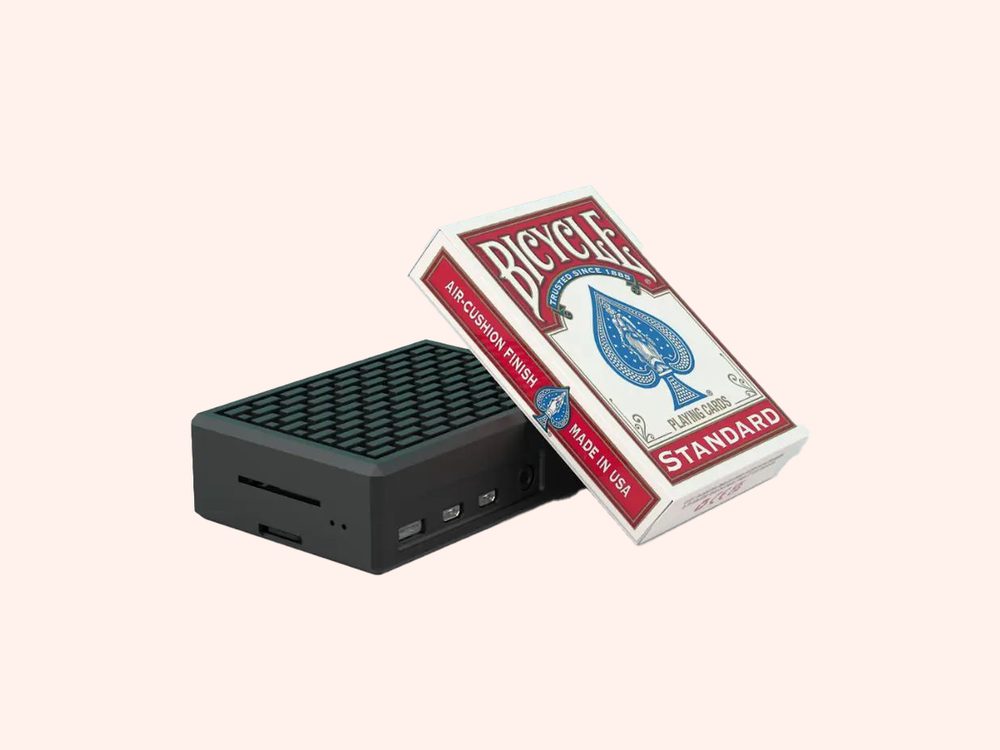
Each TV gets one JAM Player, a small box that plugs into the TV’s HDMI port and shows your menu. A row of three TVs needs three players.
- Plug the JAM Player into the TV’s HDMI port and into power, then pick that HDMI input on the TV.
- Open the JAM Setup app on your phone, stand within 2 feet of the player, and follow the steps to connect it to your Wi-Fi.
- In Digital Signage, link the player to its screen.
When you change a price or an item, the TV updates on its own. There’s nothing to plug in again. Step by step: Put your menu on your TV
Questions
Can I use a regular TV for a digital menu board?
Yes. Any TV with an HDMI port can show a Just a Menu board through a JAM Player. Regular TVs work well indoors, away from direct sun. For bright windows, drive-thrus or all-day use, a commercial display is brighter and built to last.
Do I need special hardware?
You need a screen and a small player to show the menu. With Just a Menu, that’s one JAM Player per TV, plugged into HDMI, plus Wi-Fi at the TV. No computer at the counter.
Do I need a smart TV?
No. The JAM Player does the work, so the TV’s own apps aren’t used.
Can I use the TVs I already have?
Usually, yes, if they have a spare HDMI port and are bright enough for the spot. Try them before you buy new ones.
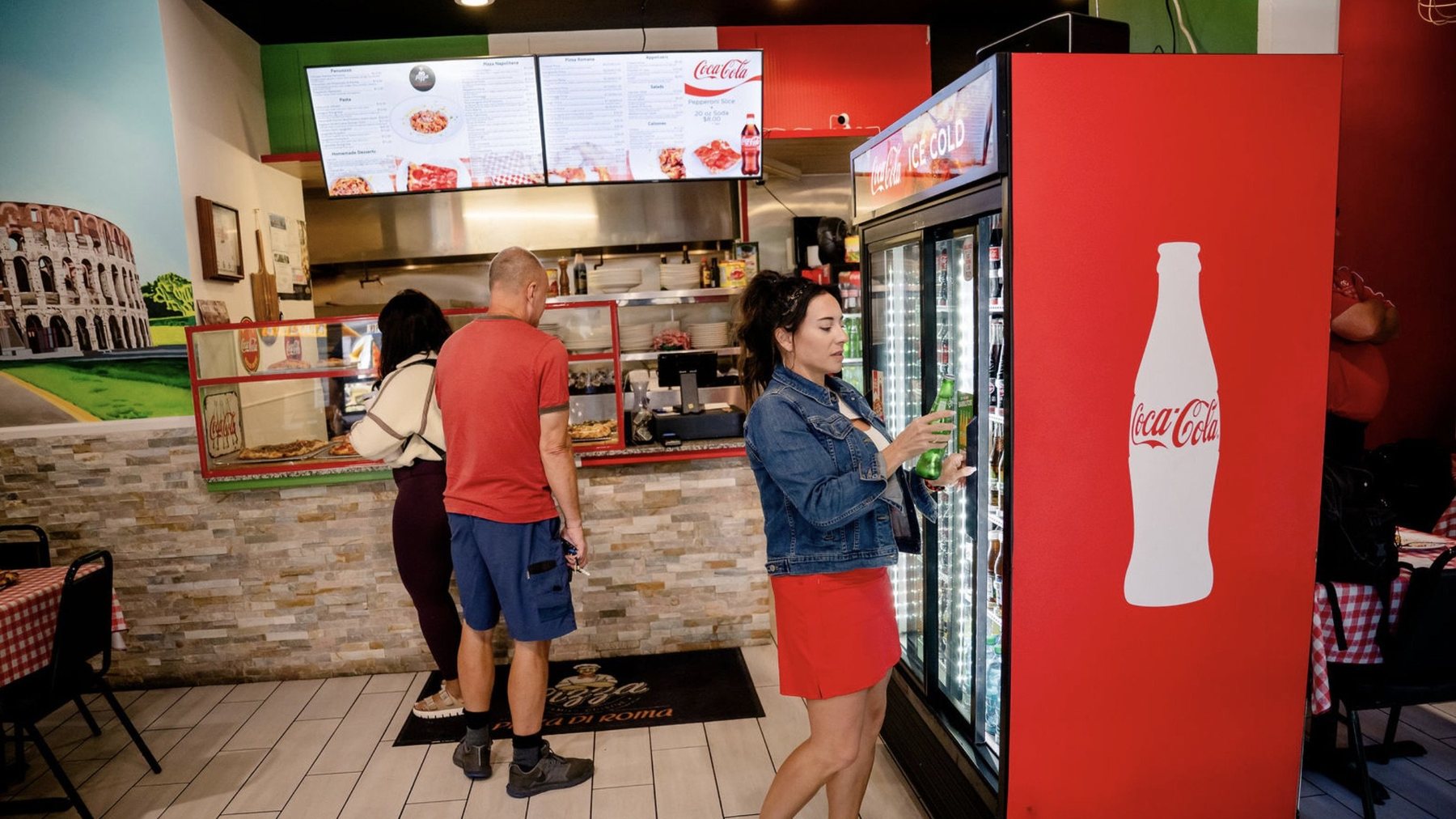
Pizza Di Roma · Austin, TX
Design a board people can read
Text size, how much fits, and where photos earn their place.
Read the design guide →
Getting started
From a photo of your menu to your TV, in four steps.
Read the guide →
Verbena · Austin, TX
Make your QR menu live
The same menu as your TVs, on every guest’s phone. Print the code once.
Read the guide →
Got the TV? Let’s talk about the menu.
Once you’re set up, snap a photo of your menu and Just a Menu builds custom menu boards for your TVs, ready to go.
Talk to a real person. We reply within one business day.
Wing Dash · Dallas, TX
Questions about your TVs? Email support@justamenu.com or call (202) 886-2442.