Beverage partner? Enroll a new account here →

Menu board tips
How to set up an outdoor digital menu board
A menu screen on a food truck, walk-up window, patio or concession stand needs more than an indoor one: far more brightness, protection from heat and weather, and a mount that holds. Keep the menu short and the prices big. With Just a Menu, the JAM Player keeps your menu playing even when the Wi-Fi drops.

Illustration
In daylight, brightness decides whether the line can read your board.
The short list
How bright?
Outside in daylight, typically 1,500 to 2,500+ nits.
Regular TV outside?
Not in the sun. It washes out, and it can overheat.
Behind glass?
Drier and safer. Plan for glare, and for heat behind the glass.
What size?
Under 6 feet away, 32″ to 43″. Measure from the back of the line.
No Wi-Fi?
The JAM Player keeps your menu on the device and keeps playing.
The menu?
Short, with big prices. Change it by time of day.
How bright does an outdoor menu board need to be?
Screen brightness is measured in nits, and it’s the spec that decides whether anyone can read your board at noon. Check your spot at the sunniest time of day, then pick a screen for that.
Indoors, away from windows · a regular TV
250–500 nits
Near a window · or deep under an awning
700+ nits
Outside in daylight · out of direct sun
1,500+ nits
In direct sun · or facing out a sunny window
2,500+ nits
These are typical figures. Look for screens sold as high-brightness or outdoor-rated, and check the nits on the spec sheet. More on brightness in our TV guide
Behind glass or out in the open?
There are two ways to put a screen where outdoor guests can see it. Each solves a different problem.
Inside, facing out
Behind glass
Weather
Stays dry and out of reach
Brightness
700+ nits in shade; 2,500+ if sun hits the glass
Heat
Builds up behind the glass
Glare
The glass reflects. Plan for it.
Good for
Walk-up and pickup windows, trailer windows
Out in the weather
Outdoor-rated display
Weather
Sealed against rain and dust, typically IP65 or higher
Brightness
Typically 1,500 to 2,500+ nits
Heat
Built-in cooling for sun
Price
Higher, often much higher
Good for
Truck sides, patios, concession stands, drive-up lanes
- ✓Heat: sun heats a screen fast. A regular TV can overheat, and its picture can darken in patches until it cools. Behind glass, leave a gap so air can move.
- ✓Glare: pick an anti-glare (matte) screen, tilt it down slightly, and shade it with an awning or hood.
- ✓Direction: in the US, a screen that faces north gets the least sun on its face. On a truck, park so the screen side faces away from the afternoon sun when you can.
- ✓Sunglasses: some screens look dark through polarized sunglasses, especially in portrait. Test with a pair before you mount it.
Landscape or portrait for a truck window?
Landscape (wide) fits most trucks and trailers. The space beside or above the service window is usually wider than it is tall, and one wide screen holds a full short menu. Portrait (tall) suits the narrow panel between the window and the door, a post at a concession stand, or one category like drinks or combos.
Just a Menu designs come in both, and you set each JAM Player to landscape or portrait in the app. Before you hang a screen on its side, check that its manual allows it.
What size, and how big should the text be?
Pick the size by where guests read the menu: 3 feet from a walk-up window, or 15 feet or more from the back of a festival line. Measure from the back of your line.
- ✓Under 6 feet (most truck and trailer windows): 32″ to 43″ per screen.
- ✓15 feet or more (long lines, concession stands): 65″ or more, or a row of screens.
- ✓Text: a common signage rule is about 1 inch of capital-letter height for every 10 feet of distance. In bright sun, err on the big side.
- ✓Drive-up and pickup windows: guests read from the driver’s seat. Angle the screen toward the lane and keep it to one screen of big, short text.
See the menu board size guide, with a printable test sheet
Mounting and power on a truck
A truck shakes on every road, so its screen needs a stronger mount than a shop wall does.
- ✓Mount: a VESA mount (the standard hole pattern on the back of a screen) rated for the screen’s weight, bolted into the truck’s framing or a backing plate, not just the thin outer skin.
- ✓Lock it: choose a mount with locking screws so the screen can’t lift off. Check the bolts often; vibration loosens them.
- ✓On the road: an outside screen takes a beating while you drive. Use a lockable cover, or take it down to travel.
- ✓Cables: leave a little slack, then tie the HDMI and power cables down near the ports so bumps don’t pull on them.
- ✓The JAM Player: it’s about the size of a pack of playing cards. Fasten it behind the screen so it can’t swing on its cable.
- ✓Power: the screen and the JAM Player each need power. Plug both into a surge protector, and turn the screen on once the generator runs steadily. High-brightness screens draw more power, so check your generator or inverter has room.
- ✓Settings: turn off sleep timers, auto power-off and eco dimming.
When the Wi-Fi drops
Parking lots, fairgrounds and stadiums are hard places for Wi-Fi.
The JAM Player keeps your menu on the device, so your screen keeps playing without Wi-Fi. It needs Wi-Fi to set up and to pick up menu changes. If your truck has Wi-Fi on board, changes come through on site. If not, the player picks them up the next time it’s on Wi-Fi, like back at your commissary.
Your QR menu opens on your guests’ own phones, so it doesn’t need your Wi-Fi either. Put the code where the line forms, and people know what they want before they reach the window.
Good to know: skip guest Wi-Fi networks that make you sign in on a web page; they can block the player. How the JAM Player works →
Short menu, big prices
Outdoor guests read your board in the sun, often from a distance, with a line behind them.
- ✓One screen of best sellers. Cut what rarely sells. The full menu can live on your QR menu.
- ✓Big prices, right next to each item.
- ✓Numbered combos, so people can order by number.
- ✓Strong contrast: light text on dark, or dark on light. Skip thin fonts and pale colors that wash out in the sun.
- ✓Short descriptions, or none at all.
Just a Menu keeps menu text at a size people can read and tells you when something doesn’t fit, instead of shrinking it.
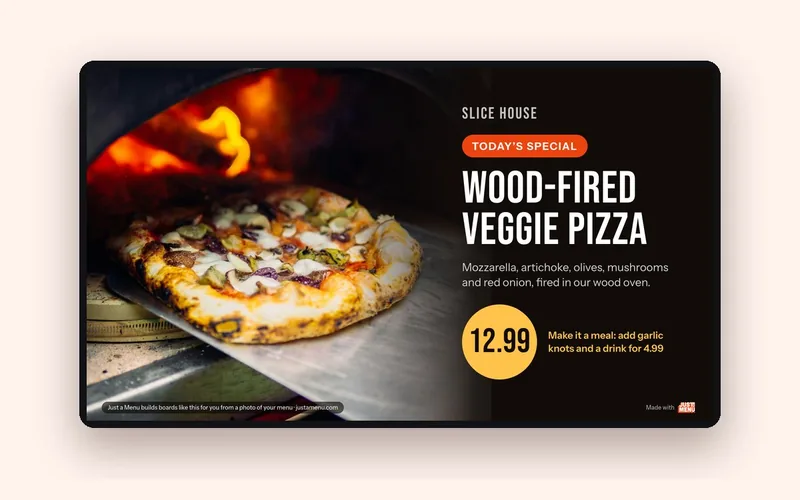
Template
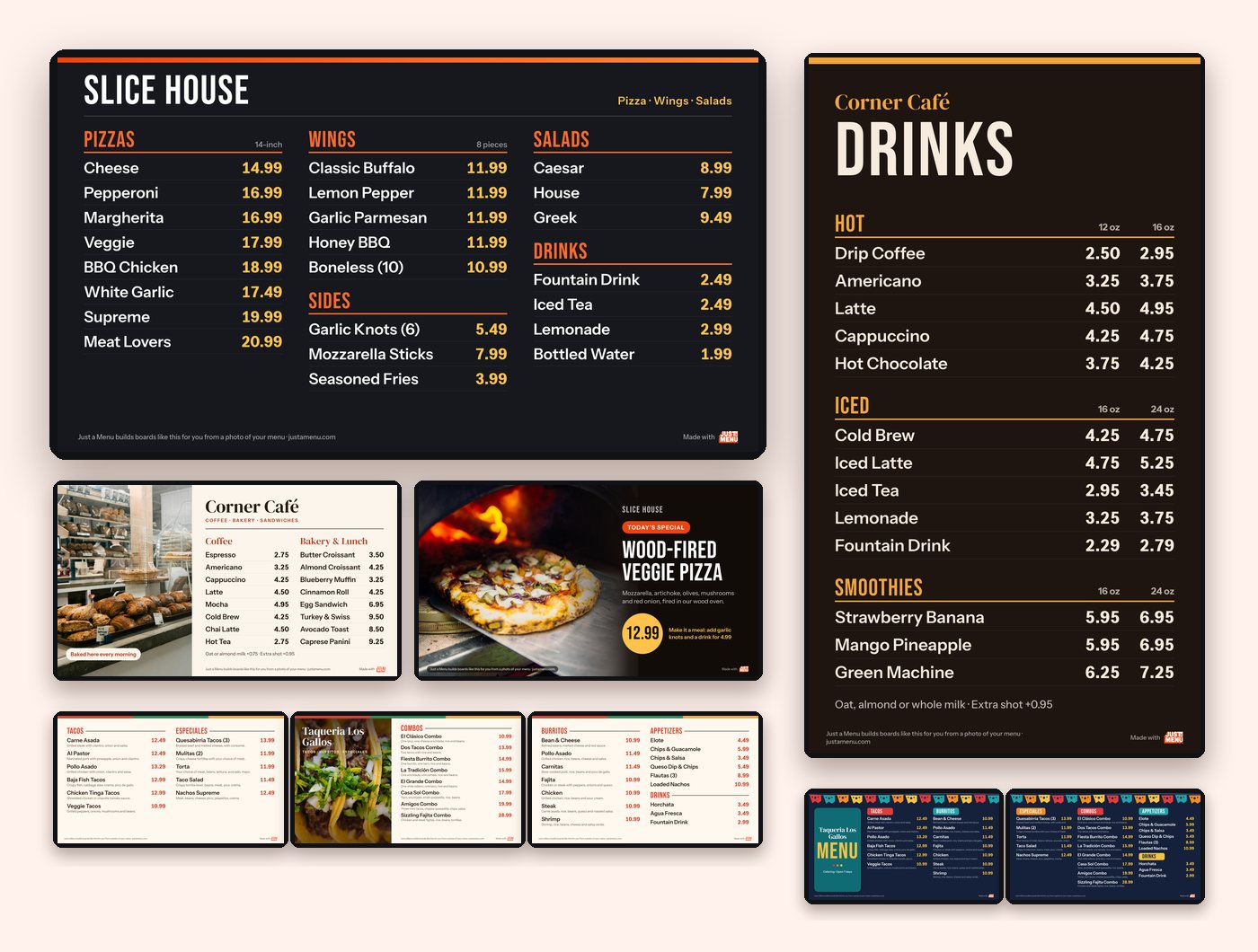
One item and one big price read at a glance. Browse the free menu board templates →
Change it by time of day, and when you sell out
Outdoor menus change through the day: a lunch crowd, a late-night crowd, the brisket that’s gone by 2.
- ✓By time of day: schedule each slide by day of the week and time of day. A lunch menu on weekdays, a late menu on weekends, and the screen switches on its own.
- ✓Sold out: tap Sold Out in Menu Workspace on your phone. The item hides or grays out, your choice, on your screen and your QR menu. Your screen picks up the change whenever the player is on Wi-Fi.
- ✓On Square, Toast, Oracle or Clover? Change a price or 86 an item in your POS, and your boards follow on their own.
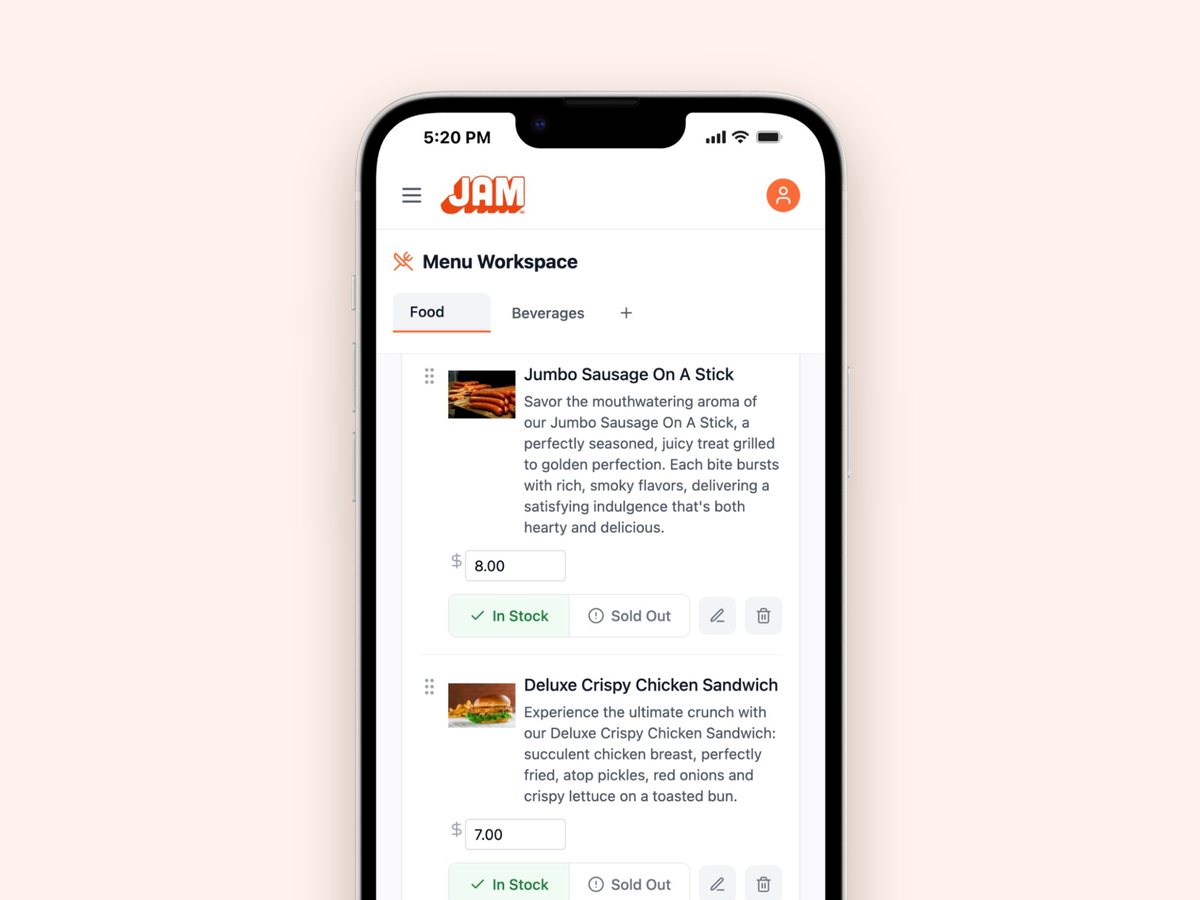
Real screen · sample menu
Each item has its own price and an In Stock or Sold Out switch.
Events and festivals
An event means a new spot, a new crowd and often a new menu.
- ✓Prices by the event: change prices and items from your phone before you leave, while the player is still on Wi-Fi. At the event, the screen keeps playing them.
- ✓An event special: Scene Magic builds a finished special or combo slide with your real item and price in about a minute. It plays in the loop with your menu.
- ✓A QR sign for the line: your QR code never changes, so one printed sign works at every event. Guests pick their language and tap for allergy info.
- ✓Wind: a screen on a stand catches wind like a sail. Weigh down or strap the base.
- ✓Power: ask the organizer what power you’ll get, and bring your own surge protector.
Questions
How bright should an outdoor digital menu board be?
Typically 1,500 to 2,500 nits or more. Out of direct sun, around 1,500 can work. In direct sun, or facing out a sunny window, look for 2,500 or more. A regular indoor TV is typically 250 to 500 nits.
Can I use a regular TV as a food truck menu board?
Only out of the sun. In daylight, a regular TV washes out, and in direct sun it can overheat. Outside, or facing out a window, choose a high-brightness or outdoor-rated display. Just a Menu works with any screen with an HDMI input, so talk to us before you pick one.
Does a digital menu board for a food truck need Wi-Fi?
Not to stay on screen. The JAM Player keeps your menu on the device, so it keeps playing without Wi-Fi. It needs Wi-Fi to set up, and it picks up menu changes whenever it’s on Wi-Fi, like back at your commissary.
What size menu board does a food trailer need?
For a walk-up window where guests stand within 6 feet, 32″ to 43″ per screen usually works. If people read from farther back in the line, go bigger or add a second screen. The menu board size guide has the full chart.
How do I mount a menu board on a food truck?
Use a VESA mount rated for the screen’s weight, bolted into the truck’s framing or a backing plate, with locking screws. Tie the cables down near the ports, fasten the JAM Player behind the screen, and check the bolts often.
Should a food truck menu display be portrait or landscape?
Landscape fits most trucks, because the space by the service window is usually wider than it is tall. Portrait suits a narrow panel or one category, like drinks. Just a Menu designs come in both. Check the screen’s manual allows portrait first.
What menu boards work best for concession stands?
Big, simple ones. Guests often read from 15 feet or more, so plan on 65″ screens or a row of them. Keep to short lists, numbered combos and big prices. If the stand is outside or faces the sun, choose a high-brightness display.
Can I change my food truck menu for each event?
Yes. Change prices and items from your phone in Menu Workspace, and schedule slides by day and time. Mark items sold out when you run out, and they hide or gray out on your screen and QR menu.

Illustration
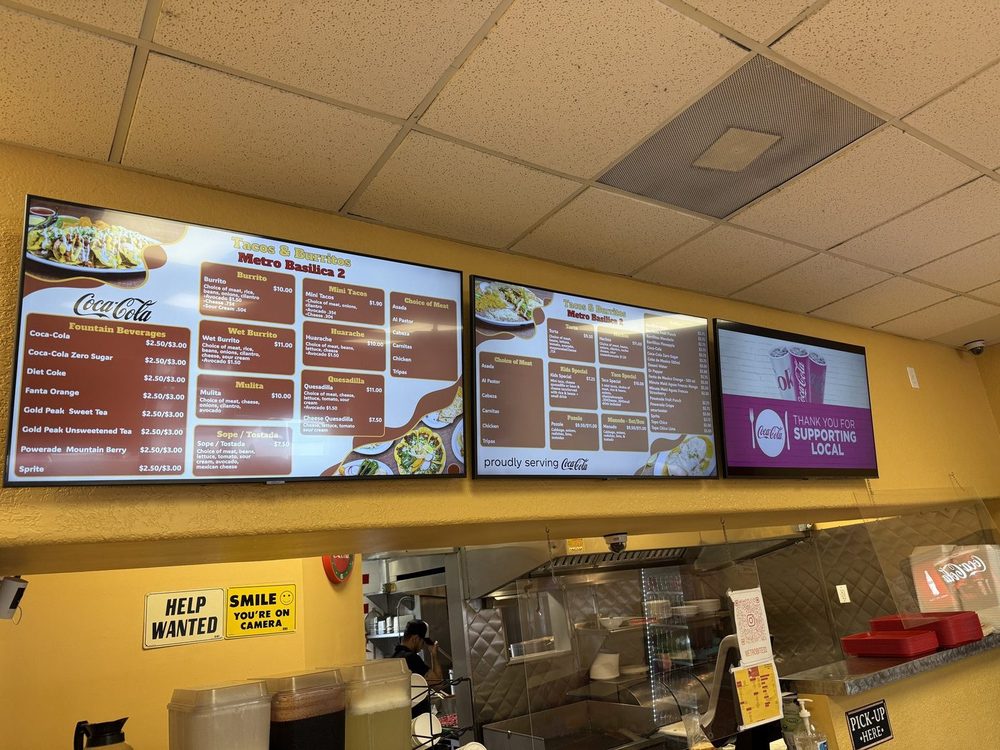
Tacos & Burritos Metro · Phoenix, AZ
Choose the right TV for your menu board
Regular TV or commercial display, brightness, 4K and mounting.
Read the TV guide →
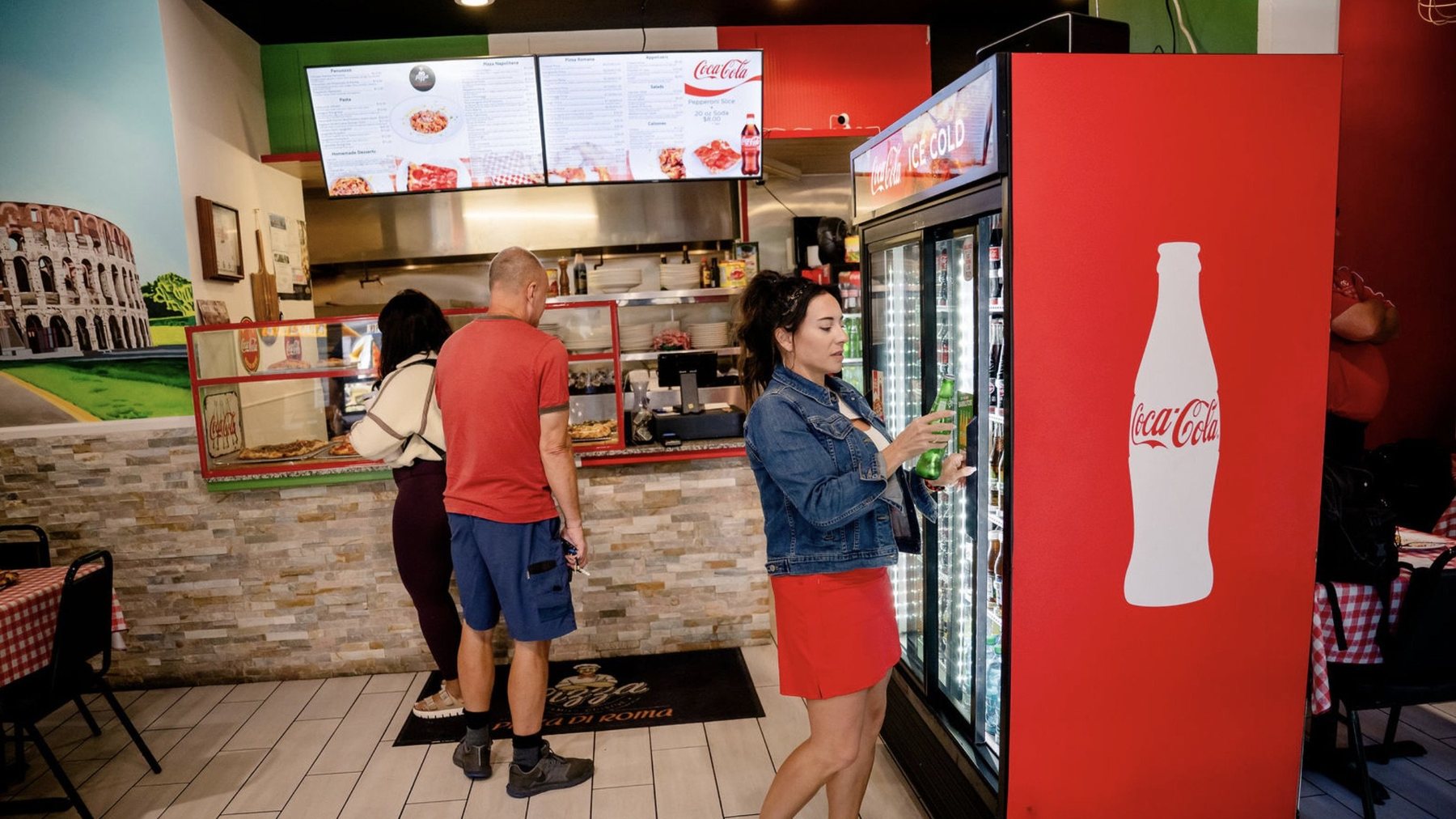
Pizza Di Roma · Austin, TX
Menu board size guide
TV size and letter height by viewing distance, with a printable test sheet.
Read the size guide →
Sample templates
Free menu board templates
Ready-made boards for one TV or a row, including a special of the day with one big price.
See the templates →
Screen picked out? Let’s talk about the menu.
Once you’re set up, snap a photo of your menu and Just a Menu builds custom menu boards for your screen, plus a QR menu for the line. The JAM Player keeps them playing when the Wi-Fi drops.
Talk to a real person. We reply within one business day.
Wing Dash · Dallas, TX
Questions about an outdoor screen? Email support@justamenu.com or call (202) 886-2442.