Have a Coca-Cola rep? Some participating bottlers cover the full cost. Ask about special pricing →

Website menus
Your menu on your website. Always the right one.
With Just a Menu, your online menu is the same one your QR code opens and your TV boards are made from. Put it on your website, your Google profile and your social pages. Change a price or mark something sold out once, and it’s right everywhere.
- Embed it or link it
- Made for phones
- Not a PDF
- Keep your website

More than menu boards
Change it once. It’s right on your website too.
Just a Menu is a menu management platform, not just a screen on the wall. Change your menu once, and everything made from it follows, from the TVs over your counter to the menu on your website.
1On your phone, or in your POS
→
2Your website
3Your TV boards
4Your QR menu
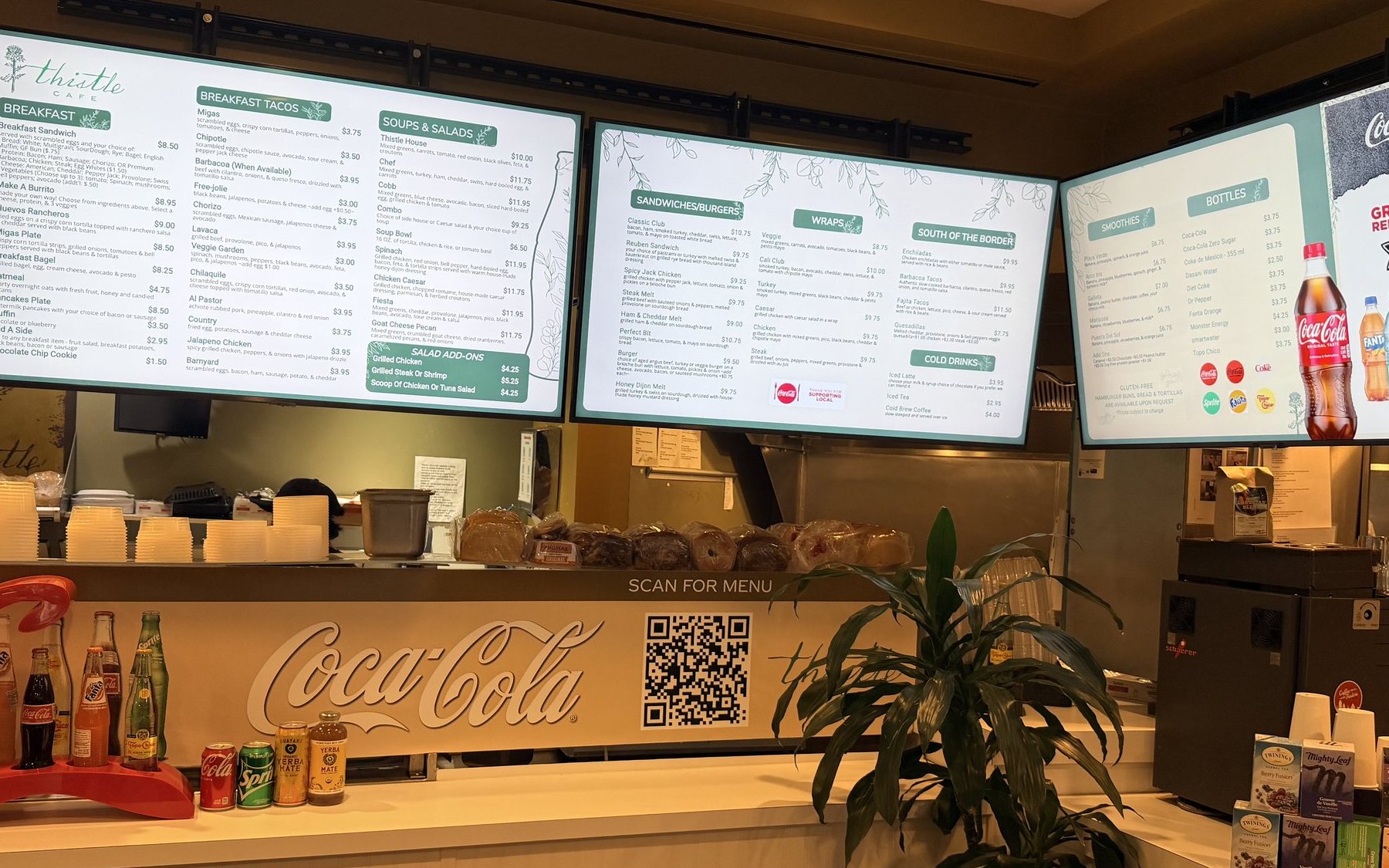
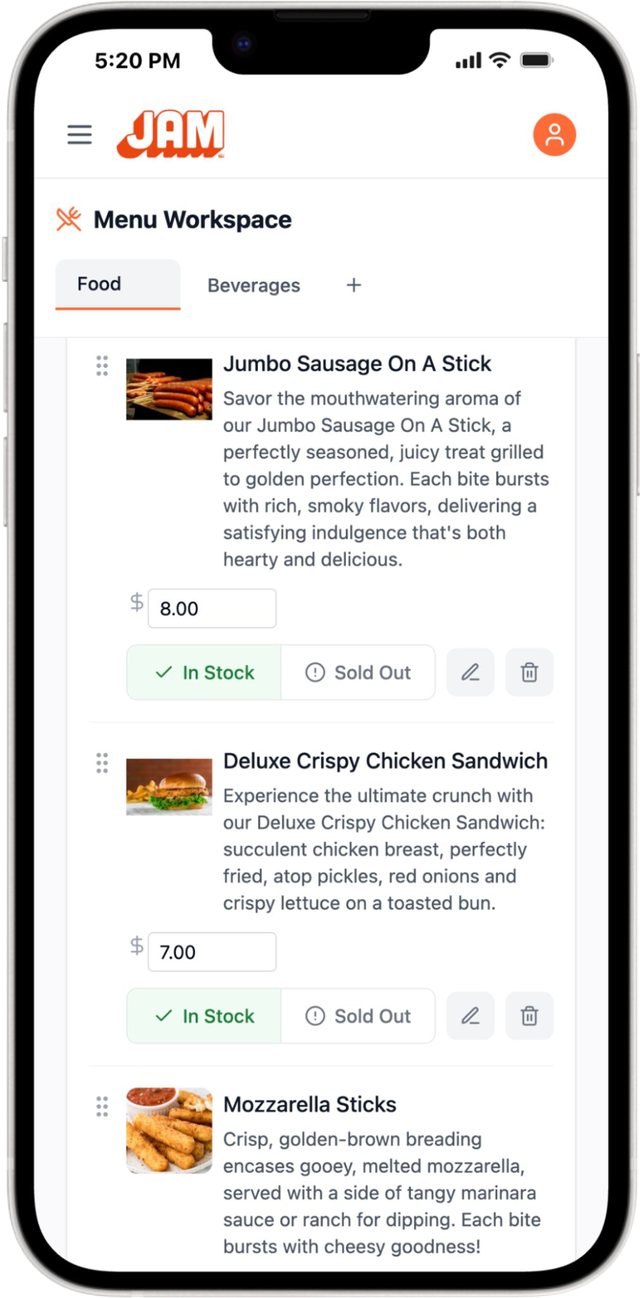
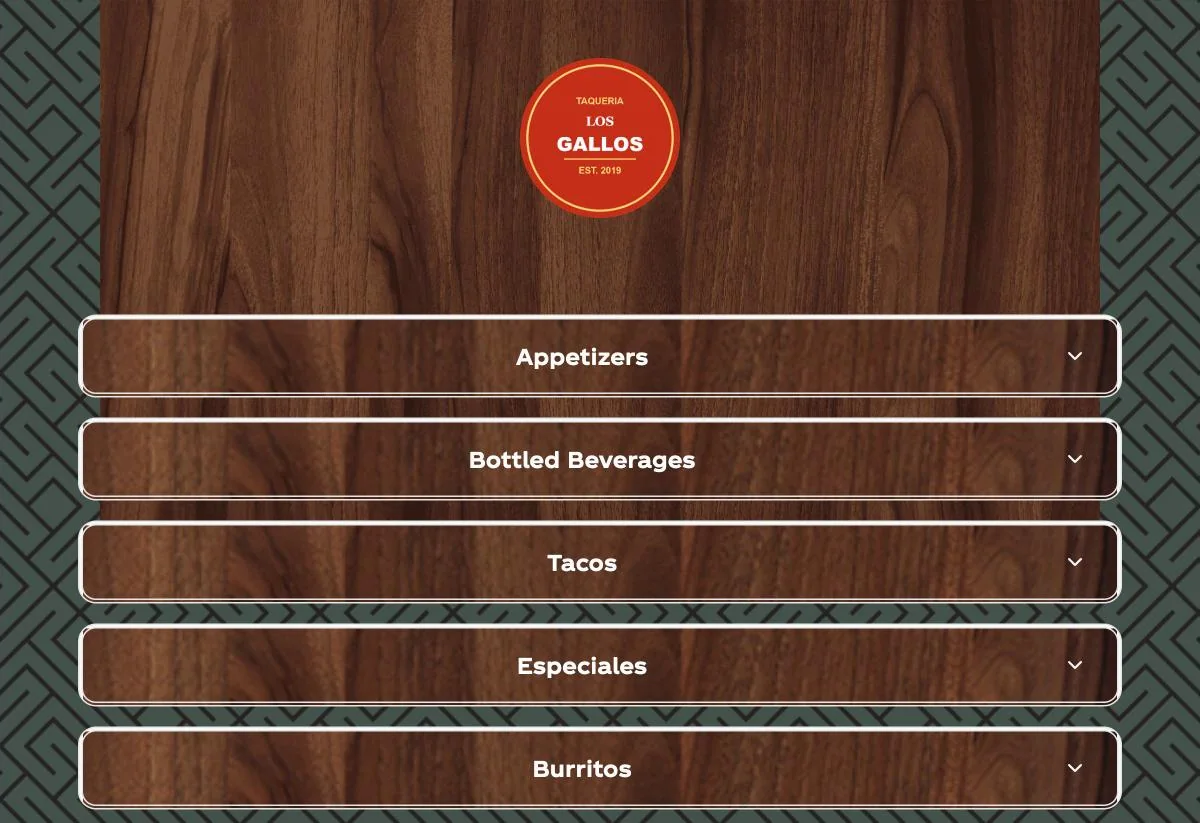
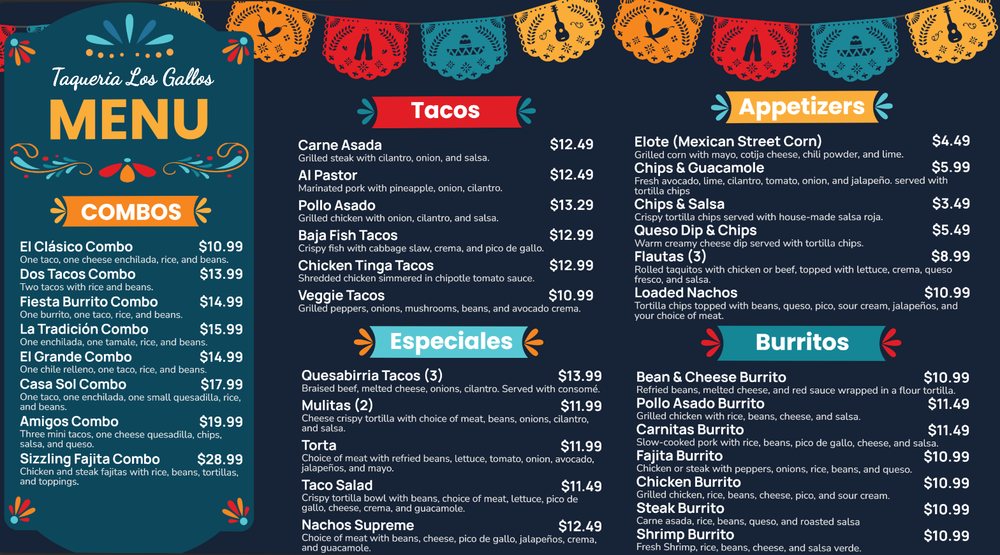
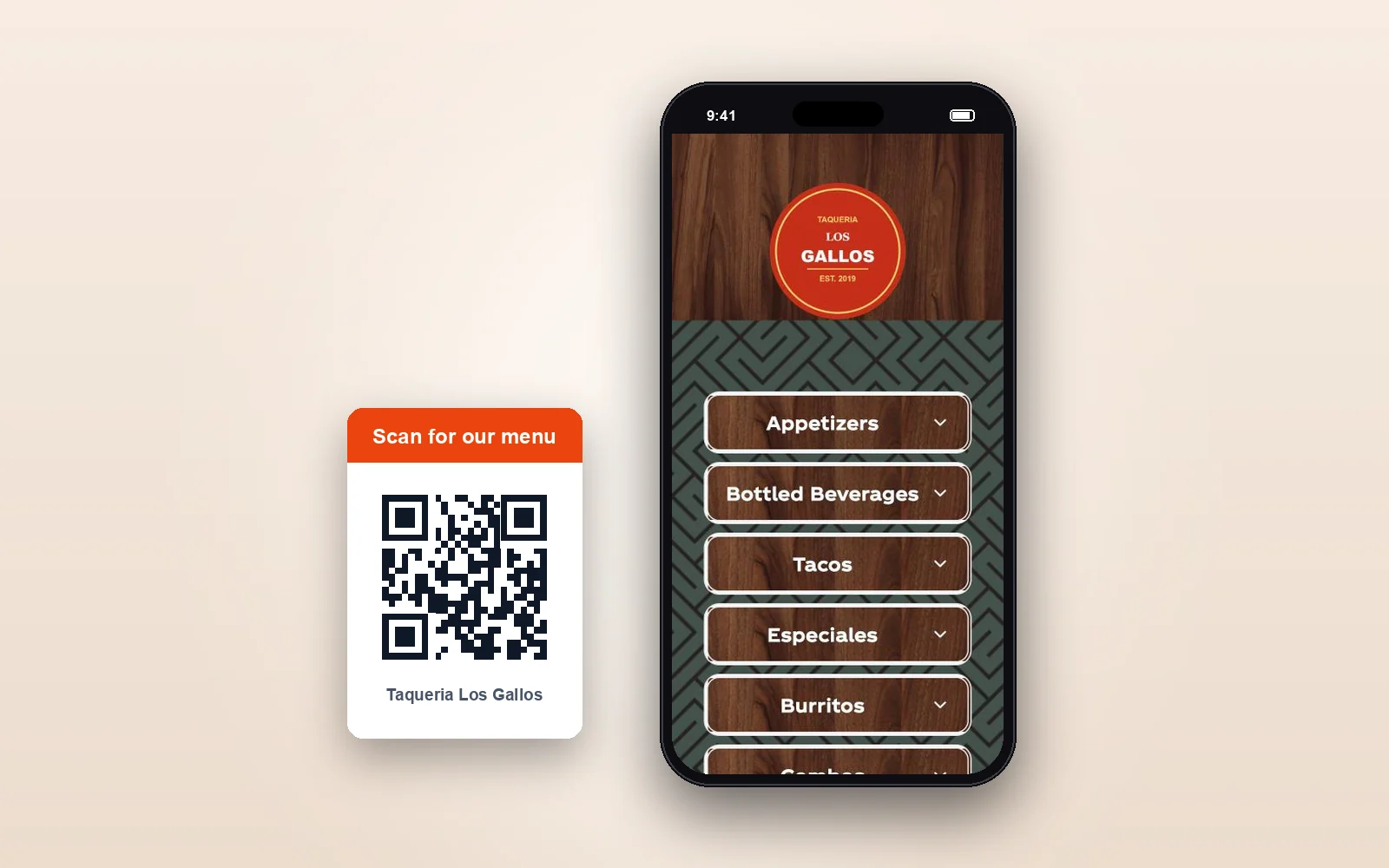
Shown: Menu Workspace on a phone, and our demo taqueria’s menu on a sample web page, a TV and a phone. Your website and your QR code open the same menu, in the same design. Print menus and social posts come from the same menu too. Paper you’ve already printed has to be reprinted; the PDF is always current.
Website & QR menu
Always the live menu
It loads fresh every time it’s opened, so guests always get your latest menu.
TV menu boards
Live instantly
Change a price from your phone and it’s live on every board that shows it.
Print & social
Re-made for you
Print menus and social posts that use an item you changed are re-made, ready to download.
Your POS
Or let it lead
Square, Toast, Oracle and Clover all sync on their own: change a price or 86 an item in your POS, and your boards follow.
How it works
Add your menu to your website. Embed it or link it.
Put the menu right on your menu page, or make your menu link your website’s Menu button. Either way, it’s the same live menu as your QR code.
Real screen · sample menu
Or use your menu link
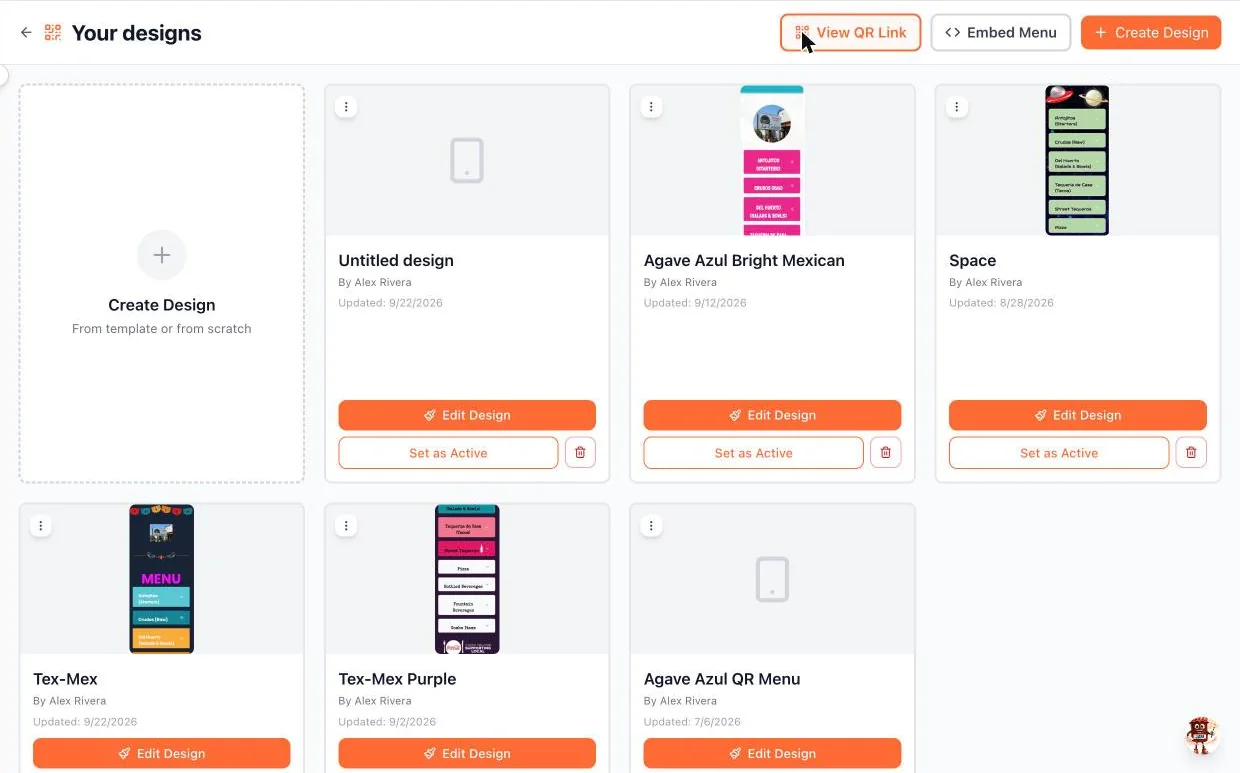
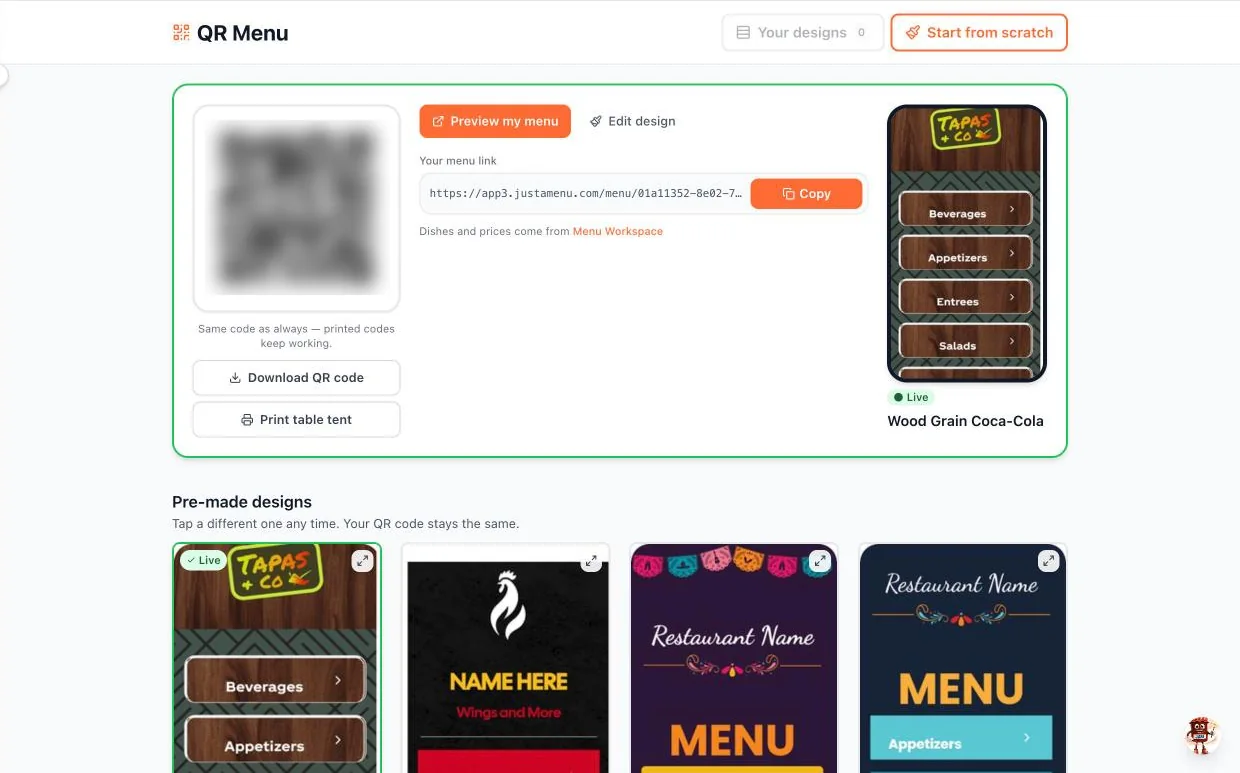
Click Copy under Your menu link and make it the link on your website’s Menu button. It works on any website, and it never changes, even when you change your design.
In the app
QR Menu → Your menu link → Copy
Good to know
- ✓Nothing to redo. Change your menu, and the next guest who opens it sees the change.
- ✓No app needed. Guests open it in the browser they already have.
- ✓Your look. Pick a pre-made design, or change its colors, fonts, headers and buttons to look like your place.
- ✓Someone else runs your website? Send them the code or your menu link.
Try a real one
This is a real café’s menu. Live.
It’s Thistle Cafe’s menu in Austin, the same one its QR code opens and its TV boards are made from. Here it’s on a sample web page, the way it can sit on yours.
Scroll it, then tap a section to open it, just as a guest would. On a computer, it looks best in a narrow column like this one.
- ✓Not a screenshot. When Thistle changes a price, it shows here the next time this page loads.
- ✓Made for phones. No pinching, no zooming, no PDF.
- ✓Straight from Menu Workspace. Sections, photos, descriptions and prices.
Shown: a sample website with Thistle Cafe’s real, live menu inside it. Its photos, promos and the sound it plays on your first tap come from Thistle’s design.
Real screen · sample menu
Google and social
Add your menu to Google and your social pages.
Your menu link opens the same live menu, full screen on any phone. Every tap opens today’s menu, not a file from last year. Paste it once, wherever guests look for your menu. More than one location? Each one gets its own link.
- ✓Google Business Profile. Paste it into your profile’s menu link field.
- ✓Instagram and Facebook. Put it in your bio and on your page.
- ✓Texts and emails. One tap opens your menu.
- ✓It never changes. New prices or a new design, same link.
Still posting a PDF?
A PDF menu is out of date the day your prices change.
Every new price means redoing the file and uploading it again. Until someone does, guests see the old one. Your live menu changes when you change it.
A PDF on your website
- ×Old prices. It shows whatever you charged the last time someone uploaded it.
- ×Pinch and zoom. A full-page menu, squeezed onto a phone screen.
- ×Redo and re-upload. Every new price or dish means a new file.
- ×Sold out, still listed. Guests come in asking for what you ran out of.
Your live menu
- ✓Today’s prices. The same ones as your TV boards and your QR menu.
- ✓Reads well on a small screen. Guests tap a section to open it, with your photos, descriptions and any allergy notes you turn on.
- ✓Change it once. From your phone, or from Square, Toast, Oracle or Clover. Nothing to upload.
- ✓Sold out, handled. Hide the item or gray it out. Your choice.
Website menu questions.
Still have one? Call (202) 886-2442 or email sales@justamenu.com.
Do I need a new website?
No. Keep the website you have. Most website builders have an embed or HTML block for the Embed Menu code. If yours doesn’t, make your menu link your Menu button. No website? Your menu link works on your Google profile and social pages too.
How do I put the menu right on my page?
In QR Menu, open Your designs and click Embed Menu. The code is copied for you. Paste it into your website builder’s embed or HTML block, on your menu page. It’s made for phones, so put it in a narrow column, 480px wide or less. Some builders only offer that block on paid plans. If Your designs is grayed out, use your menu link instead.
What should I do with the PDF on my website?
Replace it. Put your menu link or the Embed Menu code where the PDF was. Still want paper menus? Download a print-ready PDF from the same menu whenever you need one.
Does my website menu change when I change my menu?
Yes. It’s the same menu as your QR code and your TV boards, so there’s no file to update. Change a price from your phone and it’s live instantly, and the next guest who opens your menu sees it. Sold-out items are hidden or grayed out, whichever you pick.
Can I add my menu to Google?
Yes. Copy your menu link and paste it into the menu link field of your Google Business Profile. You only do it once: the link never changes, so it keeps opening your current menu.
Can guests read it in Spanish?
Yes. Turn on a language and your menu is translated for you. Guests pick their language, and you can edit any translation.
Can guests order from it?
No. It’s your menu, not an ordering page. If you take orders online, put your ordering link next to it.
What does it cost?
It depends on where you get your Coca-Cola. Participating Coca-Cola bottlers offer special pricing: they pay part or all of it for the accounts they choose, and can change that. Ask us or your Coca-Cola rep, and we’ll tell you your price before anything is installed. Everyone else: contact us for pricing.
Take down the PDF for good. Let’s put your live menu online.
Once you’re set up, a photo of your menu becomes your QR menu and your menu boards, and your website menu is one paste away. Tell us a little about your restaurant to get started.
Talk to a real person. We reply within one business day.
Artesanal Tortilleria · San Antonio, TX