Beverage partner? Enroll a new account here →

Restaurant terms
What does 86 mean? How to 86 an item everywhere at once
“86” means an item is out, or off the menu for now. When the kitchen 86s items, servers stop selling them until they’re back. The hard part is telling your guests: with Just a Menu, one tap on Sold Out updates your TV menu boards, your QR menu and your website menu.
Illustration
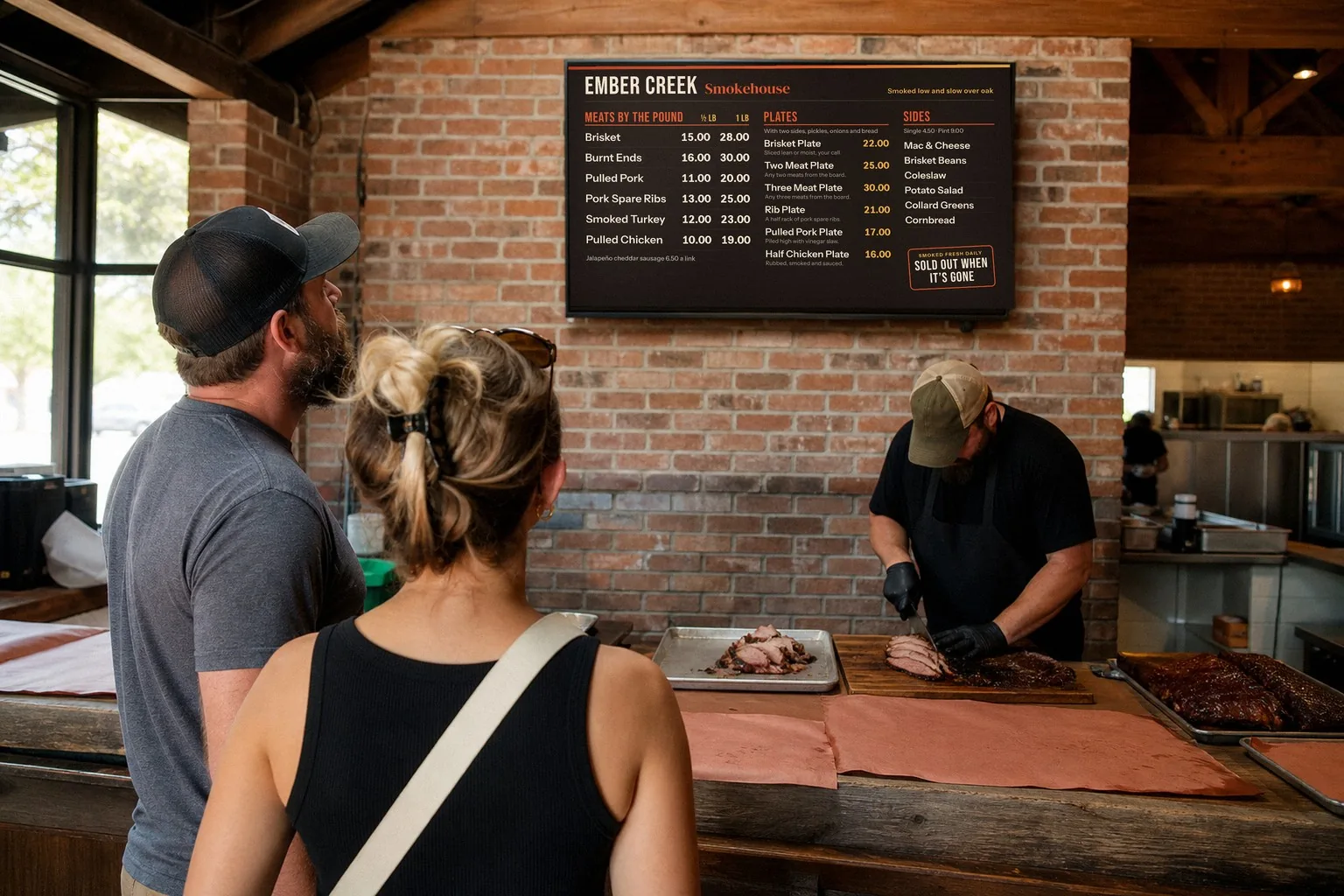
At a smokehouse, the brisket can be gone by mid-afternoon. When it is, the board should say so. The room is staged; the board is a sample Just a Menu design.
In this guide
One tap for every screen? See menu boards →
The short list
What does 86 mean?
We’re out. Stop selling it until it’s back.
How do you use it?
“86 the short rib.” “Salmon is 86.” “The pie got 86’d.”
Where did it come from?
Nobody knows for sure. It was lunch counter slang by the 1930s.
What’s the 86 list?
What’s out and what’s running low, shared before the shift.
Where do 86s go wrong?
The TV board, QR menu and website still show the item.
How do I 86 it everywhere?
Tap Sold Out in Just a Menu, or 86 it in Square, Toast, Clover or Oracle.
What 86 means in the kitchen and on the floor
To 86 an item means to stop selling it, because it has run out or because the kitchen has pulled it for now. You’ll hear it as a verb (“86 the salmon”) and as a label (“salmon is 86”, or “86’d”). Say it “eighty-six”.
- ✓In the kitchen: a cook calls it when the last portion goes out, or when something isn’t right to serve, like a fish delivery that didn’t come. From then on, nobody should ring it in.
- ✓On the floor: servers stop offering it, point guests to something else, and mark it in the POS so it can’t be ordered by mistake.
- ✓At the bar: “86” can also mean cutting a guest off or asking them to leave. Same word, different job.
- ✓For now, not forever: an 86 usually lasts for the shift or the day. When the item is back, it comes off the 86 list.
Where did 86 come from?
Nobody knows for sure. It shows up in print by the early 1930s, in lists of soda fountain and lunch counter slang, where “86” meant “all out of it.” Where the number itself came from is still a guess. These are the theories you’ll hear most:
- Rhyming slang for “nix”. Eighty-six rhymes with nix, old slang for “no” or “cancel”. Dictionaries most often point here, but even they call it likely, not proven.
- Lunch counter code. Soda fountains and diners used number codes to talk fast behind the counter, and 86 meant the item was gone. That fits the oldest printed uses, but it doesn’t explain why 86.
- A New York speakeasy. Chumley’s, a Prohibition-era bar at 86 Bedford Street, comes up a lot. The story goes that when police were about to raid it, customers were hustled out the door at number 86. It’s a good story, with no solid proof behind it.
- Other stories. One says a soup pot fed 85 people, so the 86th went without. Another points to Article 86 of the U.S. military code, which covers being absent without leave. None of these has been proven either.
The 86 list at shift start
The 86 list is what’s out, and what’s running low, shared with the whole team before service. Typically the chef or kitchen manager goes over it at lineup, and it’s written where servers will see it, like a whiteboard by the pass or a note at the POS.
Short rib · out for tonight
86
Salmon · running low
4 left
Key lime pie · running low
6 left
Instead of short rib · suggest
Brisket
A sample 86 list. Counts on the low items let servers warn guests before the last one goes.
- ✓What’s out: for the whole shift, with a reason if guests will ask (“the fish didn’t come in”).
- ✓What’s low: with a count, so nobody promises the last piece twice.
- ✓What to suggest instead: one or two dishes servers can offer without thinking.
- ✓Who calls new 86s: one person calls them mid-shift, and one person updates the menus. Name them at lineup.
- ✓Everywhere it’s listed: the POS, the TV menu boards, the QR menu and your website. If it’s out, take it off all of them before doors open.
The list at lineup is the easy part. The 86s that hurt are the ones that happen at 7:30 on a Friday, when everyone’s hands are full.
Why 86s go wrong: the board and QR menu still show the item
An 86 usually reaches the kitchen and the servers. It often doesn’t reach the menus your guests read: the TV board over the counter, the QR menu on the table and the menu on your website. So guests keep choosing a dish you can’t make.
At the counter, a guest waits in line, decides on the brisket, and hears “sorry, we’re out” at the register. Now they’re choosing again with a line behind them. At the table, a server walks back with bad news. Online, someone comes in asking for a dish you ran out of hours ago.
The usual way
86 on the whiteboard
TV menu board
Still shows it
QR menu
Still shows it
Website menu
Still shows it
Who can change it
Whoever has the marker
When it’s back
Someone has to remember
With Just a Menu
86 with one tap
TV menu board
Says “Sold Out”
QR menu
Hides it or grays it out
Website menu
Hides it or grays it out
Who can change it
You or a manager, from a phone
When it’s back
Tap Available
Printed menus can’t change mid-shift at all. That’s why the screens and the QR menu are the ones to keep right during service.
86 it everywhere with Just a Menu
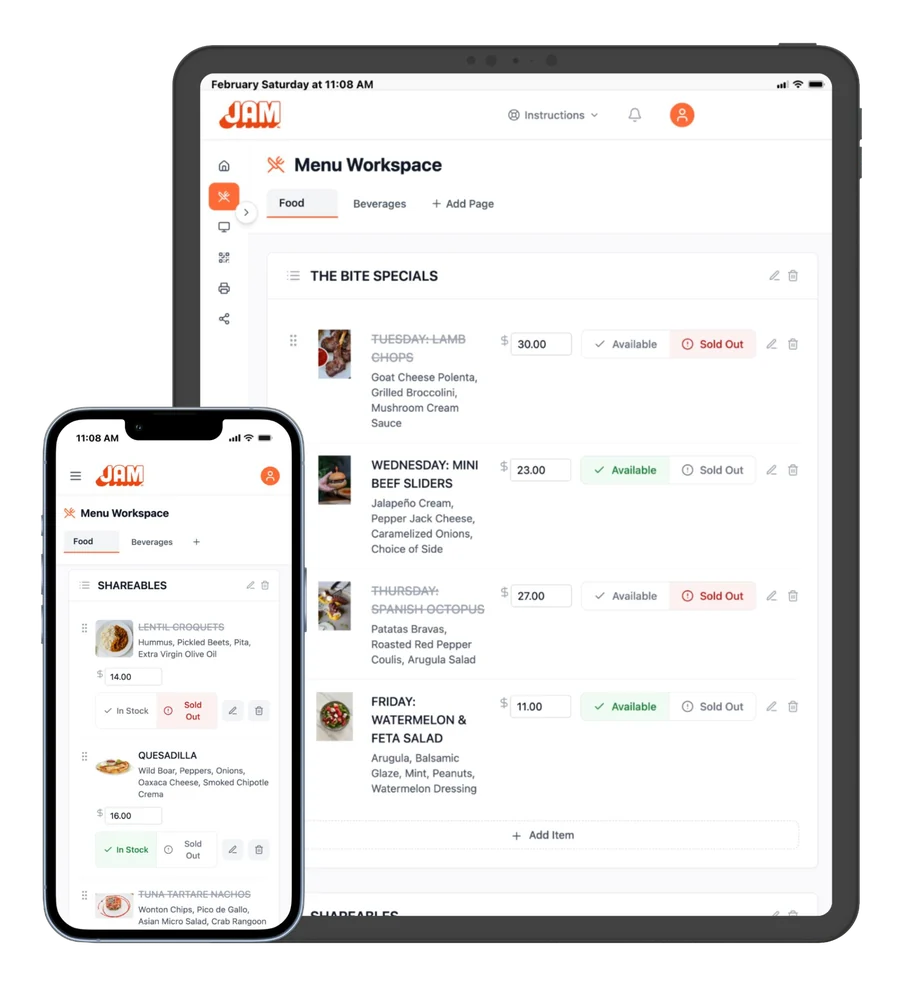
In Just a Menu, you 86 an item once. Tap Sold Out on it in Menu Workspace, from your phone, tablet or computer. Your TV menu boards say “Sold Out”, and your QR menu and website menu hide it or gray it out, whichever you pick. When it’s back, tap Available.
When you want to…
Do this
86 an item
In Menu Workspace, switch the item from Available to Sold Out. It’s crossed out in your menu, and your TV board says “Sold Out” straight away.
Choose how sold-out items look
Go to Manage Outlet → Outlet Settings → Sold Out Item Display and pick Hide Item or Gray Out Item.
Bring it back
Tap Available on the item. On a phone, the button reads In Stock.
Let a manager do it
Give them their own sign-in, so whoever runs the shift can keep sold-out items current from their own phone.
Real screen · sample menu
Menu Workspace. One tap marks an item sold out on every screen.
There’s no redesign, no re-exporting and no re-uploading. The same menu runs your TV boards, your QR menu and your website menu, so one tap reaches all of them. How Just a Menu runs your menu boards
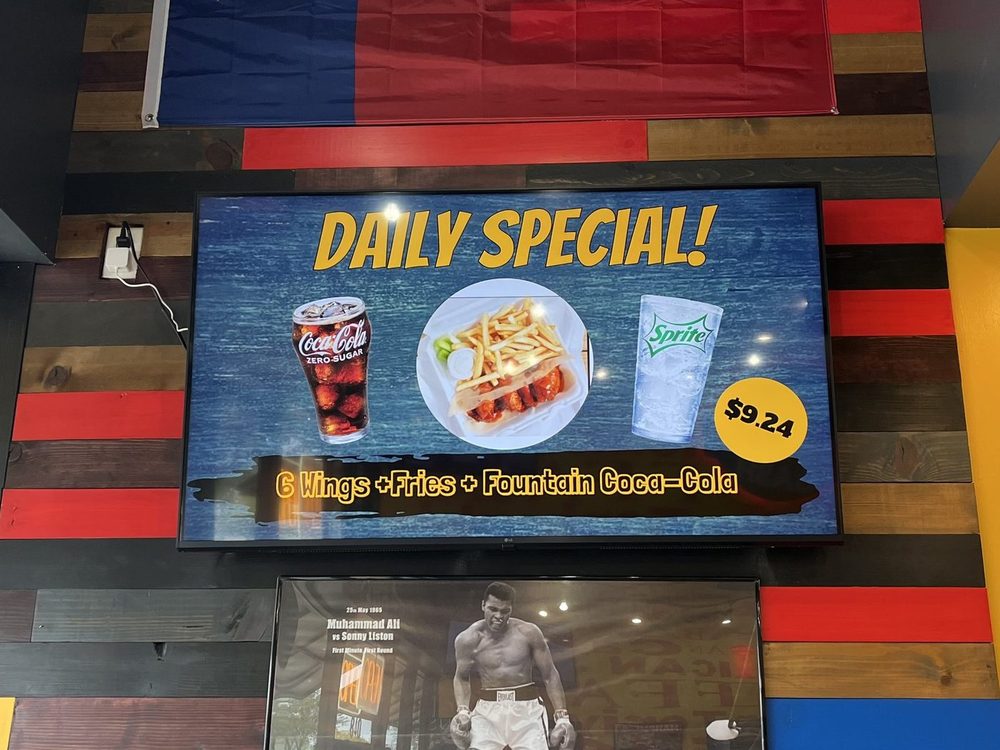
Specials often go first. They’re usually made in small batches, and they’re the hardest thing on the wall to miss. When one sells out, put up a new one: in Digital Signage, click + Scene, then Scene Magic, and pick a dish and a look. The finished slide is ready in about a minute.
Real install: Wing Dash · Dallas, TX
One special, one screen, one price. Scene Magic makes slides like this one from a dish you pick.
On a POS? 86 it in Square, Toast, Clover or Oracle

On Square, Toast, Clover or Oracle, you don’t have to 86 an item twice. 86 it in your POS and it’s marked sold out in Just a Menu automatically: your TV boards show “Sold Out”, and your QR menu hides it or grays it out. Bring it back in your POS, and it comes back.
- ✓Connect once, read-only. After that it’s automatic, and you never have to open Just a Menu to do it.
- ✓Timing: how quickly changes arrive depends on your POS.
- ✓Store by store: an 86 at one store changes that store’s TVs and QR menu, and no one else’s.
- ✓Prices too: change a price in your POS, and your boards, QR menu and print menus follow on their own. Raising prices? How to word a price increase notice
On Toast? Here’s how to 86 items on Toast and update every menu. On another POS, we can integrate with it by request. See all POS integrations
Questions
What does 86 mean in a restaurant?
It means an item is out, or off the menu for now. When the kitchen says “86 the salmon”, servers stop selling it until it’s back. At a bar, 86 can also mean cutting off a guest.
Where does the term 86 come from?
Nobody knows for sure. The most common explanation is rhyming slang for “nix”, meaning no. It shows up in print in the early 1930s as lunch counter slang for “all out”. The story about a New York speakeasy at 86 Bedford Street is popular, but unproven.
What is an 86 list?
It’s the list of items that are out, or running low, for the shift. The chef or manager typically goes over it at lineup and posts it where servers can see it. Your menu boards and QR menu should match it.
How do I 86 an item on my menu board?
With Just a Menu, tap Sold Out on the item in Menu Workspace, from your phone. Your TV boards say “Sold Out”, and your QR menu and website menu hide it or gray it out. Tap Available when it’s back.
Does an 86 in my POS update my boards?
Yes, on Square, Toast, Clover and Oracle. 86 an item in your POS and Just a Menu marks it sold out automatically on your boards and QR menu. How quickly depends on your POS. Bring it back in your POS, and it comes back.
POS integrations
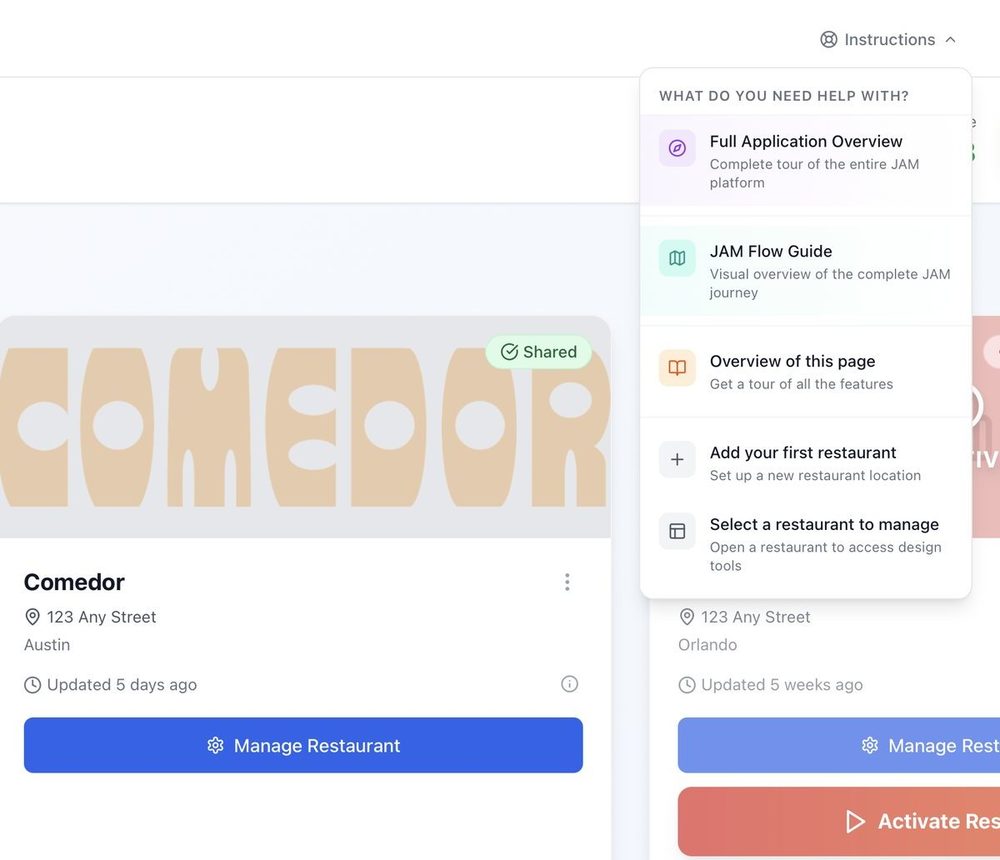
86 an item in Square, Toast, Clover or Oracle, and your boards follow on their own.
See POS integrations →
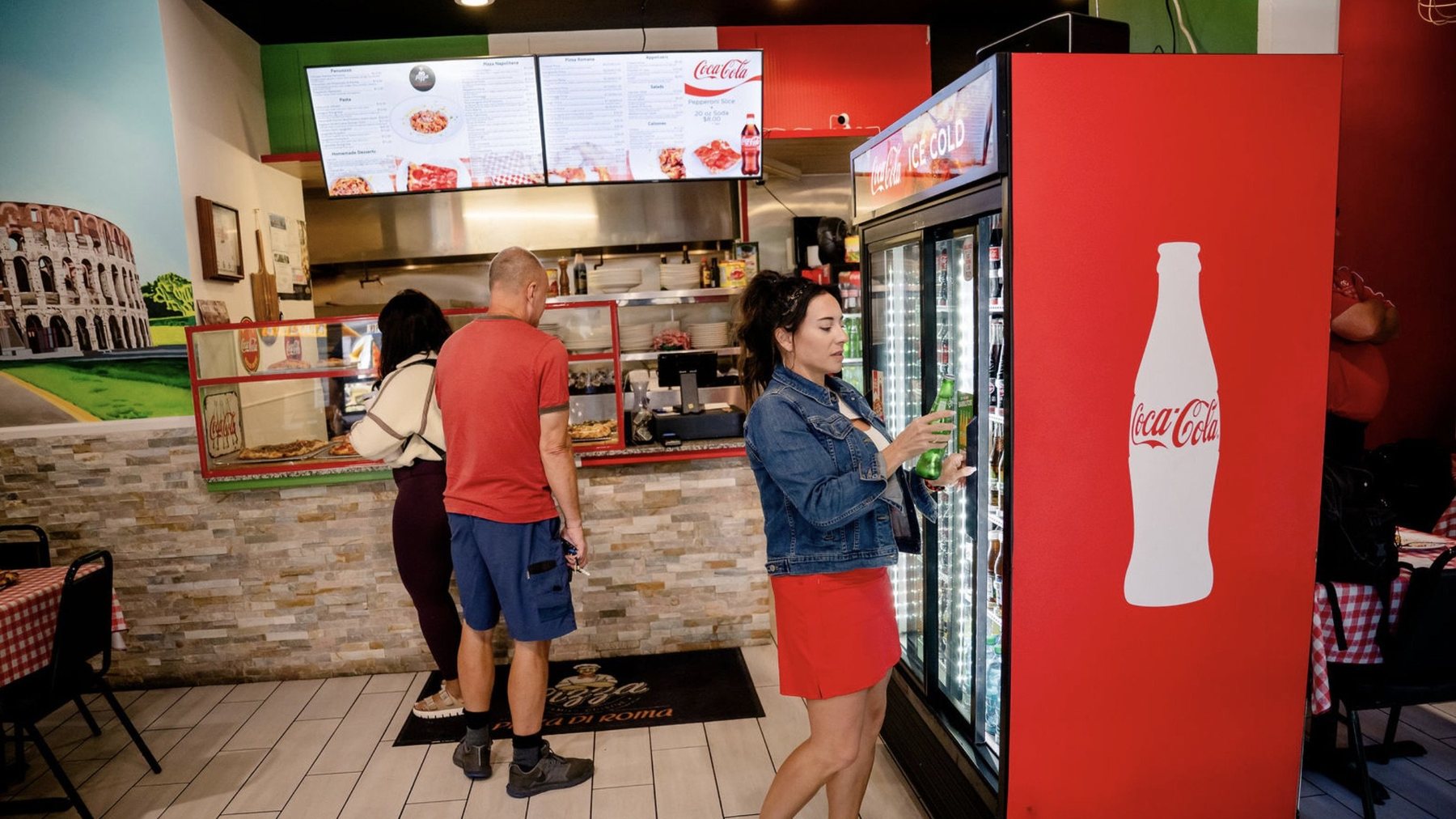
Pizza Di Roma · Austin, TX
Design a board people can read
Text size, how much fits, and how sold-out items should show.
Read the design guide →
How to make a QR code menu
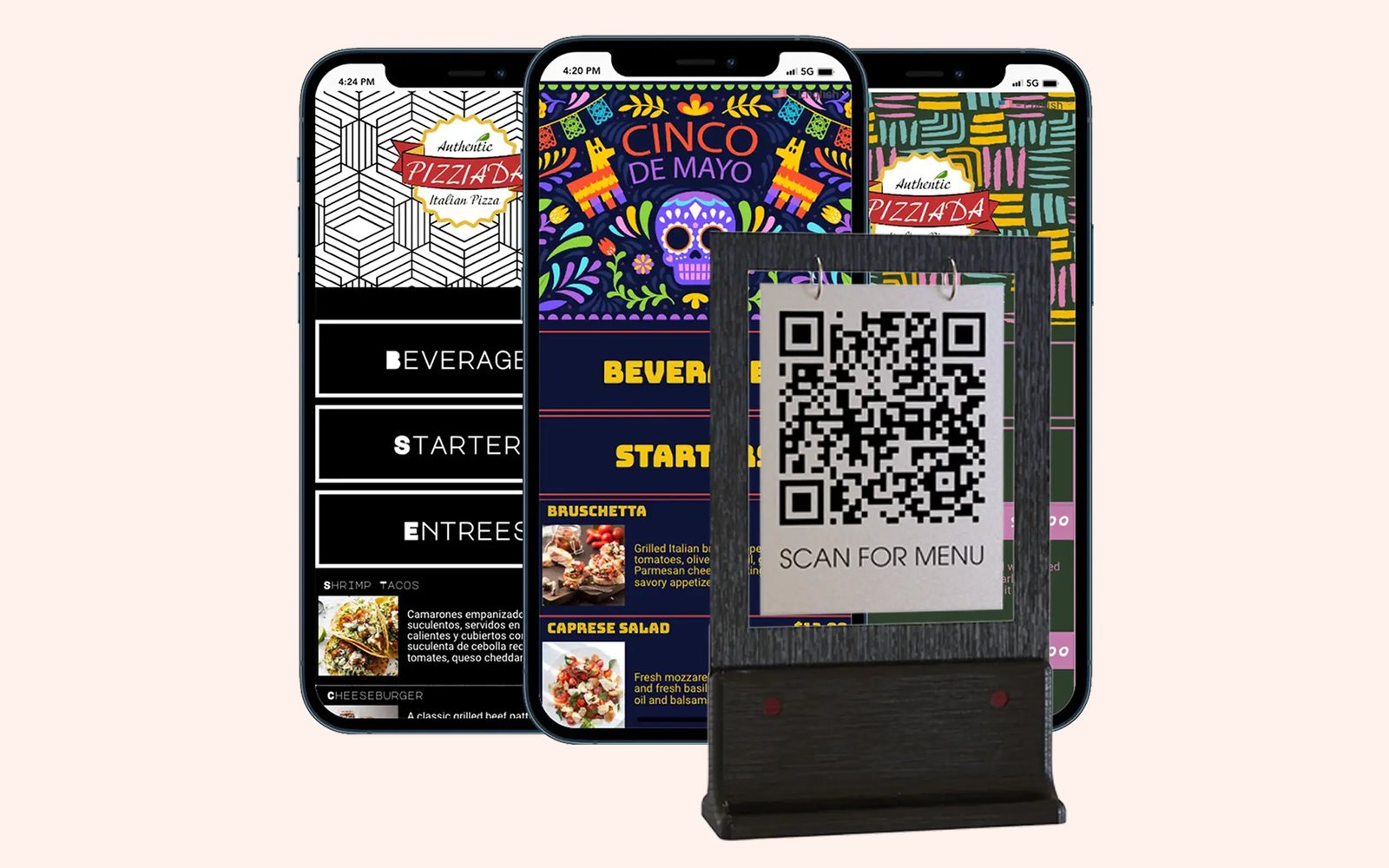
The same menu as your TVs, on every guest’s phone, sold-out items included.
Read the guide →
Out of something? Make it one tap.
Once you’re set up, snap a photo of your menu and Just a Menu builds your TV menu boards, QR menu and website menu from it. Then 86 an item once, from your phone or your POS, and every menu follows.
Talk to a real person. We reply within one business day.

Illustration
Questions about sold-out items? Email support@justamenu.com or call (202) 886-2442.