✓ Toast integration · Live
Change it in Toast. Your digital menu boards follow.
For Toast restaurants, quick-service or full-service. Publish a new price in Toast or 86 a dish in the middle of a rush, and your digital menu boards, QR menu and print menus change to match. Nobody on your team has to log in to Just a Menu.
- Read-only Toast access
- Menu groups become sections
- 86s, store by store
Your Toast Web menu
Toast
- Items & categories
- Sizes & prices
- Sold out
- Photos
↓
Prices and 86s follow.
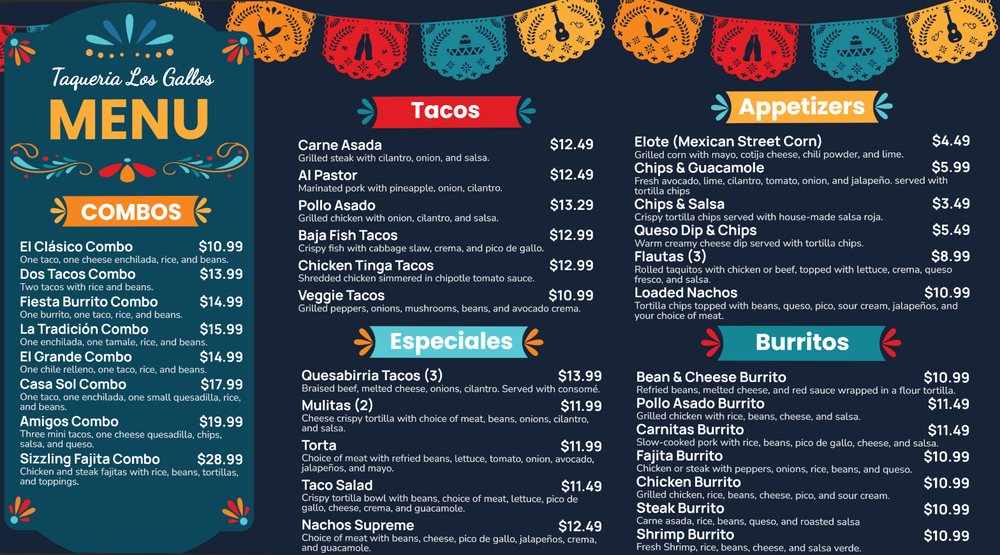
TV menu boards
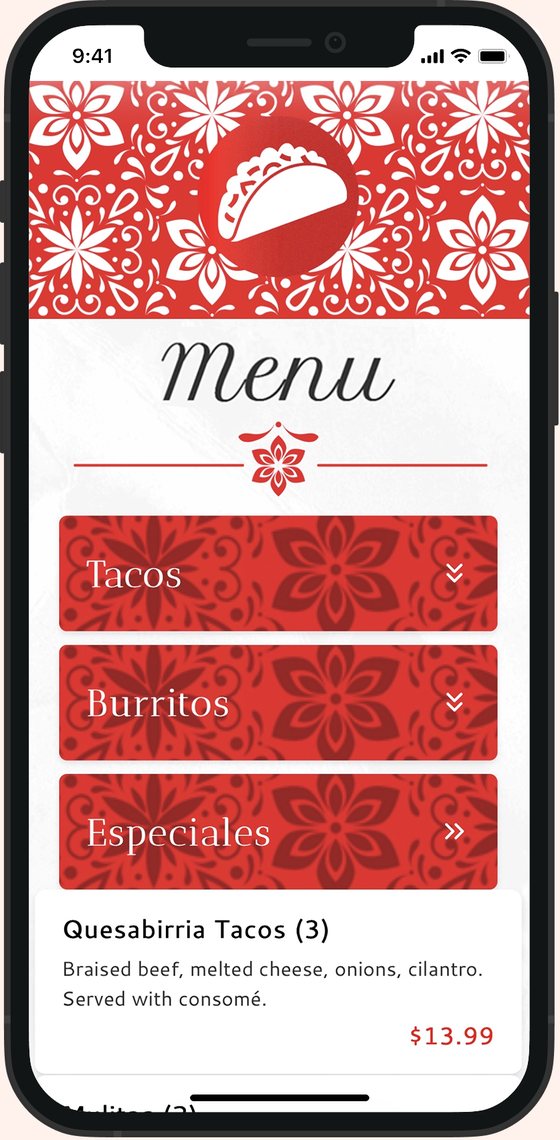
QR menu
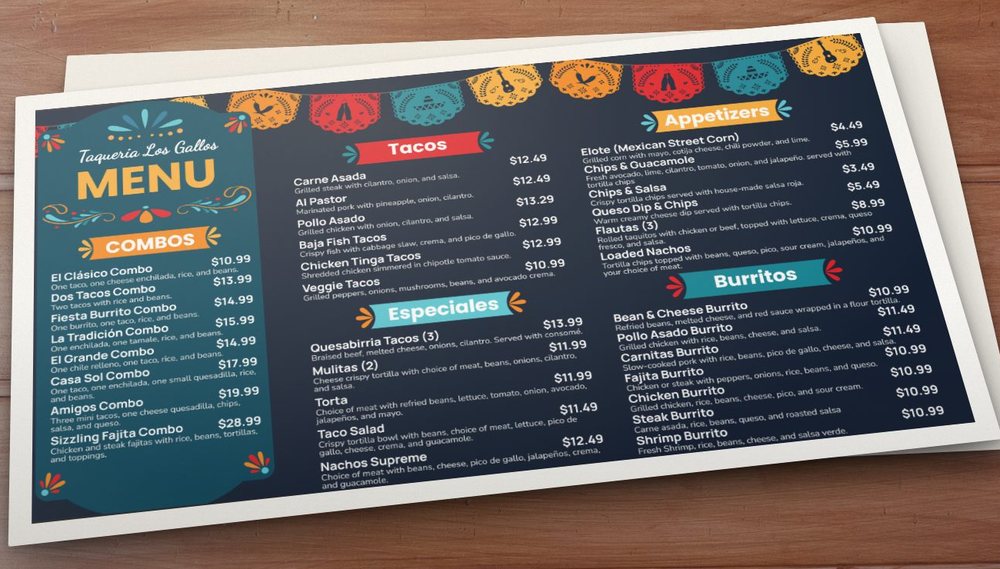
Print PDF
Shown: our demo taqueria
How it works
Link Toast once. Then get back to service.
Toast stays the place where you build and price your menu. Just a Menu reads it menu group by menu group and lays it out on your screens. Publish in Toast Web or 86 a dish on a Toast device, and the boards take the change.
1
Give read-only access
The Toast account owner approves it one time. Just a Menu can look, but never edit.
2
Menu groups arrive
Each Toast menu group with items becomes a section, with names, sizes, prices and photos filled in.
3
Design is on us
We lay out your TV boards, QR menu and print menus from that Toast menu. Design is included.
4
Publish and walk away
Publish a change in Toast Web, and Just a Menu updates your boards as soon as it’s posted.
Toast owns the menu. You own the extras.
Names, prices and stock status come from Toast. The details guests ask about live in Just a Menu, and the sync leaves them alone.
Pulled from Toast
- ✓New items, and new menu groups
- ✓Renamed items and new prices, size by size
- ✓Out of stock, and back in stock
- ✓Photo updates, and items you remove in Toast drop off
Kept in Just a Menu
- ✓Allergen and nutrition info for guests
- ✓Your own descriptions (Toast’s stay in Toast)
- ✓Translated QR menus, updated when a Toast item is renamed
- ✓Specials you add. The sync leaves them alone
A second concept on another POS?
Tell us which one. We’ll integrate it by request, at no charge.
86 it once
How to 86 an item on Toast and update every menu.
86 it in Toast, the way your team already does. Just a Menu takes it from there, on your TV boards, your QR menu and your website menu. Nothing to open, nothing to retype. New to the term? What does 86 mean?
1
86 it in Toast
Log in to a Toast device with a manager passcode. Press and hold the item, set Inventory to Out of stock, and save.
2
It’s marked sold out
Just a Menu picks it up from Toast and marks it sold out automatically. No one has to open Just a Menu.
3
Every menu follows
Your TV boards show “Sold Out”. Your QR menu and website menu hide it or gray it out, whichever you pick.
4
Bring it back
Set it back to In stock in Toast, and it comes back on every menu. Each store’s 86s stay with that store.
During the rush
86 it in Toast. The boards keep up.
Your team already marks items out of stock on Toast. As soon as that change is posted in Toast, Just a Menu updates every board, so nobody orders a dish the kitchen just ran out of.
Toast questions.
Ask us anything: (202) 886-2442 or sales@justamenu.com. Another POS? See all integrations.
Can I use Toast for my digital menu boards?
Yes. Once Toast is connected, the menu you build in Toast Web runs your TV menu boards, QR menu and print menus. You keep editing in Toast, and Just a Menu shows the result.
When does a Toast change show up on my boards?
It’s automatic. As soon as a change is posted in Toast, Just a Menu updates your boards, QR menu and website menu. For menu edits in Toast Web, that means once you publish them.
What happens when we 86 a dish on Toast?
Set it to Out of stock on a Toast device, and Just a Menu marks it sold out. Boards show “Sold Out”, and your QR menu hides it or grays it out. Put it back in stock, and it returns.
What do I change in Just a Menu, and what stays in Toast?
Toast keeps control of names, prices and stock. In Just a Menu, you add allergy notes, write descriptions and create specials that aren’t on your Toast menu. The sync never touches items you add yourself.
We run several Toast locations. Does that work?
Yes. Your group’s master menu comes from Toast, and each store keeps its own 86s, plus its own prices if you allow it. See multiple locations.
Can Just a Menu change my Toast setup?
No. Its Toast access is read-only. It can read your menu and orders, and it never writes anything back to Toast.
Do Toast modifiers and descriptions come across?
Not today. From Toast you get items, menu groups, sizes, prices, photos and stock status. Descriptions you write in Just a Menu stay put.
Does Toast offer digital menu boards?
Yes, Toast has its own menu board options. Toast restaurants pick Just a Menu for a few reasons: any TV with an HDMI port works (one small JAM Player per TV), design is included, and the same menu also runs your QR menu, print menus and website menu. Prices and 86s still follow Toast automatically.
Is this a Toast menu board integration?
Yes. The Toast account owner connects it once, with read-only access. From then on, your Toast items, menu groups, sizes, prices, photos and stock status run your menu boards.
Can my boards show specials Toast doesn’t have?
Yes. Add a special in Just a Menu, and the Toast sync leaves it alone. Scene Magic turns a dish and its price into a finished special slide, and you can schedule it by day and time, like happy hour.
What does it cost?
Contact us for pricing. Tell us how many Toast locations and TVs you run, and we’ll walk you through it.
Your menu already lives in Toast.
Tell us about your restaurant, your Toast setup and how many screens you want. We’ll take it from there.
Talk to a real person. We reply within one business day.
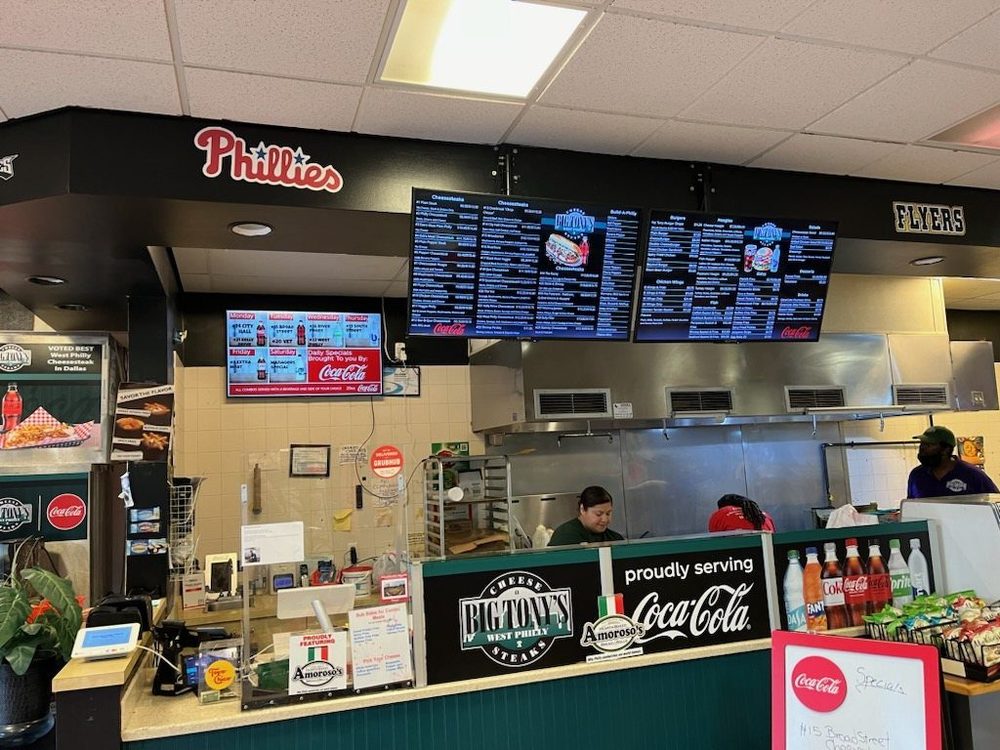
Big Tony’s West Philly Steaks · Dallas, TX