Beverage partner? Enroll a new account here →

Restaurant menu app
One digital menu app for every menu in your restaurant
A good restaurant menu app does more than make a menu. It keeps one menu up to date from your phone and runs every place that menu shows up: your TV menu boards, your QR menu, your printed menus and your website. That’s what Just a Menu does, starting from a photo of the menu you already have.
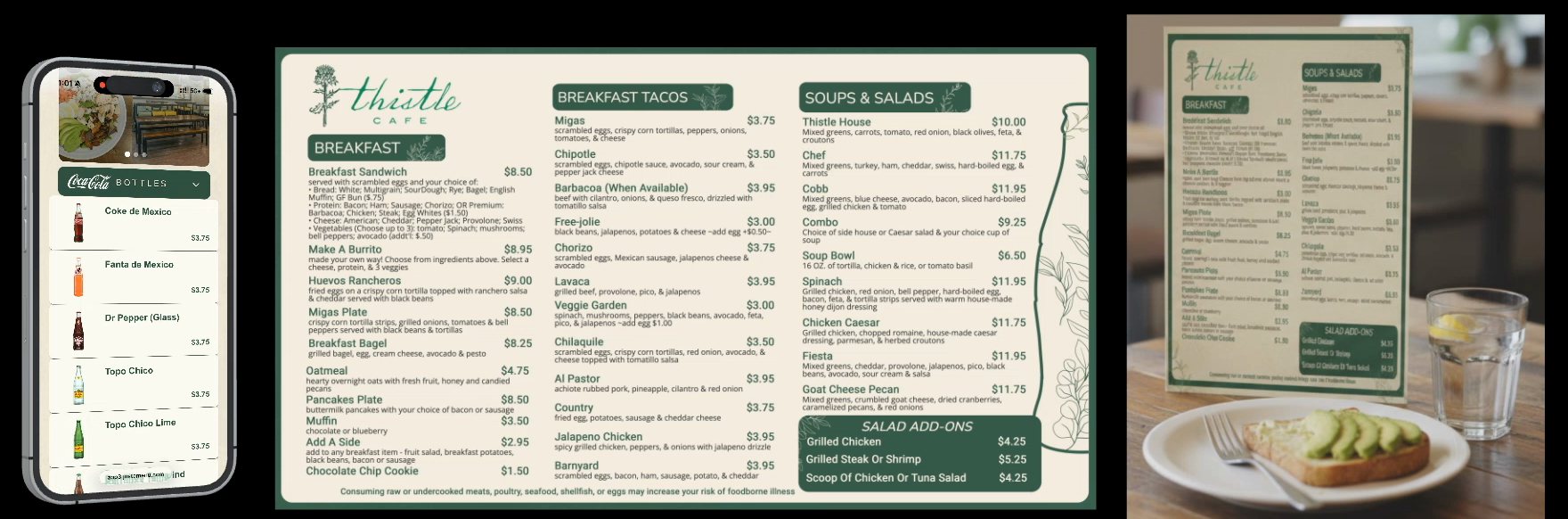
Thistle Cafe’s real menu · Austin, TX
One menu, three places. Change a price once and the QR menu and TV board follow, and the next print is already up to date.
In this guide
Want it for your restaurant? Let’s chat →
The short list
What is it?
One menu that runs your TV boards, QR menu, print menus and website menu.
How do I start?
Snap a photo of your menu, or upload a PDF. No typing.
How do I change it?
From your phone, tablet or computer. Change a price once and it’s right everywhere.
Got a POS?
Square, Toast, Clover and Oracle sync on their own.
Need a designer?
No. Your designs are made for you, and JAM Canvas lets you change anything.
How do I get it?
Talk to our team. A real person replies within one business day.
Menu maker app or restaurant menu app?
Search for an app to make a menu and you’ll find plenty of menu makers. A menu maker gives you a file. That works until a price changes, and then you’re editing, exporting and uploading again. A restaurant menu app keeps the menu live, everywhere it shows up.
Makes a file
A menu maker app
You start with
A template you fill in
You get
A file to print or post
When a price changes
Edit it, export it, upload it again
TVs, QR and website
Separate jobs, separate files
Runs your menus
Just a Menu
You start with
A photo of the menu you have
You get
TV boards, a QR menu, print-ready PDFs and a website menu
When a price changes
Change it once. It’s right everywhere
TVs, QR and website
All from the same menu
Good to know: Just a Menu makes print menus and social posts too, so you keep the menu maker part. They just come from your live menu.
It starts from a photo of your menu
Typing a whole menu into an app is where most setups stall. The app should do the reading for you.
- ✓Take a photo of the menu you already have, or upload a PDF. Your categories, items, prices and sizes come through in your menu’s order.
- ✓Sizes like Small / Large and 6 pc / 12 pc come through, with full descriptions and any allergy notes printed on the menu.
- ✓You check it all in the Imported Menu Preview first. Nothing is added until you click Accept Import.
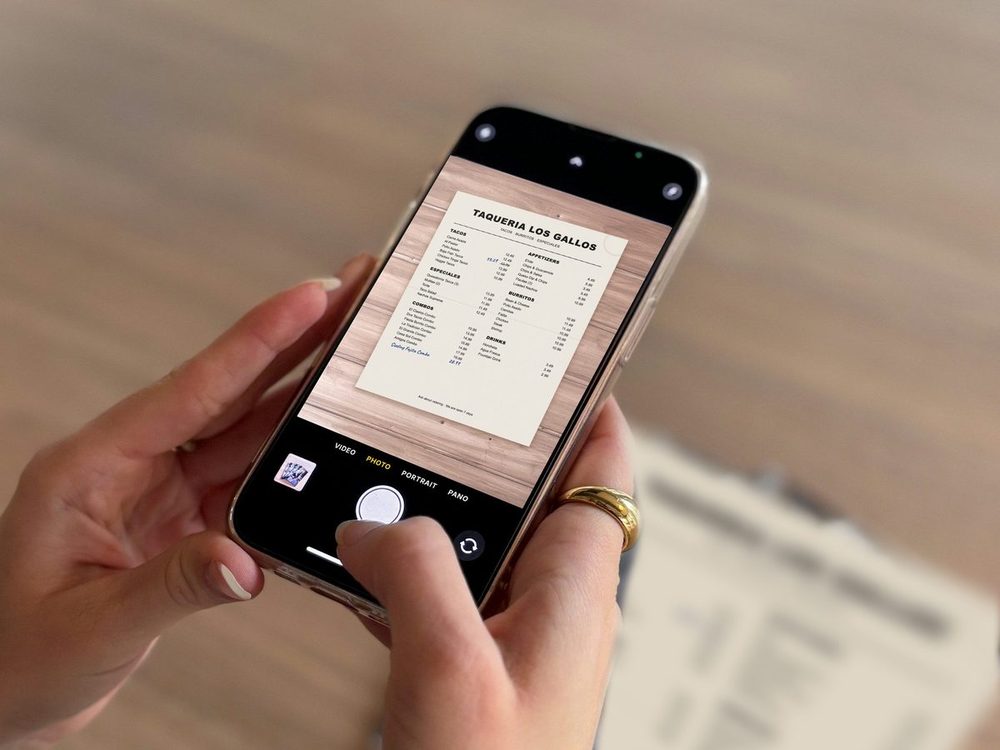
Our demo menu
See menu from a photo · Step by step: Turn a photo of your menu into a menu board
You can change it from your phone
Prices change and items come and go. If an update means calling someone or redoing a file, it won’t happen on a busy Friday.
- ✓In Menu Workspace, change a price, add an item or mark something sold out, from your phone, tablet or computer.
- ✓Your TVs and QR menu update right away, and your next print is already up to date.
- ✓No redesign, no re-exporting, no re-uploading.
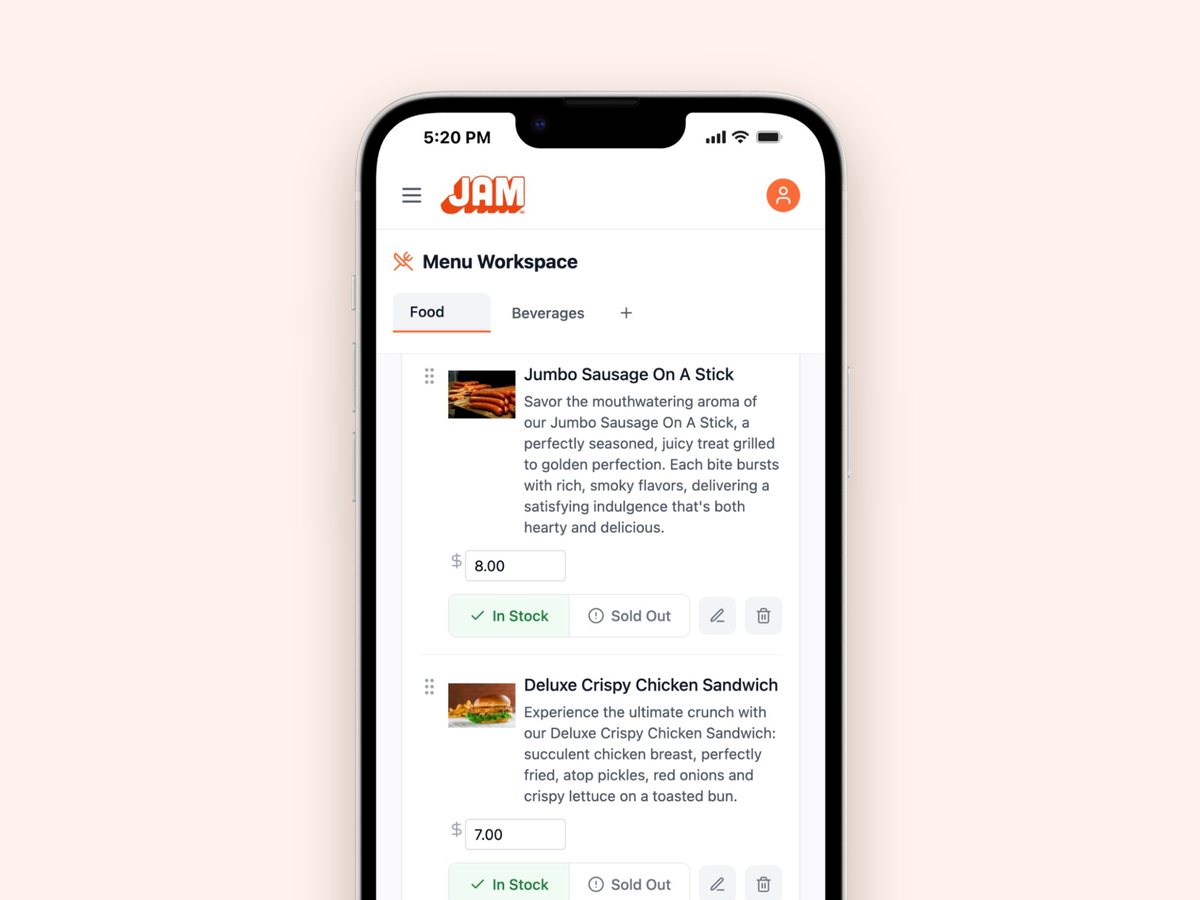
Real screen · sample menu
One price box per item. Type the new price, and every menu that shows it follows.
It runs your TV menu boards
A menu app that stops at your phone leaves the biggest menu in the room, the one over the counter, out of date. Look for one that puts your menu on your TVs too.
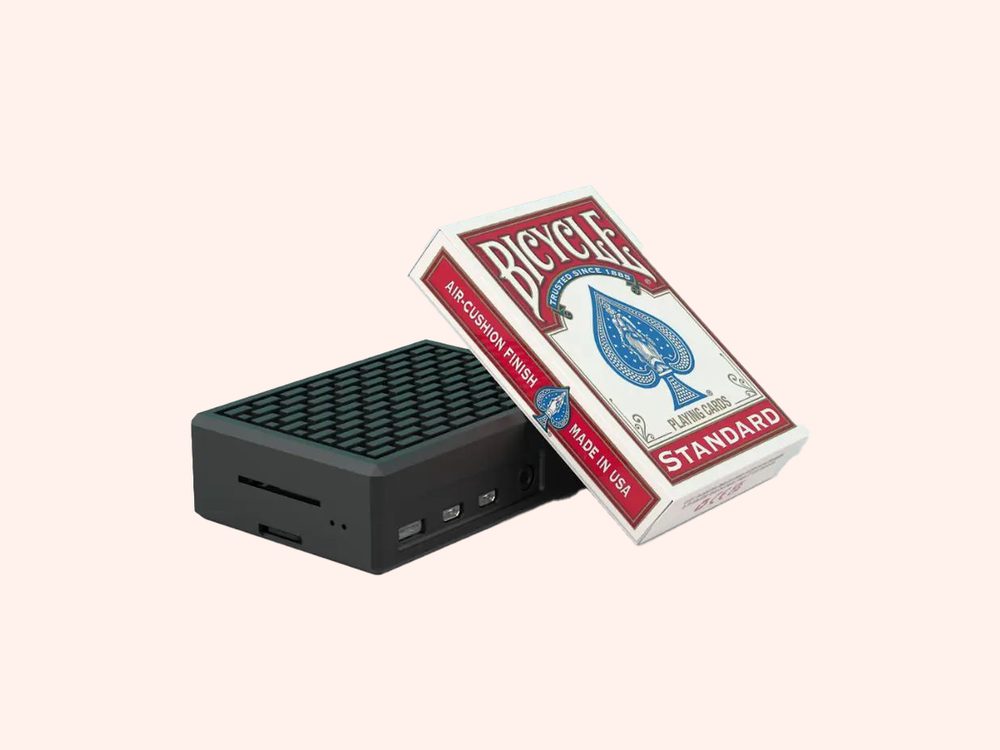
- ✓A JAM Player, about the size of a pack of playing cards, plugs into any TV with HDMI and tucks behind it. One per TV.
- ✓Set each one up in about 2 minutes with the JAM Player Setup app on your phone. A whole install takes under 30 minutes.
- ✓One TV or a whole wall, landscape or portrait. Use the TVs you already have.
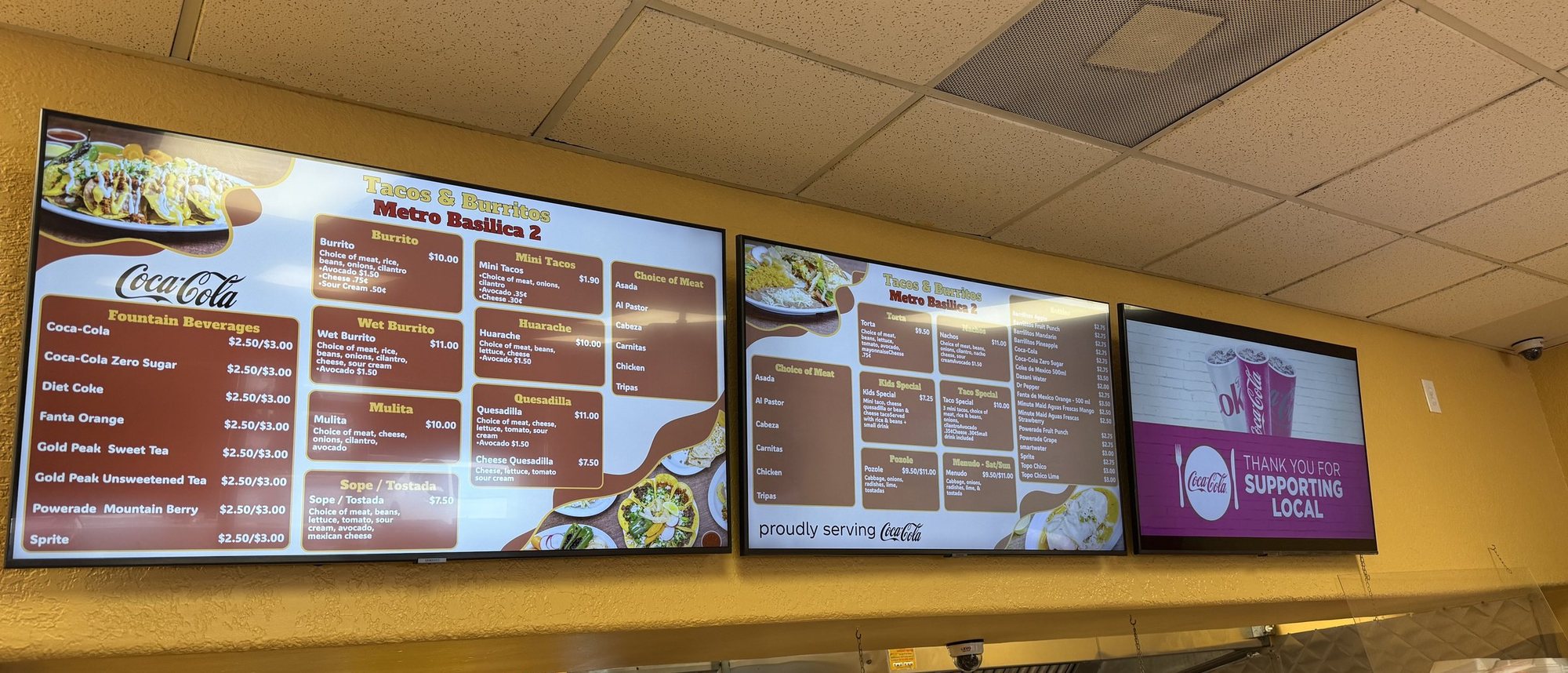
Real install: Tacos & Burritos Metro Basilica 2 · Phoenix, AZ
Each screen shows its own part of the menu, lined up across the wall.
See TV menu boards · Meet the JAM Player · Choosing screens? Which TV should I use?
It keeps playing when the Wi-Fi drops
Restaurant Wi-Fi isn’t perfect, and a blank screen in the middle of lunch is the last thing you need. The JAM Player uses your business Wi-Fi to set up and to get your changes. If the Wi-Fi drops, your TVs keep playing.
When you publish a change, the TVs pick it up by themselves. Nobody has to touch the player. Use your business network, not a guest network that makes you sign in on a web page, since those can block the player.
It gives guests a QR menu, in their language
Guests reading on their phones want the same menu as the board, in a language they read, with allergy info a tap away. They don’t want to download anything.
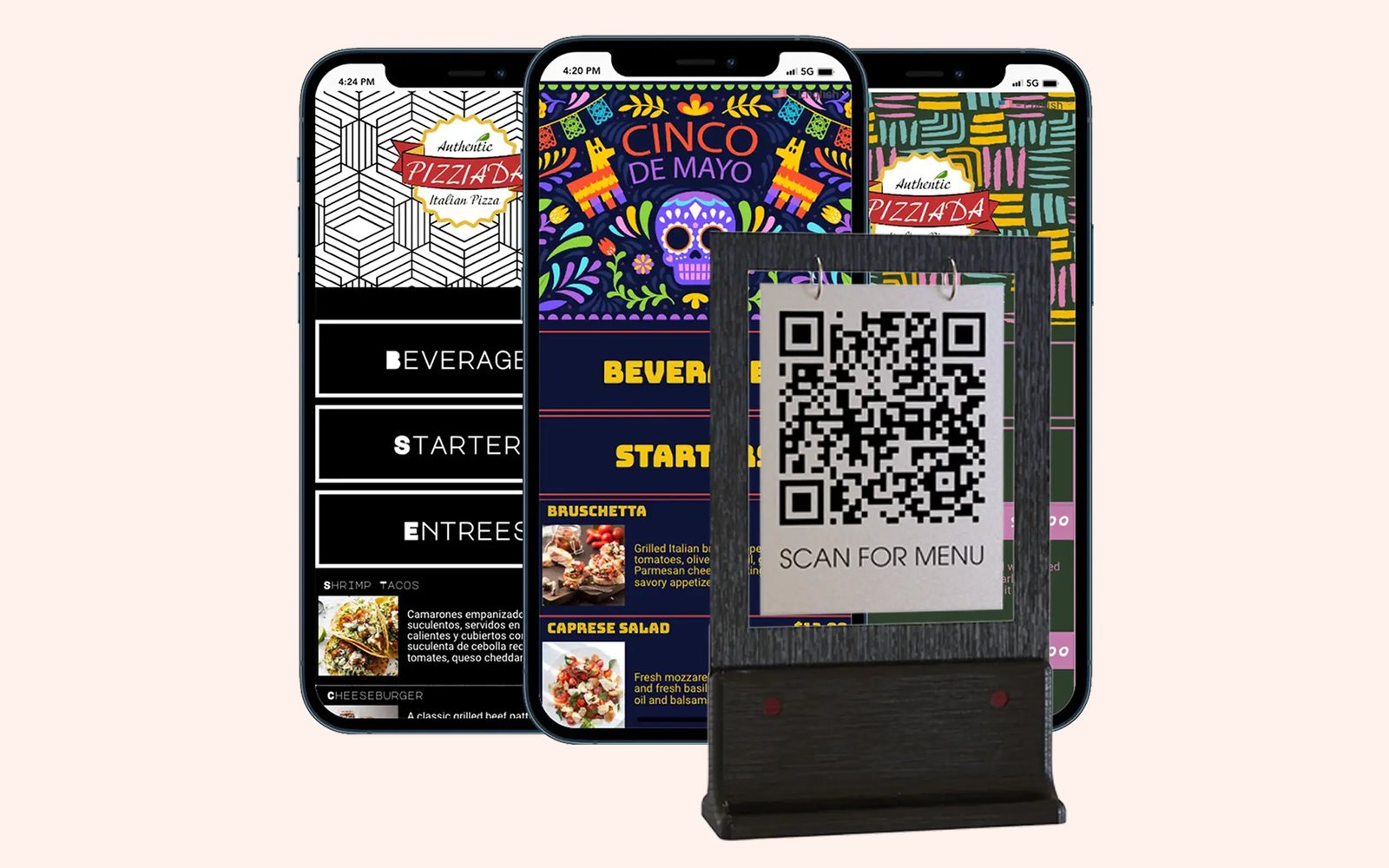
- ✓Your QR code opens your menu in the phone’s web browser. No app for guests.
- ✓Turn on a language like Spanish and your menu is translated. Guests tap to switch, and you can edit any translation.
- ✓Guests tap an item to see allergens and nutrition. Add dietary and spice icons too.
- ✓Your QR code never changes, so you print it once.
It makes print menus and social posts
Paper still has its place: table menus, takeout menus, a flyer for the window. Those should come from the same menu, not a separate file.
- ✓Pick a paper size and a look, then download a print-ready PDF: letter, legal, tabloid, A4, a letter-size trifold with fold guides, or your own size.
- ✓Print it in-house or at any print shop.
- ✓Social templates fill in with your dish, price and photo, sized for Instagram posts and stories and Facebook posts and covers. Download it and post it yourself.
Paper can’t change itself. Menus you’ve already printed need a reprint, but the PDF is always current. See print menus →
It puts your live menu on your website
A PDF on your website is out of date the day your prices change. Your website should show the same live menu as everything else.
- ✓In QR Menu, open Your designs and click Embed Menu. Paste the code into your website builder’s embed or HTML block.
- ✓Or copy your menu link and make it your website’s Menu button. Add it to your Google Business Profile and social pages too.
- ✓It loads fresh every time it’s opened, so guests always get your latest menu.
It switches menus on a schedule
Breakfast at 7. Lunch at 11. Happy hour at 4. Nobody should have to change the TV by hand.
- ✓Set when each slide shows, by day of the week and time of day. Your boards switch on their own.
- ✓Run different menus at different times of day on the same TV, and weekend specials only on the days you choose.
Step by step: Set the times on your boards
It handles sold-out items
When you run out of something, guests shouldn’t keep ordering it from the board.
- ✓86 something? Tap Sold Out in Menu Workspace on your phone, and your boards and QR menu follow.
- ✓On your QR menu and website, you choose: hide the item or gray it out.
- ✓On a connected POS, 86 it in your POS and Just a Menu follows.
It syncs with your POS
If your prices already live in your POS, you shouldn’t have to type them twice.
- ✓Square, Toast, Clover and Oracle sync on their own. Change a price or 86 an item in your POS, and your boards, QR menu and print menus follow.
- ✓Connect once, read-only. After that it’s automatic, and you never have to open Just a Menu. How quickly changes arrive depends on your POS.
- ✓On another POS? We can integrate with it by request. No POS at all? Change prices from your phone.
It makes the designs for you, and lets you change anything
Plenty of owners never want to design a menu board. Others want full control. A good menu design app handles both.
- ✓Your menu, logo and colors, on boards for one TV or a whole wall. Add a photo of your dining room and we match its look.
- ✓We’ll even make up to four versions, so you can choose the one that feels most like you.
- ✓Need a special? Scene Magic builds a finished slide from one dish, a combo or a promo, with your real item and price.
- ✓Open any design in JAM Canvas, the full editor. Change text, fonts, colors and photos, add a background video, or start from a blank screen. Every price is real text and stays connected to your menu.

Our demo menu
Four versions of the same menu. Pick one with Use this design.
See the designs and JAM Canvas
It grows with you to more locations
Two stores or two hundred, you want one menu to manage, with room for local differences.
- ✓One master menu feeds every store. Copy it exactly, or tailor items, prices and specials store by store.
- ✓Sold-out stays local, and can sync from each store’s own POS.
- ✓Every store from one sign-in, with sync alerts and a change history if a store falls out of step.
How to get Just a Menu
There’s no checkout page. You talk to a real person, so your setup fits your menu and your TVs.
- Tell us a little about your restaurant on the Get started page. It takes about 30 seconds.
- A real person gets back to you within one business day, by email or phone, to learn about your menu and your TVs, show you how it works and give you your price.
- Snap your menu, plug in your JAM Players and go.
Get started · Prefer to talk? Call (202) 886-2442.
Questions
What is the best digital menu app for restaurants?
The one that keeps every menu you have right with the least work. Check that it starts from the menu you already have, changes from your phone, runs your TV boards, QR menu, print menus and website from one menu, and follows your POS. Just a Menu does all of that, and runs menus at 500+ restaurants, from pizzerias to stadiums.
Is there an app to make a menu?
Yes. In Just a Menu, snap a photo of your menu and it becomes custom menu boards, a QR menu and print-ready menus, with no typing and no design work. Unlike a one-time menu maker, it stays live: change a price once and it’s right everywhere.
Can I update my menu from my phone?
Yes. Open Menu Workspace on your phone to change a price, add an item or mark something sold out. Your TVs and QR menu update right away, and your next print is already up to date.
Do my guests need to download an app?
No. Your QR code opens your menu in the phone’s web browser, and your website menu works the same way.
Does it work with my POS?
Square, Toast, Clover and Oracle sync on their own: change a price or 86 an item in your POS, and your boards follow. On another POS? We can integrate with it by request. No POS? Change prices from your phone.
Do I need design skills?
No. Your boards come ready to go, made from your menu, logo and colors. If you ever want to change something, JAM Canvas lets you change anything: text, fonts, colors and photos.
How do I get Just a Menu, and what does it cost?
Contact us for pricing. There’s no self-serve sign-up: tell us how many locations and TVs you have on the Get started page, and a real person replies within one business day with a price for your restaurant.
Make your QR menu live
The same menu as your TVs, on every guest’s phone. Print the code once.
Read the guide →
Put your menu on your TV
Plug in a JAM Player, connect it with your phone and choose what it shows.
Read the guide →
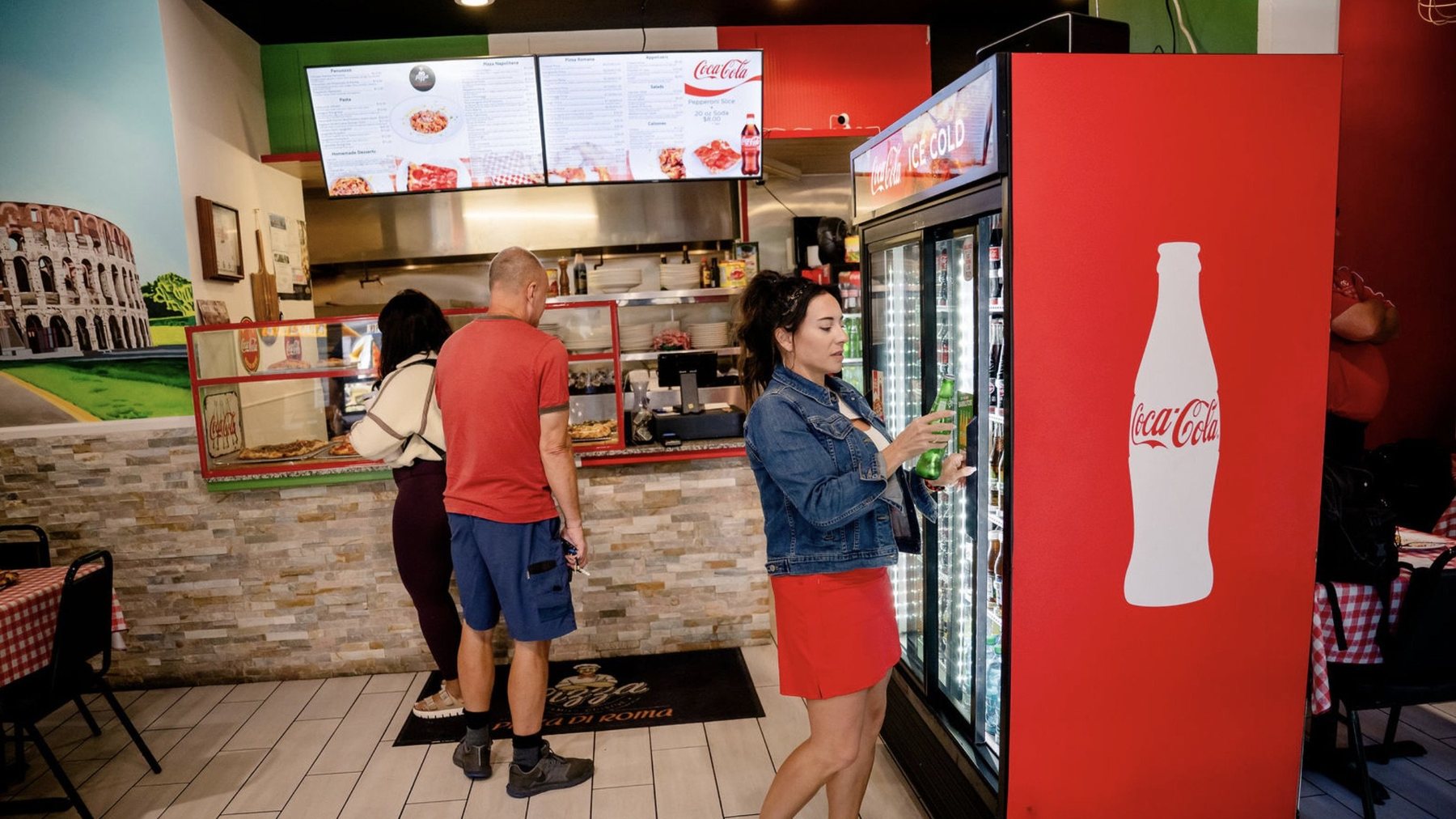
Pizza Di Roma · Austin, TX
Design a board people can read
Text size, how much fits, and where photos earn their place.
Read the design guide →
One menu, everywhere. Let’s chat.
There’s no checkout page. Tell us a little about your restaurant, and a real person gets back to you within one business day to show you how it works and give you your price.
Talk to a real person. We reply within one business day.
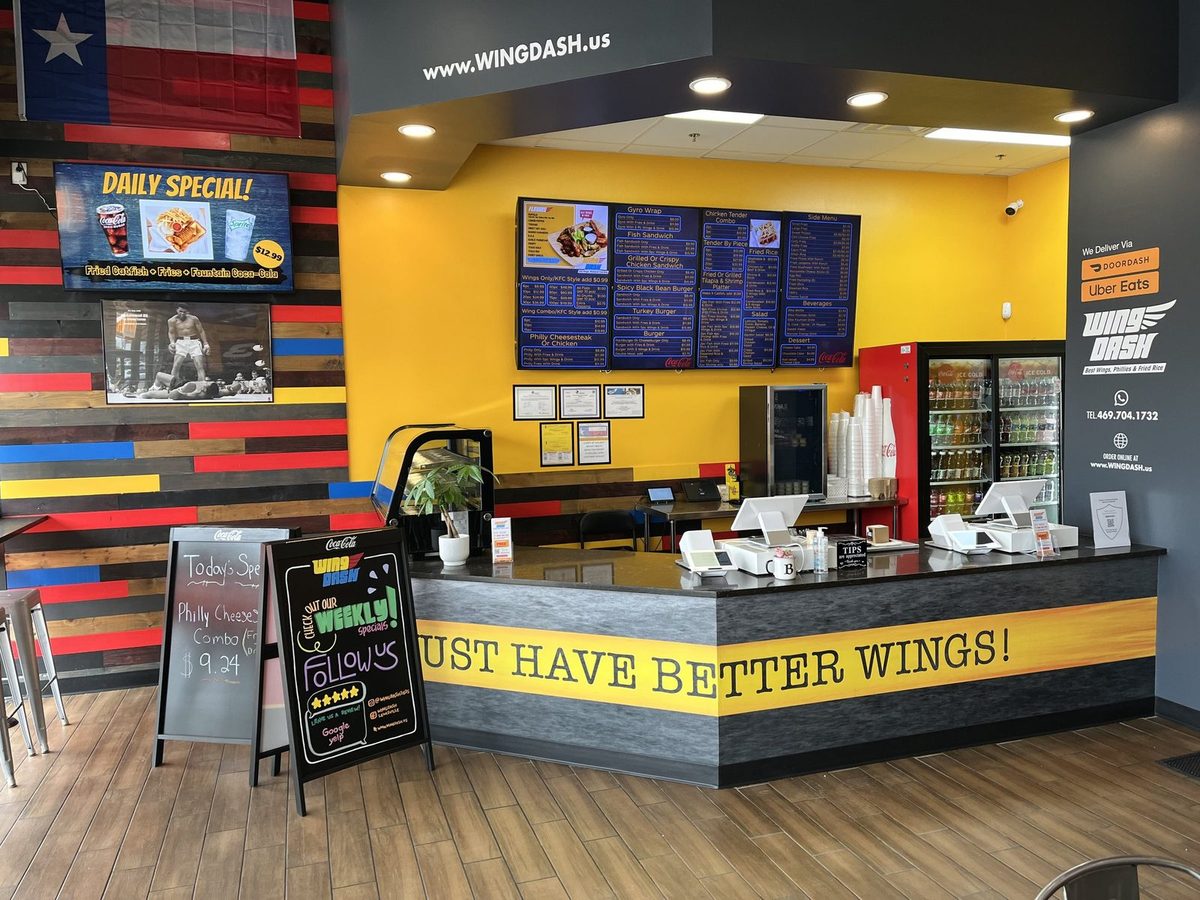
Wing Dash · Dallas, TX
Questions about the app? Email support@justamenu.com or call (202) 886-2442.