Beverage partner? Enroll a new account here →

Menu board basics
What is a digital menu board?
A digital menu board is a screen, usually a regular TV, that shows your menu. Software runs it, so you can change prices, items and what shows at each time of day without reprinting anything. With Just a Menu, a small JAM Player plugs into each TV, and you make changes from your phone.
Illustration
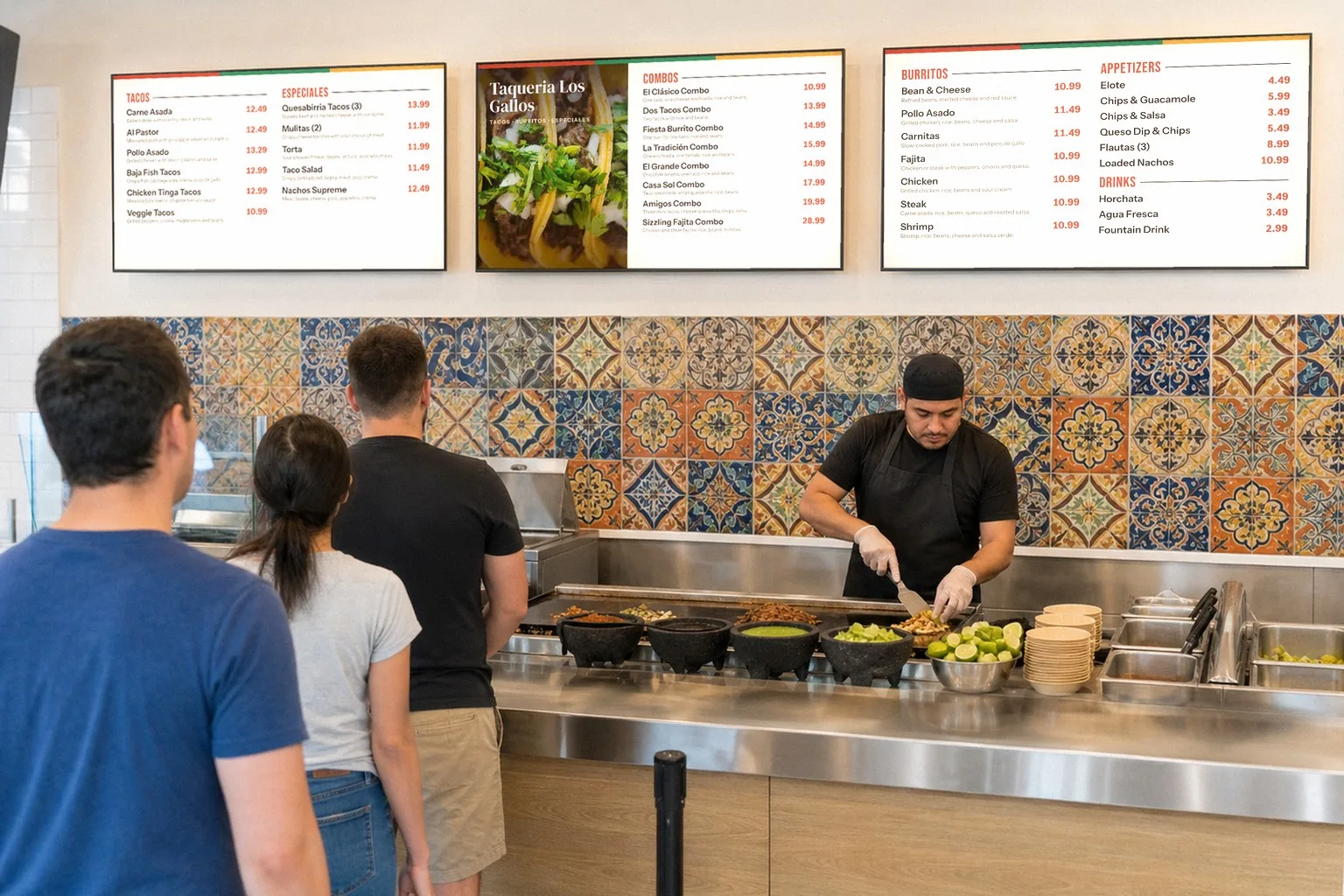
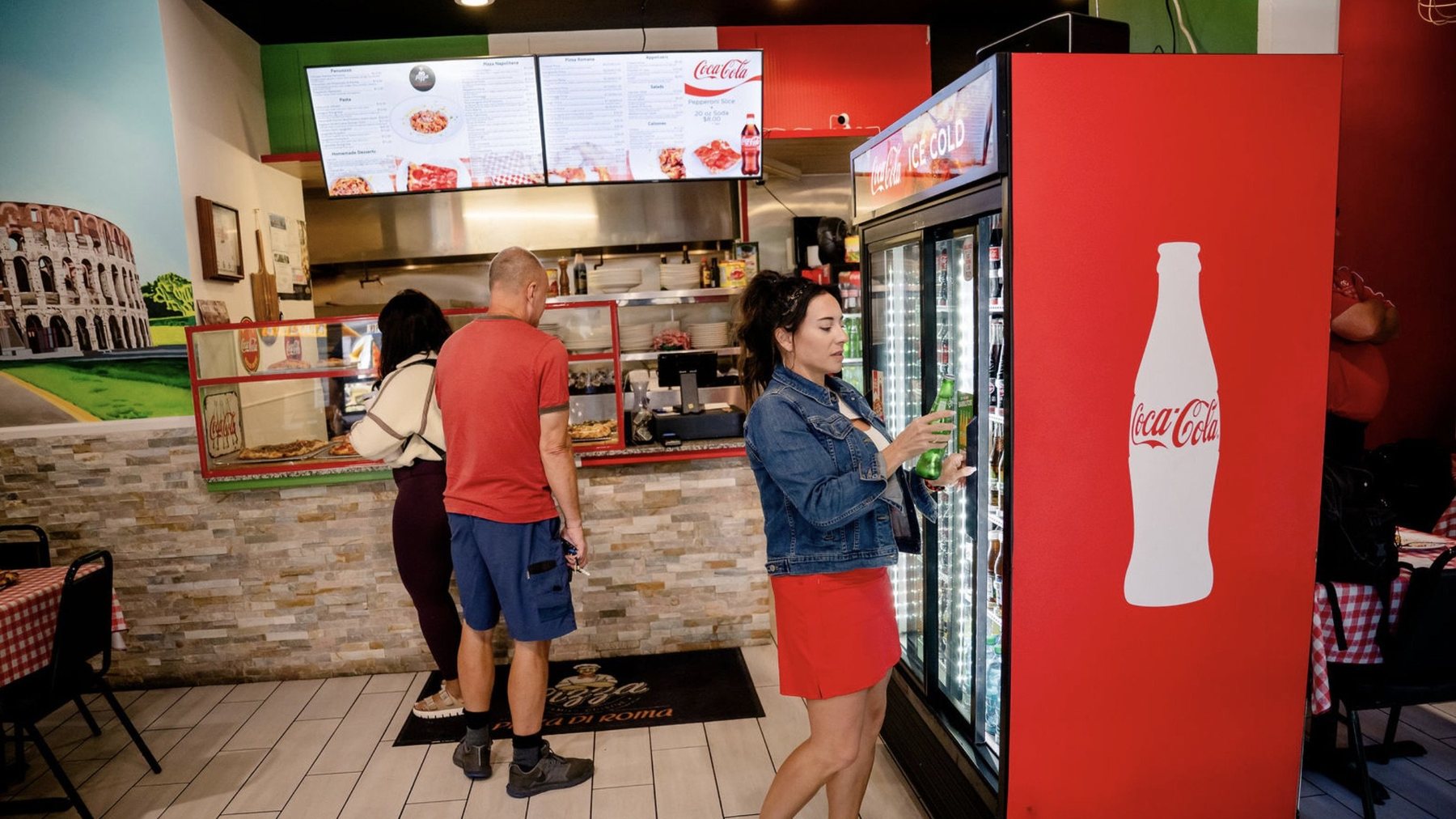
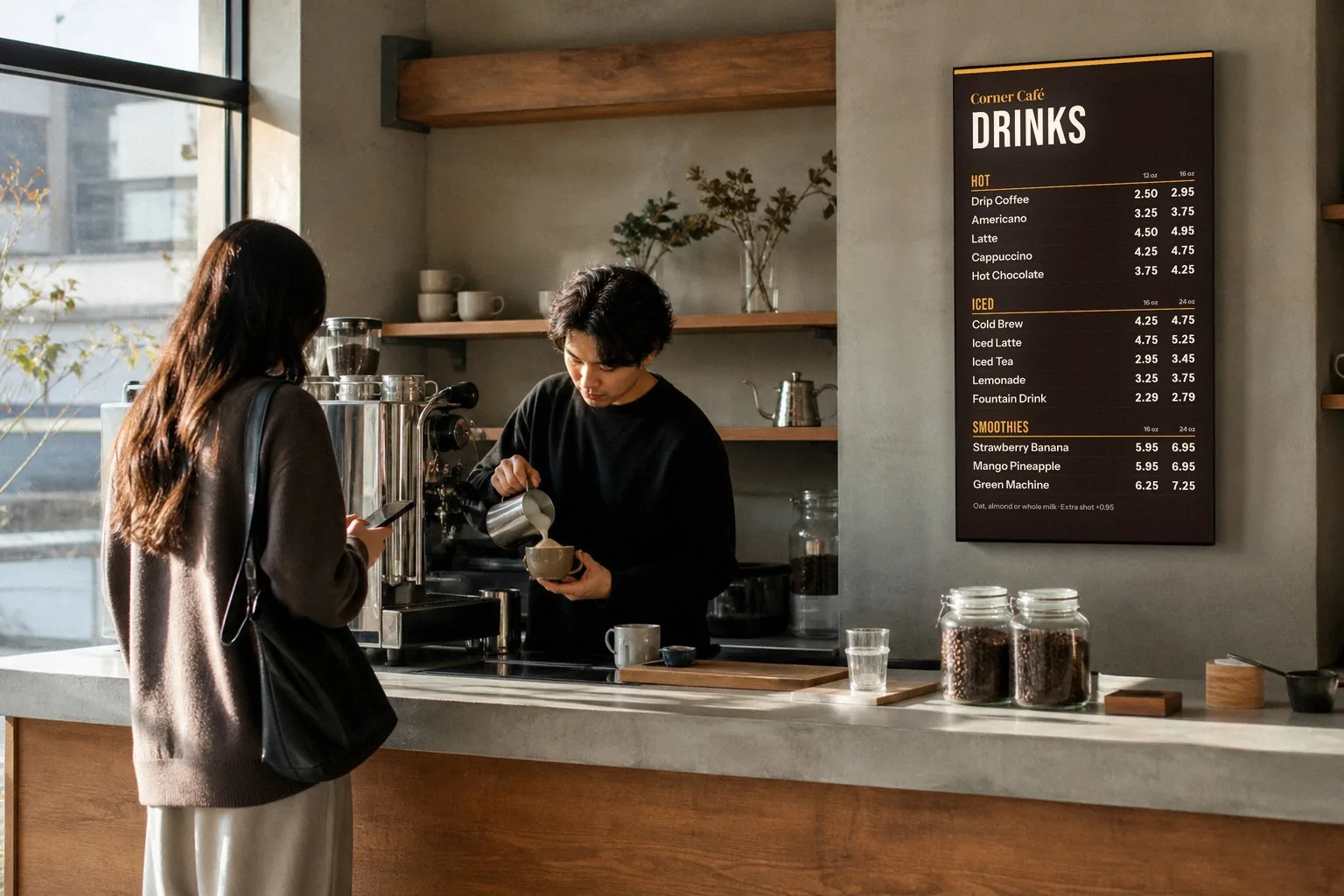
Three TVs, one menu: each screen shows its own part, lined up over the counter. The room is staged; the boards are sample Just a Menu designs.
In this guide
Want one for your restaurant? See digital menu boards →
The short version
What is it?
A screen that shows your menu, run by software so you can change it any time.
What screen?
Usually a regular TV with an HDMI port, hung wide or tall.
What else?
A small player at each TV, plus Wi-Fi. With Just a Menu, that’s one JAM Player per TV.
How do I change it?
From your phone, tablet or computer, or from your POS if it’s connected.
Wi-Fi drops?
The TV keeps playing the menu it already has.
Also called?
An electronic menu board, a digital menu display or a TV menu board.
The four parts of a digital menu board
A digital menu board has four parts: the screen guests read, a player that puts the menu on it, software where you change it, and the content, meaning the designs made from your menu. When all four work together, the board keeps itself up to date and nobody has to touch the TV.
1
The screen
Usually a regular TV with a spare HDMI port, hung wide or tall. The TVs you already have often work. Which TV should I use?
2
The player
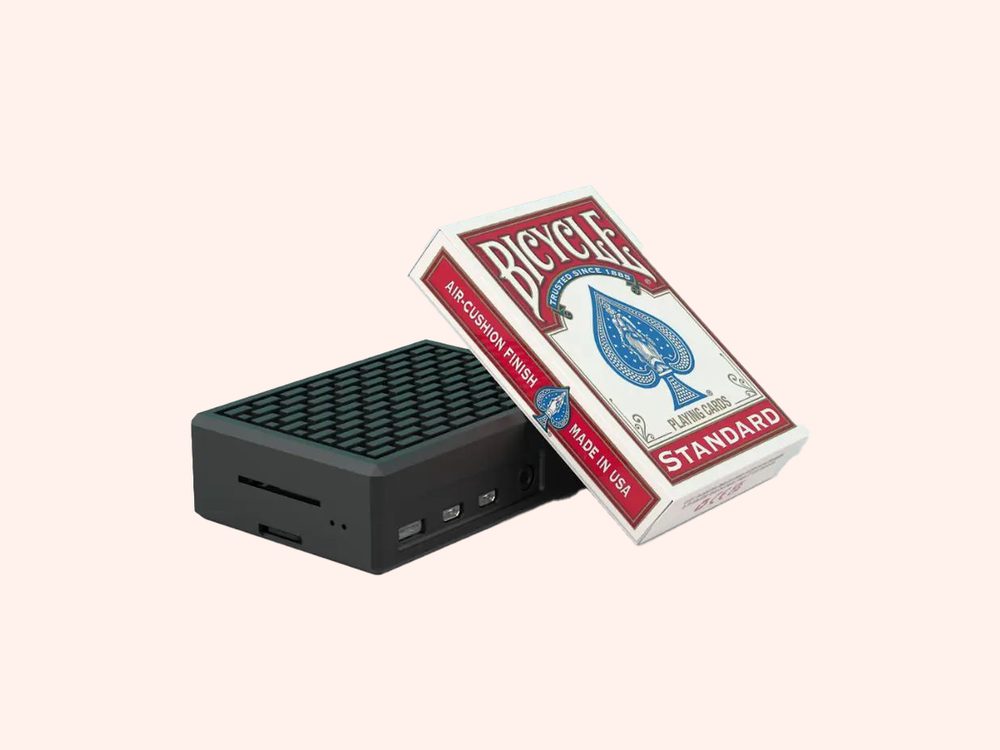
A small box behind the screen that shows your menu and picks up your changes. With Just a Menu, that’s one JAM Player per TV, about the size of a pack of playing cards, plugged into HDMI.
3
The software
Where you run it all. In Just a Menu, you change prices and items, and mark things sold out, in Menu Workspace. You choose what each screen shows, and when, in Digital Signage.
4
The content
The designs guests actually read: your menu, logo and colors, laid out for each screen. With Just a Menu, they’re made from a photo of your menu, and every price stays connected to it.
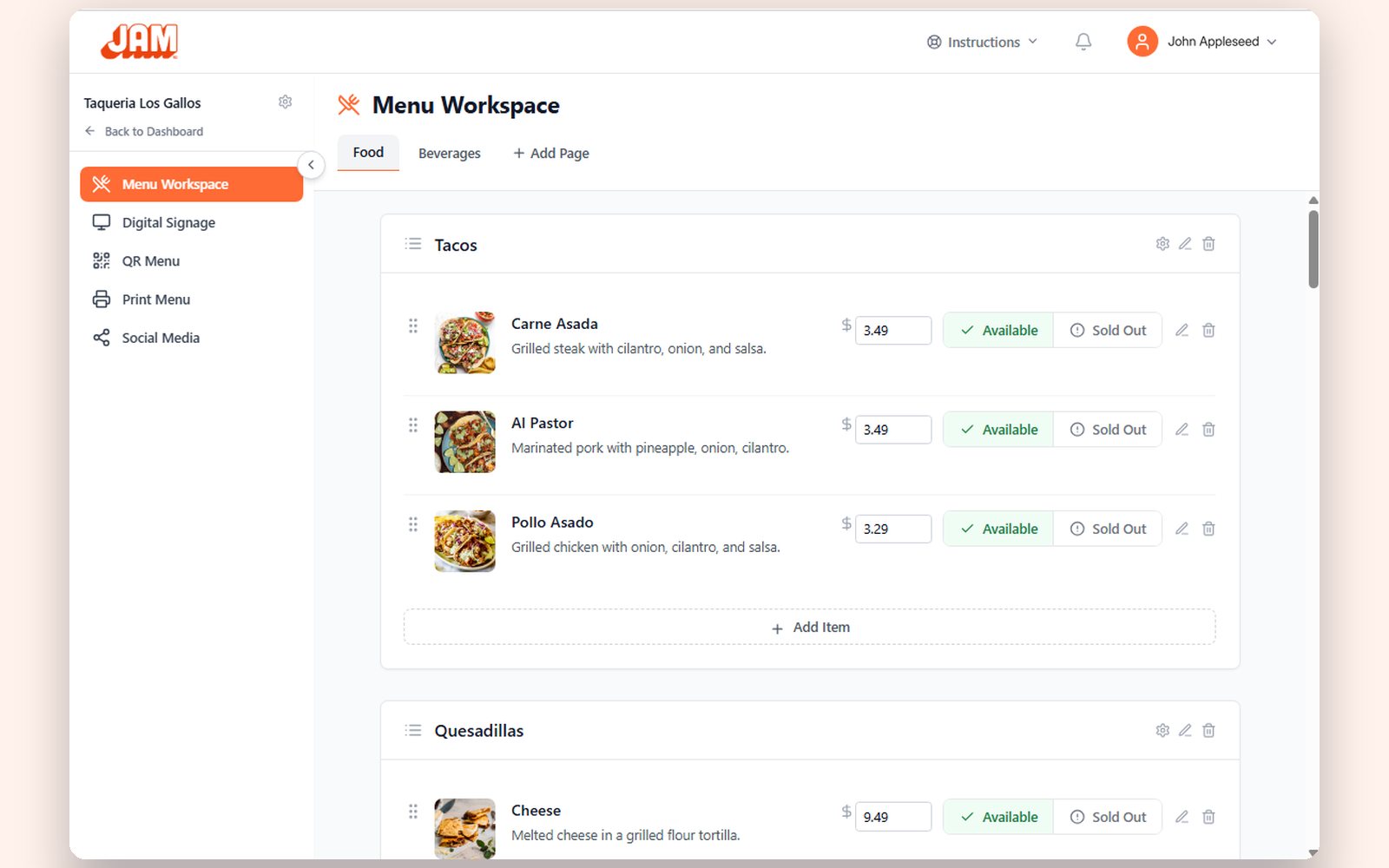
Our demo menu
The software side: one price box per item. Type a new price, and every board that shows it follows.
That’s how a digital menu board works, in brief. Want every step, from a photo of your menu to the TV on the wall? See how digital menu boards work
What changes compared with a printed menu board
A printed board is right the day it goes up. Then a price changes, an item runs out or breakfast ends, and it’s wrong until someone reprints it or tapes over it. A digital menu board changes with you, so the menu on the wall is the one you’re serving today.
- ✓Prices. Change a price once and every board that shows it follows. No stickers over the old price.
- ✓Sold-out items. Tap Sold Out on your phone and your boards and QR menu follow, so guests stop ordering what you don’t have.
- ✓Time of day. Breakfast at 7, lunch at 11, happy hour at 4. Each slide shows on a schedule, and the TV switches on its own.
- ✓Specials. Put up a special for today or the weekend, then take it down. In Just a Menu, Scene Magic builds a finished special slide from one dish, with its real price.
- ✓No reprints. Want a new look? Get a fresh set of designs, or change anything in JAM Canvas. Nothing to print, nothing to rehang.
Types of digital menu boards
Most digital menu boards are one of four setups: one TV, a row of TVs that reads as one big board, a tall portrait screen, or an outdoor screen at a window, patio or truck. The software is the same for all of them. What changes is the screen and how your menu is laid out on it.
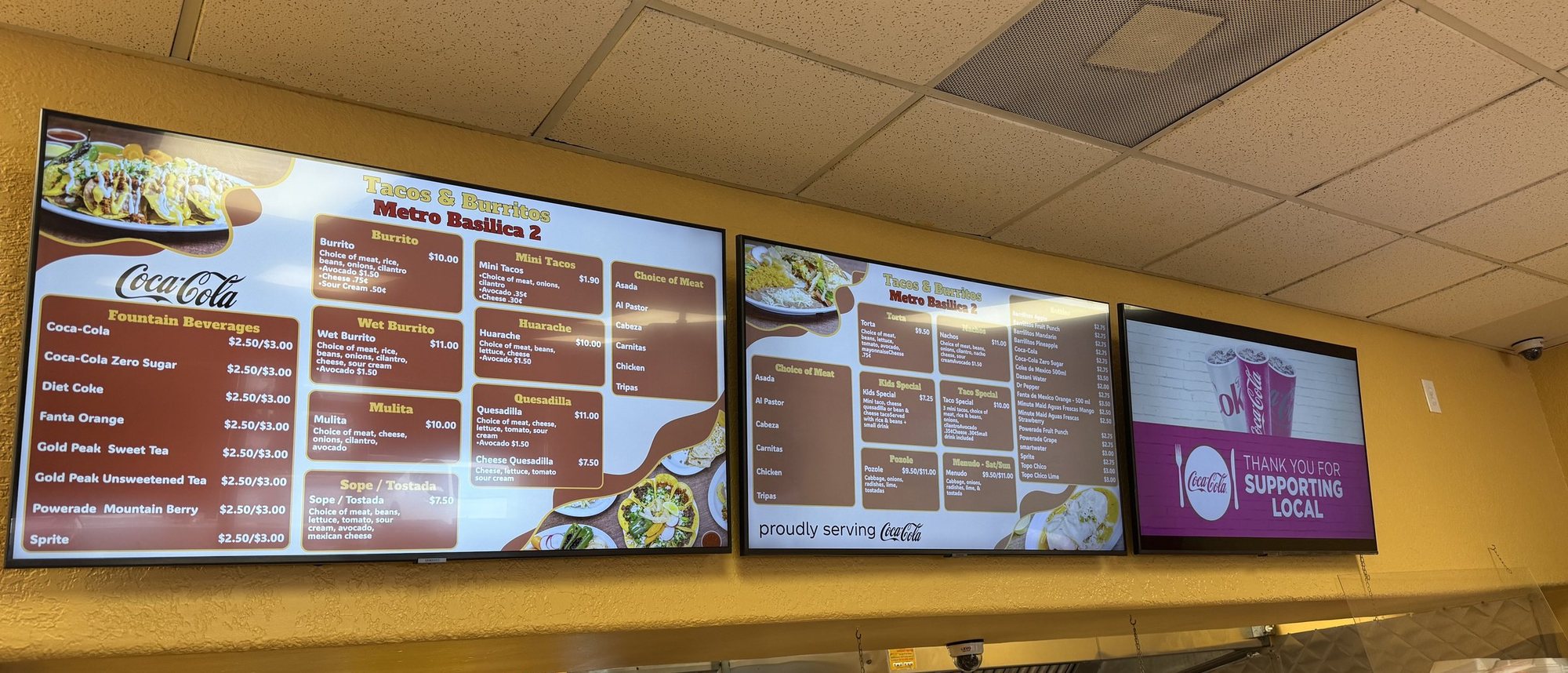
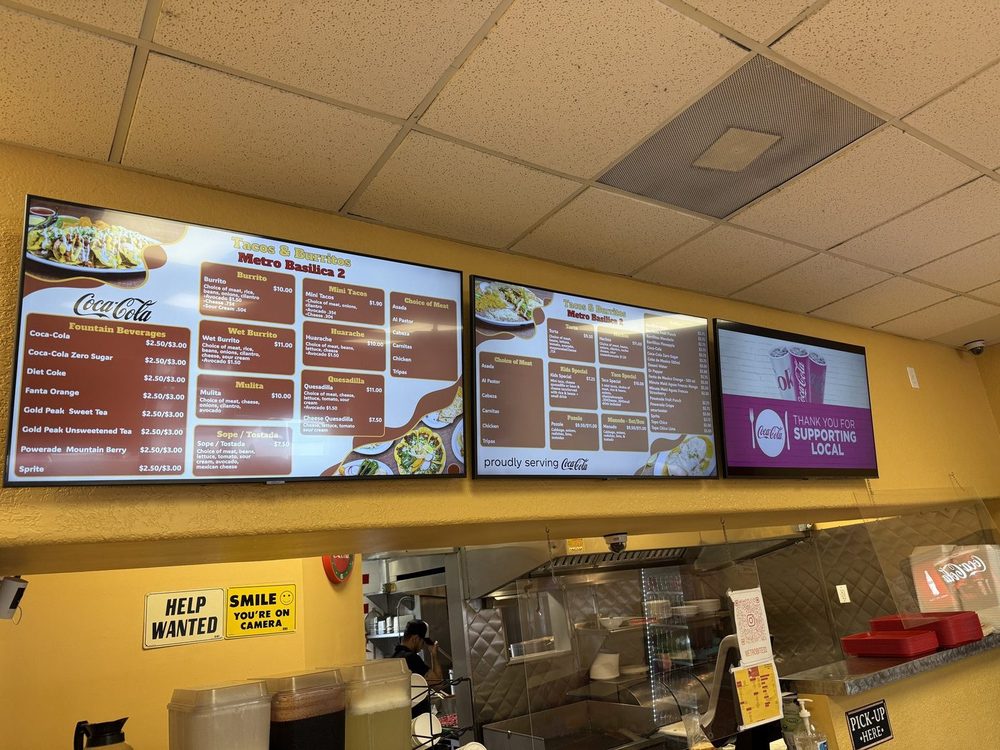
Real install: Tacos & Burritos Metro Basilica 2 · Phoenix, AZ
A wall of TVs: each screen shows its own part of the menu, lined up across the wall.
Setup
Where it fits
One TV
A small counter, a coffee bar, or a specials screen beside your main board.
A wall of TVs
Longer menus. Each TV shows its own part of the menu and the designs line up across the wall, so it reads like one big board.
Portrait (tall)
Narrow walls, pillars, entrances and single-category boards like drinks. Check that the TV’s manual allows it before you hang it on its side.
Outdoor
Walk-up windows, patios, food trucks and concession stands. These need a far brighter screen, built for heat and weather. Outdoor menu board guide
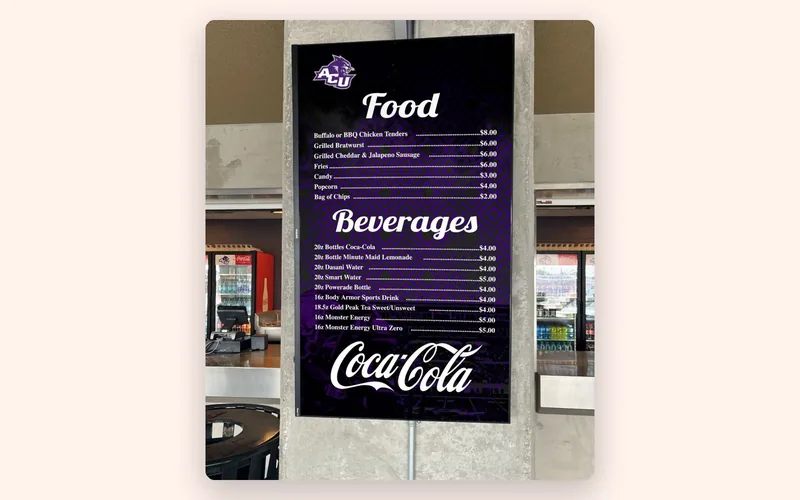
Real install: Abilene Christian University · Abilene, TX
Portrait: one tall screen on a pillar at a campus food stand.
Not sure what size? Screen size depends on how far away guests stand when they read the menu. Menu board size guide
How a digital menu board stays current
You change the menu in one place, from your phone, tablet or computer, and every screen that shows it updates by itself. If your prices live in your POS, the boards can follow it automatically. And since the player keeps the menu it already has, the TVs keep playing if the Wi-Fi drops. A menu on a USB stick can’t update itself. Why a USB stick menu breaks
- ✓From your phone. In Menu Workspace, change a price, add an item or tap Sold Out. Your TVs and QR menu update right away.
- ✓From your POS. On Square, Toast, Clover or Oracle? Change a price or 86 an item there, and your boards follow automatically. How quickly depends on your POS. POS integrations
- ✓On a schedule. Set when each slide shows, by day of the week and time of day.
- ✓When the Wi-Fi drops. The JAM Player keeps playing your saved menu, so the screen doesn’t go blank in the middle of lunch. It works on a mobile hotspot, too.
Good to know: use your business Wi-Fi, not a guest network that makes you sign in on a web page. Those can block the player.
How Just a Menu does it
Just a Menu starts from a photo of the menu you already have. Your boards are built from it in your restaurant’s look, for one TV or a whole wall. The same menu runs your QR menu, your print menus and the menu on your website, so a price you change once is right everywhere.
- Snap your menu. Take a photo or upload a PDF. Your categories, items, prices and sizes come through, and nothing goes live until you check it.
- Get your boards. Your menu, logo and colors, made for your screens, with up to four versions to choose from. Change anything in JAM Canvas, or don’t.
- Plug in. One JAM Player per TV. Set each one up in about 2 minutes with the JAM Player Setup app on your phone.
- Change it once. From your phone or your POS. Your boards, QR menu and website menu follow, and your next print is already up to date.
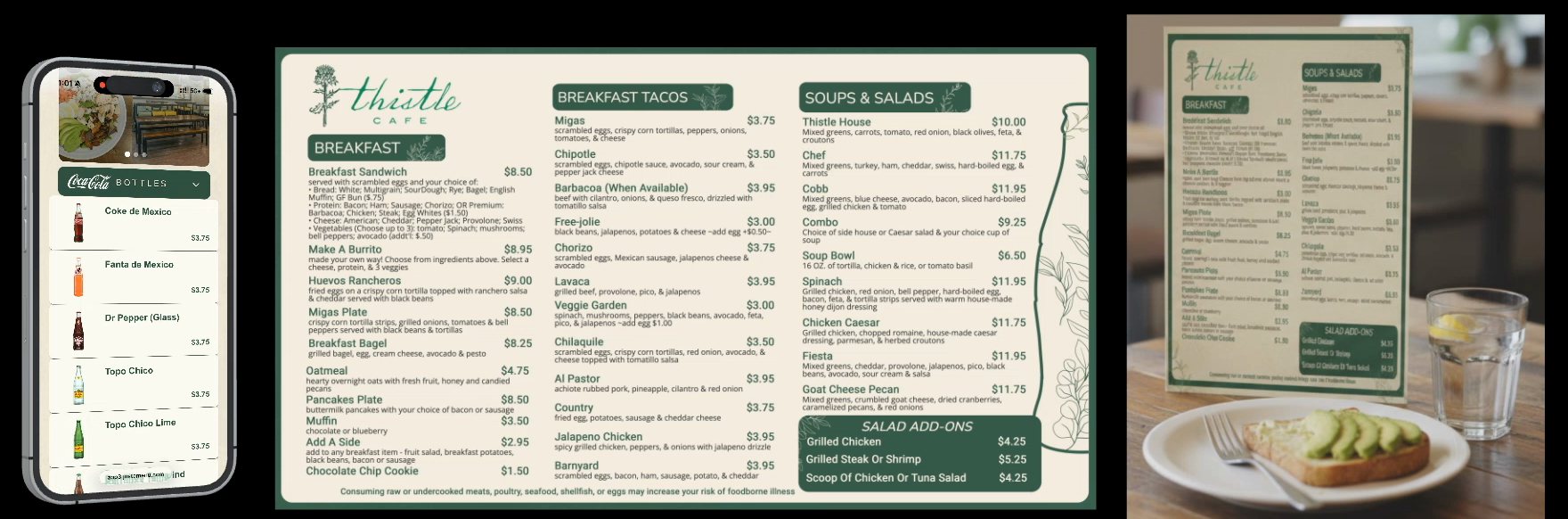
Thistle Cafe’s real menu · Austin, TX
One menu, three places: the QR menu, the TV board and the printed menu all match.
Guests who scan your QR code get the same menu on their phones, in their language if you turn on translations, with allergy info a tap away. See Just a Menu digital menu boards
Questions
What is a digital menu board used for?
It shows your menu on a screen where guests decide what to order, usually above or beside the counter. Restaurants use digital menu boards to change prices without reprinting, switch menus by time of day, mark items sold out and promote specials and combos.
Is a digital menu board just a TV?
No. A TV on its own only shows whatever you plug into it. A digital menu board adds a player, software to change the menu and designs made for the screen. With Just a Menu, a small JAM Player behind each TV shows your menu and picks up your changes by itself. Digital menu board vs a regular TV
Do I need special screens?
No. Any TV with an HDMI port works, hung wide or tall, including the TVs you already have. A spot in direct sun or outdoors needs a brighter screen built for it.
What does a digital menu board need to run?
A screen with a spare HDMI port, power nearby, Wi-Fi to get your changes, and a player. With Just a Menu, that’s one JAM Player per TV, run from your phone, tablet or computer. No computer at the counter.
Can it show breakfast, then lunch?
Yes. Set when each slide shows, by day of the week and time of day. Breakfast, lunch and happy hour can all run on the same TV, and it switches on its own.

Pizza Di Roma · Austin, TX
Tacos & Burritos Metro · Phoenix, AZ
Which TV should I use?
Regular TV or commercial display, size, brightness, 1080p or 4K, and mounting.
Read the TV guide →
Pizza Di Roma · Austin, TX
Menu board size guide
Match TV size and text size to how far away guests stand.
Read the size guide →
Put your menu on your TV
Plug in the JAM Player, connect it with your phone and choose what it shows.
Read the guide →
Want a digital menu board? Let’s talk.
Once you’re set up, snap a photo of your menu and Just a Menu builds custom menu boards for your TVs, plus a matching QR menu and print menus.
Talk to a real person. We reply within one business day.
Illustration
Questions about digital menu boards? Email support@justamenu.com or call (202) 886-2442.